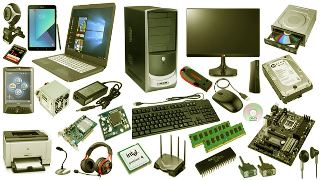
Without mincing words, the physical components that make up a computer system are known as hardware. You can either installed inside or make connections to the outer part device. Here’s All you need to know about laptop hardware.
All you need to know about laptop hardware

For better understanding of system hardware, try and take a closer look of a desktop computer to discover how hardware are connected to build a full system.
List of Computer Hardware
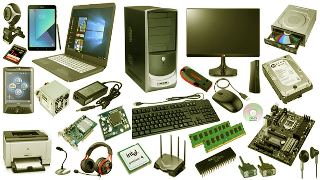
Inside a modern computer computer, you will discover the following underlisted parts, the motherboard, the Central Processing Unit (CPU), the Random Access Memory (RAM), the power supply, the Video Card, the Hard Drive (HDD), the Solid-State Drive (SSD), the Optical Drive (e.g., BD/DVD/CD drive) Card Reader (SD/SDHC, CF, ) and lots more. Some of these parts are very common in a modern system.
Hardware connected to the outside of a computer
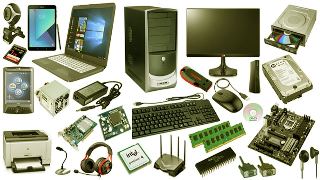
Although many laptops package some of these items into their housings. But in the case of computer, they are connected outside.
We have the monitor, the keyboard, mouse, the battery backup (UPS), the Flash Drive, the printer, speakers, the external the Hard Drive and Pen Tablet.
We also have the ones that are not common but integrated into other system. We have, the sound card, the Network the interface card (NIC), the expansion card ( Firewire , USB , etc.), the Hard Drive controller card, analog, the modem scanner, projector, the floppy disk drive, the Joystick, the webcam, the microphone, Tape Drive and Zip Drive.
Network Hardware

Do you know that we also have network hardware , such as, Digital Modem (e.g., Cable Modem, DSL Modem, etc.), Router, Network Switch, Access Point, Repeater, Bridge, Print Server and Firewall
Network hardware isn’t as clearly defined as some other types of computer hardware. For example, many home routers will often act as a combination router, switch, and firewall.
Auxiliary Hardware

We also have auxiliary hardware, such as, Fan (CPU, GPU, Case, etc.), Heat Sink,Data Cable,Power Cable,CMOS Battery and Daughterboard
Majority of the abovelisted items are regarded as peripheral devices that form a major inclusive part of system.
Troubleshooting Faulty Computer Hardware

Do you know that computer hardware part normally heat up during usage, Once one fail, others may breakdown as well. It all depends. The good news is that they are replaceable.
It is pertinent to check some of the underlisted resources while placing an order for a new hard drive.
MEMORY (RAM)
Consider the Free Memory Test Programs
How to change the Memory (RAM) in the system?
HARD DRIVE
Consider Free Hard Drive Testing Programs
Check out for Commercial Hard Drive Testing Tools
Discover How to change the Hard Drive.
Incase your hard drive is making noise, discover what to do.
Troubleshooting a Noisy Computer Fan
Discovering CPU Fan Error: What It entails and How to carry out repair.
The truth is that hardware resources In Microsoft Windows are control with the help of the Device Manager. If the device is not enabled, Hardware devices won’t work or run properly.
If you make up your mind that you want to change or upgrade some hardware., check out for the maker support website for warranty details or search for the ones related or upgraded parts that you can purchase directly and easily.
Hardware vs Software
Without software, a computer system can never be complete, which is entirely not the same with hardware. The software is classified as data that’s saved electronically and not manually, like an operating system or a video editing tool, which work on the hardware perfectly .
Hardware receive its unique name as a result of strictness when the issue of modifications comes up. Software is characterized with flexibility which is prone to upgrade or change totally.
If I may ask, do you found this content to be helpful? Also do not forget to visit us for quality UK used laptops at an affordable prices on www.psero.com or visit our open store at 09 Nigeria Army Shopping Arena Bolade Oshodi Lagos Nigeria or call our office line +2348105975788.