
On this blog post, Our focus will be to Utilize Your Laptop’s Battery for Maximum Efficiency. Your laptop’s battery is a vital component that powers your device, providing the freedom to work, study, or enjoy entertainment on the go. However, over time, batteries degrade, leading to decreased performance and reduced lifespan. In this guide, we’ll explore practical tips and strategies for extending the lifespan of your laptop battery and maximizing its performance, ensuring that you get the most out of your device for years to come.
Understanding Battery Lifespan:
Before we look into battery care tips, it’s essential to understand how laptop batteries work and why they degrade over time. Most laptops use lithium-ion batteries, which are renowned for their high energy density and rechargeable capabilities. However, lithium-ion batteries are also subject to degradation due to factors such as temperature, usage patterns, and charging habits. Over time, this degradation leads to reduced battery capacity and runtime, necessitating replacement.
Tips To Utilize Your Laptop’s Battery for Maximum Efficiency:
To prolong the lifespan of your laptop battery and maintain optimal performance, consider the following tips:
- Avoid Extreme Temperatures: Excessive heat or cold can accelerate battery degradation, so it’s essential to keep your laptop within a moderate temperature range. Avoid exposing your laptop to direct sunlight, and refrain from leaving it in hot cars or cold environments for extended periods.
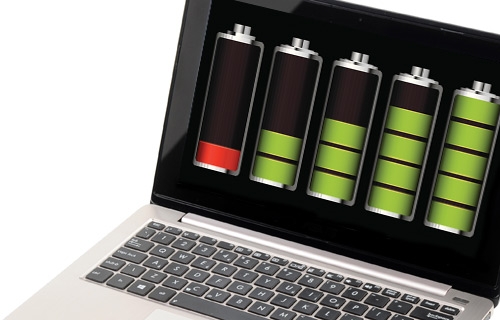
- Optimize Charging Habits: Lithium-ion batteries degrade faster when subjected to frequent full discharges and recharges. Instead, aim to keep your battery level between 20% and 80% whenever possible. Avoid fully draining the battery regularly and opt for partial charges to minimize wear and tear.
- Use Battery Saver Modes: Most laptops offer battery saver modes or power management settings that optimize energy usage and extend battery life. Enable these modes when working on battery power to reduce power consumption and prolong runtime.
- Unplug When Fully Charged: Once your laptop battery reaches full charge, unplug it from the power source to prevent overcharging. Continuous charging at 100% capacity can degrade battery health over time, so aim to disconnect the charger when not in use.
- Store at Partial Charge: If you plan to store your laptop for an extended period, ensure that the battery level is around 50% before powering off. Storing a battery at full charge or empty can lead to capacity loss and reduced performance over time.
Maximizing Battery Performance:
In addition to extending battery lifespan, you can also maximize the performance of your laptop battery by optimizing usage habits and settings:
- Monitor Battery Health: Keep track of your laptop battery’s health and performance using built-in diagnostic tools or third-party software. Monitor factors such as charge capacity, cycle count, and wear level to identify any signs of degradation early on.
- Reduce Background Processes: Minimize the number of background processes and applications running on your laptop to reduce power consumption and extend battery life. Close unnecessary programs and browser tabs when working on battery power to conserve energy.
- Adjust Display Brightness: Lowering your laptop’s display brightness can significantly reduce power consumption and extend battery runtime. Adjust the brightness settings based on your surroundings and preferences to strike a balance between visibility and energy efficiency.
- Manage Peripherals and Connectivity: Disconnect external devices and peripherals when not in use to reduce power consumption and extend battery life. Disable Bluetooth, Wi-Fi, and other wireless connections when working offline to conserve energy.
Conclusion:
Your laptop’s battery is a critical component that requires proper care and maintenance to ensure optimal performance and longevity. By following the tips and strategies outlined in this guide, you can extend the lifespan of your laptop battery and maximize its performance, allowing you to enjoy uninterrupted productivity and mobility. Incorporate these battery care practices into your routine to preserve your laptop’s battery health and get the most out of your device for years to come.
And remember, when it comes time to replace your laptop battery, Psero Online Store offers a wide selection of high-quality replacement batteries and accessories to keep your device running smoothly. Explore our collection today and invest in the longevity of your laptop.