When deciding between optical and mechanical keyboards, it’s essential to think about what suits your specific needs, whether you’re a gamer, coder, or frequent typist. Both types offer unique advantages but differ significantly in terms of speed, durability, and tactile experience. Here’s a breakdown of the key distinctions.
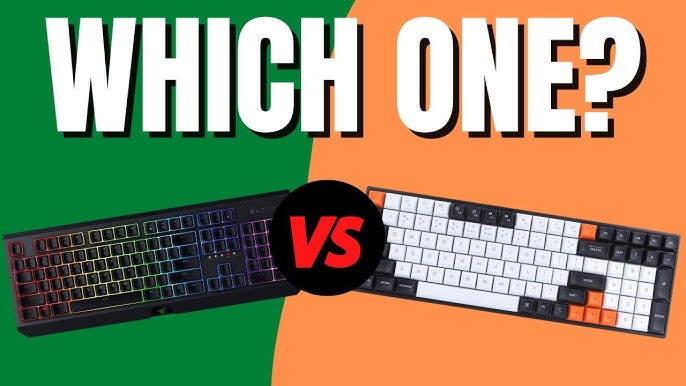
Optical Keyboards
How They Function
Optical keyboards utilize light-based technology to register keystrokes. Each key interrupts a beam of light, which is detected by an optical sensor. This results in quicker response times since no mechanical components are involved.
Key Characteristics
- Fast Response: Optical keyboards are known for their rapid actuation, making them highly responsive and suitable for fast-paced activities like gaming.
- Long-lasting: Since there are fewer moving parts, optical keyboards are highly durable, often rated to last over 100 million keystrokes.
- Smooth Typing: With no physical friction between parts, these keyboards tend to offer a smoother and quieter typing experience.
Pros
- Speed: The instant signal transmission via light makes these keyboards ideal for gamers and professionals needing quick input.
- Durability: With fewer mechanical components, optical keyboards generally outlast mechanical ones.
- Quiet Operation: The lack of friction leads to quieter keystrokes compared to mechanical keyboards.
Cons
- Higher Cost: Due to their advanced technology, optical keyboards can be more expensive.
- Limited Feedback: The smoother feel might lack the tactile feedback that many users prefer.
- Less Common: Optical keyboards are not as widely available as mechanical ones.
Mechanical Keyboards
How They Function
Mechanical keyboards feature individual physical switches under each key. These switches have several components, including a spring and metal contact, which engage when the key is pressed.
Key Characteristics
- Tactile Feedback: Mechanical keyboards provide a distinctive feel, with a tactile bump or audible click when pressed. Many users appreciate this feedback.
- Customizable Switches: Different switch types (e.g., Cherry MX Red, Blue, or Brown) allow users to select the feel and sound they prefer, from quiet and linear to loud and clicky.
- Durable Build: Mechanical keyboards are designed for longevity, often lasting 50 to 100 million keystrokes, making them a favorite among frequent typists and gamers.
Pros
- Tactile Response: The physical feedback from the keys enhances the typing experience for many users.
- Highly Customizable: You can choose from a range of switches and personalize keycaps and other elements.
- Robust Construction: Mechanical keyboards are built to withstand heavy use over time.
Cons
- Noise: Depending on the switch type, mechanical keyboards can be quite loud, which may be disruptive in certain environments.
- Bulkier Design: Due to their physical switches, mechanical keyboards are typically heavier and larger.
- Higher Price: Like optical keyboards, mechanical options can be more expensive than traditional membrane keyboards.
Key Comparisons
| Feature | Optical Keyboards | Mechanical Keyboards |
|---|---|---|
| Switch Mechanism | Light-based sensors | Physical metal contacts |
| Typing Feel | Smoother, less tactile | Tactile, with a noticeable response |
| Response Time | Faster due to light actuation | Fast but slightly slower |
| Durability | Up to 100 million keystrokes | 50 to 100 million keystrokes |
| Noise Level | Generally quieter | Varies, often noisier |
| Customization | Limited customization | Wide range of switch types and keycaps |
| Best For | Gamers needing rapid response | Users who prefer tactile feedback |
Which to Choose?
Your decision between an optical or mechanical keyboard depends on your priorities.
- Optical Keyboards: If you value fast response times, especially for gaming, an optical keyboard is an excellent option. It offers smooth, quiet performance and durability, making it ideal for those who prioritize speed and precision.
- Mechanical Keyboards: If you enjoy tactile feedback and customization, mechanical keyboards are the way to go. Their variety of switches and overall robustness cater well to typists, programmers, and gamers who want a more personalized experience.