Windows 7 was a popular operating system released by Microsoft in October 2009. Known for its simplicity and ease of use, it was widely adopted for both personal and professional use, building upon the successes of Windows XP and Windows Vista.
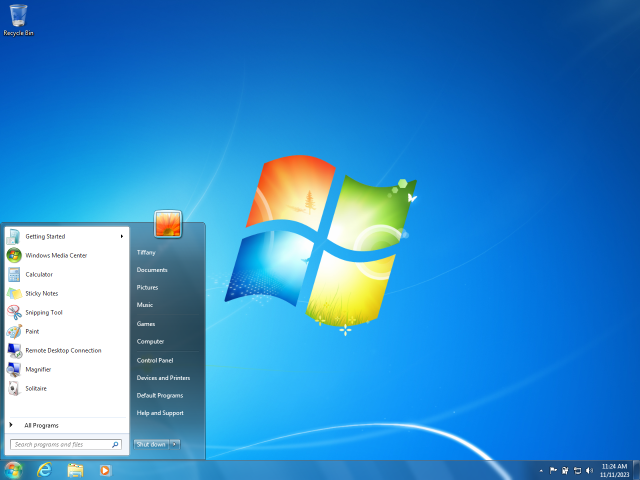
Here are some key features of Windows 7:
Key Features:
- Improved Taskbar: Windows 7 introduced the “superbar,” which allowed users to pin frequently used programs, giving faster access and better organization.
- Aero Snap: This feature allowed for quick window management, where users could easily snap windows to the side of the screen to work with two applications side by side.
- Performance Enhancements: Compared to Vista, Windows 7 was faster and more efficient, optimized for better performance on both new and older hardware.
- Libraries: Windows 7 introduced “Libraries” for better file management, where users could organize files from different folders in one virtual location.
- DirectX 11 Support: Windows 7 brought support for DirectX 11, which greatly improved the gaming experience and enabled better graphics rendering.
- Touchscreen and Gesture Support: It was one of the first operating systems to integrate better support for touchscreen devices and gestures.
- HomeGroup: This feature simplified networking by making it easier to share files, printers, and other resources across a home network.
End of Support
Although widely loved, Microsoft officially ended support on January 14, 2020. This means that while the OS can still be used, it no longer receives security updates, making it vulnerable to security risks.
Many users have since transitioned to newer versions like Windows 10 or Windows 11 for better security and modern features. However, It still remains popular in certain settings due to its stability and familiarity.
Windows 7 was a beloved operating system for its reliability and user-friendly features. Even though Microsoft ended its support on January 14, 2020, you can still find some enthusiasts who continue to use it despite security risks.
If you’re looking for an alternative or a modern replacement, check out Psero for guides and recommendations on the latest operating systems and other tech-related solutions. You can visit the site at psero.com.