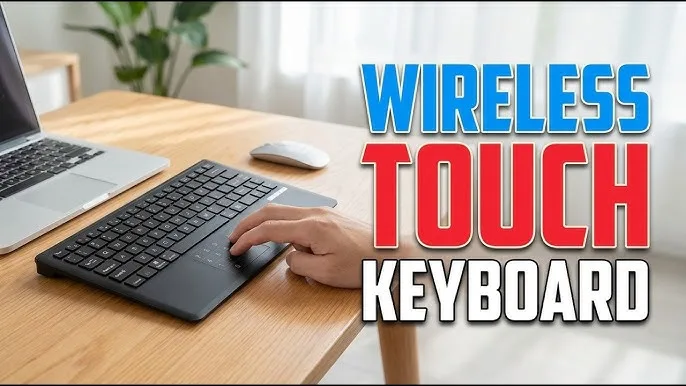
A laptop already has a keyboard and trackpad, so why would you need another keyboard or mouse?
For many users, the answer is comfort. Someone who works on a laptop for eight hours a day may prefer a full-size keyboard, a proper mouse or a larger desktop setup. Students, freelancers, office workers and gamers can all benefit from moving some of their daily work away from the built-in controls.

When Does an External Keyboard Make Sense?
A laptop keyboard works well when portability matters. Once the laptop stays on a desk most of the day, an external keyboard can offer a more comfortable typing position.
You can place the keyboard at a better distance from the screen and use the laptop display without keeping your hands directly beside it.
An external keyboard can also help when the built-in keyboard has worn keys, sticky buttons or other physical problems.
USB vs Bluetooth vs Wireless Keyboard
| Type | Main advantage | Possible drawback |
|---|---|---|
| USB | Simple and reliable | Uses a physical port |
| Bluetooth | No receiver required on compatible laptops | Needs battery power and pairing |
| 2.4GHz wireless | Wireless connection with dedicated receiver | USB receiver can be easy to lose |
A USB keyboard remains one of the simplest choices for a desk. Bluetooth makes more sense when you want fewer cables, while a 2.4GHz wireless keyboard can be useful when you prefer a dedicated receiver.
What About an External Mouse?
A mouse can make many laptop tasks easier, especially when you work with spreadsheets, image editing software, websites or other interfaces that require precise pointer movement.
Some people simply prefer the feel of a physical mouse over a laptop trackpad.
Gaming also creates a strong case for an external mouse because many gamers want more precise control than a trackpad can provide.
Wired Mouse vs Wireless Mouse
| Mouse type | Best suited for | Consideration |
|---|---|---|
| USB wired | Office work and gaming | Cable management |
| Bluetooth | Portable setups | Battery charging or replacement |
| 2.4GHz wireless | General use and gaming | Requires a receiver |
There is no universally superior option. Your workspace and priorities should determine the choice.
Why External Controls Can Be Better for Long Work Sessions
Laptop keyboards force the screen and keyboard to stay attached to each other. That design makes the computer portable, but it can limit your preferred desk position.
An external keyboard lets you move your hands farther away from the screen. You can also raise the laptop display or place it on a stand while keeping the keyboard at desk level.
That arrangement may feel more comfortable during long typing sessions.
Can You Use an External Keyboard With a UK-Used Laptop?
Yes. External keyboards and mice work with many Windows laptops regardless of whether the machine was originally sold in the UK, Nigeria or another market.
USB devices usually require little configuration. Bluetooth accessories may require pairing through Windows settings.
When buying a used laptop, working USB ports remain important because you may eventually connect keyboards, mice, flash drives, printers, external storage and other accessories.
Our UK-used laptop buying checklist includes physical and connectivity checks worth performing before you pay.
How Many USB Ports Do You Need?
The answer depends on how you work.
Someone using a Bluetooth mouse and keyboard may need very few USB ports. A person using a wired keyboard, wired mouse, flash drive and external storage can quickly run out of connections.
USB-C can also complicate the setup because newer laptops may provide several USB-C ports while offering fewer traditional USB-A ports.
Our laptop ports guide explains what the major laptop connectors are designed to do.
What Is a Keyboard and Mouse Combo?
A keyboard-and-mouse combo packages both accessories together, often with one wireless receiver.
This can reduce cable clutter and save you from buying each device separately.
For a simple office desk, a basic combo can provide everything needed for everyday typing and navigation.
Do You Need a Mechanical Keyboard?
Not necessarily.
Mechanical keyboards use individual mechanical switches and appeal to users who want a particular typing feel, stronger key feedback or gaming features.
A normal membrane or scissor-switch keyboard can still provide an excellent experience for office work, schoolwork and general browsing.
The best keyboard is the one whose layout, key feel and noise level suit your environment.
What Should You Check Before Buying a Keyboard?
- Keyboard layout
- Key spacing
- Wired or wireless connection
- USB or Bluetooth compatibility
- Full-size or compact design
- Number pad requirements
- Backlighting if needed
- Battery type for wireless models
- Typing noise
- Build quality
Pay attention to the layout if you regularly use symbols, numbers or keyboard shortcuts. A compact keyboard can save desk space, but removing the number pad may slow down spreadsheet work.
What Should You Check Before Buying a Mouse?
- Shape and hand comfort
- Sensor quality
- Connection type
- Number of buttons
- Scroll wheel quality
- Battery life for wireless models
- Weight
- Surface compatibility
A mouse that feels uncomfortable after five minutes may become even more annoying after several hours of daily use.
Bluetooth Accessories and Laptop Battery Life
Bluetooth keyboards and mice use wireless communication, but their power consumption is generally small compared with demanding laptop workloads.
The bigger concern is usually the accessory’s own battery. A keyboard or mouse can stop working at the worst possible moment if its battery runs out.
Rechargeable models reduce the need to keep buying disposable batteries, while replaceable batteries can be convenient when you need an immediate replacement.
What If Windows Does Not Detect the Keyboard or Mouse?
Start with the simplest checks.
- Reconnect the USB device.
- Try another USB port.
- Replace the batteries if necessary.
- Check whether Bluetooth is enabled.
- Remove and pair the Bluetooth device again.
- Test the accessory on another computer.
- Restart Windows.
If several USB devices fail on the same laptop port, the laptop itself may need investigation. Windows Device Manager can also help identify hardware and driver problems. Our Windows Device Manager guide explains how to investigate those issues.
External Keyboard and Mouse for Students
Students who use a laptop at a fixed desk can create a more comfortable workspace with inexpensive external accessories.
A mouse can make research, document editing and presentation work easier. A full-size keyboard may also help students who spend long periods typing assignments.
Those accessories do not need to be expensive. Compatibility and comfort matter more than having premium features that you will never use.
External Keyboard and Mouse for Freelancers
Freelancers often spend many hours moving between browsers, documents, communication platforms and business tools.
A comfortable keyboard can make repeated typing less tiring, while a reliable mouse can speed up navigation and editing.
Someone using a laptop as a permanent workstation may also combine the accessories with an external monitor.
If your laptop is mainly for freelancing or business work, our guide to laptops under ₦300,000 for business and freelancing in Nigeria covers other factors worth considering.
Can an External Keyboard Fix a Bad Laptop Keyboard?
It can provide a practical workaround, but it does not repair the built-in keyboard.
If several keys have stopped working, an external keyboard may keep the laptop useful while you decide whether a keyboard replacement makes financial sense.
For a heavily worn machine, compare the repair cost with the laptop’s overall condition before spending money.
Common Mistakes When Buying Accessories
Buying Without Checking the Connection
A Bluetooth keyboard is not useful if your intended setup does not support the required connection. Likewise, a USB accessory needs a suitable port or adapter.
Choosing Features Instead of Comfort
RGB lighting, extra buttons and advanced software can look attractive, but none of them matters if the keyboard or mouse feels uncomfortable.
Ignoring Desk Space
A full-size keyboard and large mouse can consume much more space than expected. Measure your desk before choosing oversized accessories.
Forgetting About the Receiver
Wireless accessories that use USB receivers depend on those small adapters. Losing one can make the device difficult or impossible to use unless the manufacturer provides a replacement or pairing system.
Final Advice
An external keyboard and mouse can turn a laptop into a much more comfortable desktop workstation without changing the computer itself.
USB accessories offer simplicity, Bluetooth reduces cables and 2.4GHz wireless devices provide another flexible option. Choose according to your workspace instead of assuming one connection type is automatically better.
If your laptop spends most of its time on a desk, consider the entire setup rather than focusing only on the laptop. A good screen position, comfortable keyboard, reliable mouse and suitable connectivity can make a bigger difference to daily productivity than another specification on the laptop box.