
One of the easiest mistakes to make when buying a laptop is assuming that a higher processor number automatically means a newer or better computer.
Modern laptop processors can be confusing because manufacturers have changed their naming systems over the years. Intel has moved through several naming schemes, AMD uses Ryzen generations and model numbers, while ARM-based processors such as Snapdragon X use completely different names.
This makes it important to understand what a processor’s name actually tells you before deciding whether a laptop is old, new, powerful or worth the asking price.
What Is a Laptop CPU?
The CPU, or central processing unit, is one of the most important components in a laptop.
It performs instructions required by Windows, applications and many other tasks.
The CPU affects areas such as:
- Application performance
- Multitasking
- Web browsing
- Programming
- Office work
- Video editing
- Gaming performance
- Battery efficiency
However, the CPU is not the only component that determines how fast a laptop feels. RAM, SSD performance, cooling and graphics hardware also matter.
What Does CPU Generation Mean?
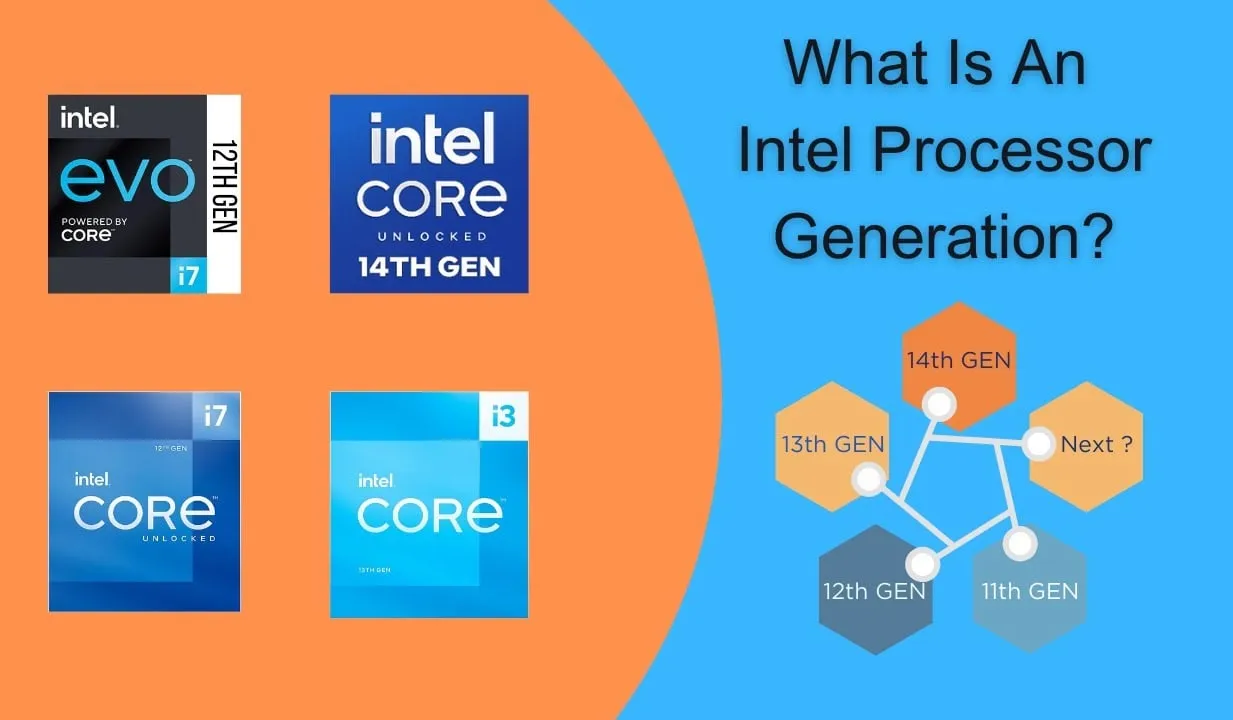
A processor generation generally refers to a newer processor architecture or product family released after an earlier generation.
Newer generations may introduce improvements in:
- Performance
- Power efficiency
- Integrated graphics
- AI acceleration
- Memory support
- Connectivity
- Security
- Manufacturing technology
But a newer generation is not automatically faster in every workload.
A higher-performance processor from an older family can sometimes outperform a low-power processor from a newer family.
Is a 13th-Generation CPU Always Faster Than a 12th-Generation CPU?
No.
Comparing only the generation number can be misleading.
For example, an entry-level processor from a newer generation may perform differently from a high-end processor from an older generation.
The processor’s class, number of cores, power limits, architecture and cooling system all influence real-world performance.
Why Can’t You Compare Intel Generations by Number Alone?
Intel has produced processors across different performance categories, including low-power chips for thin laptops and higher-performance processors for gaming and workstation systems.
A laptop with a newer Core processor may therefore be slower in some demanding tasks than an older laptop equipped with a higher-performance chip.
This is why the complete processor model matters more than the generation number alone.
What Do Intel Core i3, i5 and i7 Mean?
Historically, Intel’s Core i3, Core i5 and Core i7 labels were used to indicate different performance tiers.
Generally, Core i3 was positioned below Core i5, while Core i7 occupied a higher performance tier.
However, these labels should never be treated as exact performance measurements.
A newer Core i5 can outperform an older Core i7, while a low-power Core i7 may perform differently from a high-power Core i5.
Is Core i7 Always Better Than Core i5?
No.
This is one of the most common laptop-buying misconceptions.
When comparing two laptops, you should check the actual processor models and their generation or architecture rather than assuming that every Core i7 is faster than every Core i5.
A modern Core i5 can be a better choice than an old Core i7 for performance, efficiency, battery life and platform features.
Is Core i5 Still Good in 2026?
Yes.
Core i5 is a processor performance tier rather than a guarantee that every chip is old or new.
A modern Core i5 laptop can be excellent for:
- Office work
- Schoolwork
- Programming
- Web browsing
- Multimedia
- Light content creation
- Some gaming
The exact processor model is much more important than simply seeing “Core i5” on the specification sheet.
What Happened to Intel’s Core i5 Naming?
Intel has changed its branding over time.
Newer Intel processors can use names such as Core Ultra, while older systems may use traditional Core i3, i5 and i7 branding.
This means shoppers should not assume that the absence of “i5” means an Intel processor is weaker.
The architecture and exact model are more useful indicators.
What Is Intel Core Ultra?
Core Ultra is Intel’s newer processor branding for a range of client processors.
Depending on the specific model, Core Ultra processors can combine CPU cores, integrated graphics and dedicated AI acceleration features into a modern platform.
The exact performance still varies significantly between models, so “Core Ultra” by itself is not enough to determine which laptop is faster.
What Is an N-Series Intel Processor?
Intel has also produced lower-power N-series processors aimed at affordable systems.
These chips can be suitable for basic tasks such as browsing, documents, schoolwork and light productivity.
However, they should not automatically be compared with Core Ultra or higher-performance Core processors simply because they are newer.
The intended performance class is different.
What About AMD Ryzen Processors?
AMD’s Ryzen processors are also divided into different performance tiers and generations.
You may encounter Ryzen 3, Ryzen 5, Ryzen 7 and Ryzen 9 models.
As with Intel, the higher number generally represents a higher position within the product stack, but the exact processor generation and model remain important.
Is Ryzen 7 Always Faster Than Ryzen 5?
No.
A newer Ryzen 5 can compete strongly with or outperform an older Ryzen 7 depending on the specific models and workload.
Do not buy a laptop simply because the seller advertises “Ryzen 7” without providing the complete processor model.
How Do You Identify an AMD Ryzen Processor?
Look for the complete processor name rather than just the Ryzen tier.
For example, information such as the series, model number and suffix can provide clues about the processor’s performance class and intended use.
The complete model is particularly important when comparing used laptops.
What Do Processor Suffixes Mean?
Processor suffixes can provide information about how a particular chip is positioned.
Depending on the manufacturer and generation, suffixes can indicate characteristics such as:
- Power efficiency
- Performance class
- Integrated graphics configuration
- Unlocked operation
- Target device category
However, suffix meanings change between processor families, so you should not assume that one suffix has exactly the same meaning across every generation.
Why Is the CPU Model More Important Than the Generation?
Consider two hypothetical processors:
- Newer-generation low-power processor
- Older-generation high-performance processor
The newer chip may have a more efficient architecture and better integrated graphics, while the older high-performance processor could still deliver stronger sustained CPU performance in some workloads.
The correct comparison therefore requires looking at the actual processors rather than their generation labels alone.
What Is CPU Architecture?
CPU architecture describes the fundamental design of the processor and the technologies used to execute instructions.
A newer architecture can improve performance per watt, instructions per clock, graphics performance, AI capabilities and other characteristics.
This is one reason clock speed alone is not a reliable way to compare processors.
Does Higher GHz Mean a Faster CPU?
Not necessarily.
Clock speed indicates how quickly processor clock cycles occur, but different CPU architectures can perform different amounts of work per cycle.
A modern processor running at a lower clock speed can therefore outperform an older processor running at a higher clock speed.
What Is CPU Core Count?
A CPU core is an individual processing unit within a processor.
Modern laptop CPUs can contain multiple cores, allowing them to handle several tasks concurrently.
However, core count alone does not determine performance.
Core architecture, clock behaviour, power limits, cache, workload and cooling also matter.
Is a 10-Core CPU Always Faster Than an 8-Core CPU?
No.
Two CPUs with different numbers of cores can have very different architectures and power limits.
An 8-core processor with a strong architecture and high sustained power limit can outperform a 10-core processor designed for an extremely thin, low-power laptop in some workloads.
What Is CPU Thread Count?
Threads represent the execution paths that the operating system can schedule on the processor.
Some processors support technologies that allow a physical core to handle multiple threads.
Thread count can be useful when comparing processors, but once again, it should be considered alongside architecture and core performance.
What Is CPU Cache?
CPU cache is high-speed memory located within or very close to the processor.
It stores frequently needed data and instructions so that the CPU can access them more quickly than it could from system RAM.
Modern processors can have several levels of cache, and cache size can influence performance in certain workloads.
What Is an Integrated GPU?
An integrated GPU is a graphics processor built into the CPU or processor platform.
Integrated graphics are commonly used in thin laptops and mainstream productivity systems.
They can handle everyday display output, video playback and many lighter graphics workloads without requiring a separate graphics card.
For laptops using integrated graphics, memory performance can also matter because the graphics system typically shares system memory.
Our laptop RAM speed guide explains why memory performance can affect some laptop workloads.
Why Does Integrated Graphics Matter When Comparing CPUs?
Two processors with similar CPU performance can have very different graphics capabilities.
This can make one laptop better for casual gaming, creative applications and graphics-heavy tasks without requiring a dedicated GPU.
Therefore, when comparing laptops, look at the processor’s integrated graphics capabilities as well as its CPU performance.
What Is a Dedicated GPU?
A dedicated GPU is a separate graphics processor with its own graphics memory in many laptop designs.
Dedicated GPUs are commonly found in gaming and professional creator laptops.
If gaming or demanding graphics work is important, the GPU may have a greater effect on performance than the CPU generation alone.
Can an Older CPU Still Be Good in 2026?
Yes.
A relatively old laptop can still be useful if its processor provides enough performance for your workload and the rest of the hardware remains in good condition.
An older Core i7 or Ryzen 7 system with sufficient RAM and a fast SSD may still be perfectly capable for office work, browsing and many productivity tasks.
Age alone does not determine whether a laptop is useful.
When Is a Laptop CPU Too Old?
A processor may become unsuitable when it no longer provides the performance, software compatibility, security support or efficiency you need.
Other factors can also matter, including whether the laptop supports the operating system you need and whether its battery and storage are still healthy.
Rather than asking whether a processor is simply “old”, ask whether it can comfortably handle your intended workload.
Should You Buy a 10th-Generation Laptop in 2026?
It depends on the price and specifications.
A 10th-generation laptop can still be useful for basic productivity if it is in good condition and priced appropriately.
However, if two machines are similarly priced, a newer platform may offer advantages in performance, efficiency, connectivity and operating-system support.
For used laptops, condition and price should be considered alongside processor age.
Should You Buy a 12th-Generation Laptop in 2026?
A 12th-generation laptop can still be a very practical choice, particularly when the price is significantly lower than a newer model.
Again, the exact processor matters.
A higher-performance 12th-generation processor can be more useful for demanding work than a newer low-power processor.
Should You Buy a 13th-Generation Laptop in 2026?
A 13th-generation laptop can still be an attractive option, particularly when you want a balance between price and performance.
But the same rule applies: examine the exact processor model, RAM, SSD, display and battery rather than buying based solely on the generation number.
What About Snapdragon X Laptops?
Snapdragon X processors represent a different approach to laptop computing based on Arm architecture.
These processors are designed to provide strong performance and power efficiency and can include dedicated AI processing capabilities.
Because they use a different architecture from traditional x86 laptop processors, compatibility with applications should also be considered when choosing a Snapdragon-powered Windows laptop.
Are Snapdragon Laptops Faster Than Intel Laptops?
There is no universal answer.
Performance depends on the exact processor, application and workload.
Snapdragon-based laptops can be very competitive in efficiency and certain performance workloads, while compatibility can vary for applications that were designed specifically for x86 Windows systems.
Always check the software you depend on before making the switch to a different processor architecture.
Why Does Laptop Cooling Matter?
A processor may be capable of excellent performance on paper but unable to maintain that performance if the laptop’s cooling system is inadequate.
Under sustained workloads, laptops can reduce processor power or clock speed to control temperatures.
This is known as thermal throttling.
As a result, two laptops with similar CPUs can perform differently because their cooling systems and power limits are different.
Our laptop cooling guide explains why thermal design can make a major difference to sustained performance.
Does RAM Affect CPU Performance?
Yes.
The processor depends on system memory to access data and instructions.
Insufficient RAM can limit multitasking, while memory bandwidth can influence certain workloads.
For that reason, a laptop should be evaluated as a complete system rather than as a CPU alone.
Does an SSD Make a CPU Faster?
An SSD does not increase the CPU’s processing power.
However, replacing a slow hard drive with an SSD can make the entire laptop feel dramatically more responsive because Windows and applications can load data much faster.
This is one reason an older laptop with an SSD can sometimes feel considerably better than a newer machine still using a mechanical hard drive.
How Should You Compare Two Laptop CPUs?
When comparing two laptops, check these specifications:
- Exact CPU model
- Processor architecture
- Core and thread configuration
- Power class
- Integrated graphics
- Supported memory
- Cooling design
- Real-world benchmark performance
- Battery efficiency
- Price
Do not rely on the generation number alone.
What Is the Biggest CPU Buying Mistake?
The biggest mistake is buying a laptop based on a processor name without checking the complete model.
A seller might advertise a laptop simply as “Core i7” or “Ryzen 7”, but that description leaves out important information.
Always ask for the complete processor model.
How Can You Check Your Laptop’s CPU?
In Windows, you can open Task Manager → Performance → CPU to see the processor currently installed.
You can also open Settings → System → About to see processor information.
For more detailed specifications, hardware-information utilities can provide additional information about cores, threads, cache and other characteristics.
What CPU Should You Buy in 2026?
The right processor depends on your workload.
| User | What to prioritise |
|---|---|
| Basic user | Efficiency, affordability and enough RAM |
| Student | Balanced CPU, battery life and upgradeability |
| Office worker | Efficient CPU and good multitasking performance |
| Programmer | CPU performance, RAM capacity and cooling |
| Gamer | CPU/GPU balance and cooling |
| Video editor | CPU, GPU, RAM and fast storage |
| Professional workstation user | Sustained CPU/GPU performance and memory capacity |
Final Verdict
Understanding laptop CPU generations is important, but generation numbers should never be used as the only way to judge a processor.
A newer processor can provide better efficiency, graphics, AI capabilities and platform features, but an older high-performance processor can still outperform a newer low-power chip in certain workloads.
Intel Core i3, i5, i7, Core Ultra, AMD Ryzen 3, Ryzen 5, Ryzen 7 and Snapdragon X all represent different processor families and performance categories. The exact model is what allows you to make a meaningful comparison.
When buying a laptop in 2026, look beyond the marketing name. Check the exact CPU model, architecture, core configuration, graphics, RAM, SSD, cooling system and battery.
And if you are buying a used laptop, never let a seller convince you that “Core i7” automatically means the machine is powerful or modern.
A laptop should be judged by the complete hardware package, its condition and its price.
That is how you avoid paying modern-laptop money for an old processor simply because its name sounds impressive.