
As an architect, your laptop is more than just a tool; it’s your workstation, your design studio, and your creative hub all rolled into one. Whether you’re sketching out concepts, drafting plans, or rendering 3D models, you need a machine that can keep up with your demanding workflow. That’s why we’ve compiled a list of the top laptops for architects in 2024, featuring portable powerhouses that are up to the task.
Quick Navigation:
- Best Overall: Asus ProArt Studiobook 16
- Best Large Screen: Dell XPS 17
- Most Powerful: MSI Creator Z17
- Best 2-in-1: Microsoft Surface Laptop Studio
- Best MacBook: MacBook Pro 16
- Best Compact: Dell XPS 13
How to Choose the Right Laptop for Architecture
Before we dive into the specifics of each laptop, let’s take a moment to discuss what factors you should consider when choosing the right laptop for architecture.
- Performance: Architects often run resource-intensive design software like AutoCAD, 3DS Max, and SketchUp simultaneously. Look for a laptop with a powerful CPU, dedicated GPU, and ample RAM to handle these tasks efficiently.
- Portability: Since much of an architect’s work is done on the go, consider the laptop’s size, weight, and battery life. You’ll want a machine that’s easy to carry around without sacrificing performance.
- Display Quality: A high-resolution display with accurate color reproduction is essential for visualizing designs accurately. Look for laptops with vibrant screens that cover a wide color gamut.
Now, let’s explore our top picks for the best laptops for architects in 2024.
Best Overall: Asus ProArt Studiobook 16
The Asus ProArt Studiobook 16 is an absolute powerhouse, capable of running resource-intensive software quickly and efficiently. Its glasses-free 3D display makes working in 3D more tangible, while its sleek design and excellent build quality make it a joy to use. With its impressive specs and innovative features, the ProArt Studiobook 16 is our top pick for architects.
Best Large Screen: Dell XPS 17
The Dell XPS 17 offers a spacious 17-inch display in a surprisingly slim and portable package. Its UHD+ resolution, HDR support, and vibrant colors make it ideal for visual design work, while its powerful components ensure smooth performance even with the most demanding software.
Most Powerful: MSI Creator Z17
If you need raw computing power, look no further than the MSI Creator Z17. With its Intel Core i9 processor, Nvidia GeForce RTX 3080Ti GPU, and up to 64GB of RAM, this laptop can handle anything you throw at it. Plus, its stunning display and solid build quality make it a pleasure to work on.
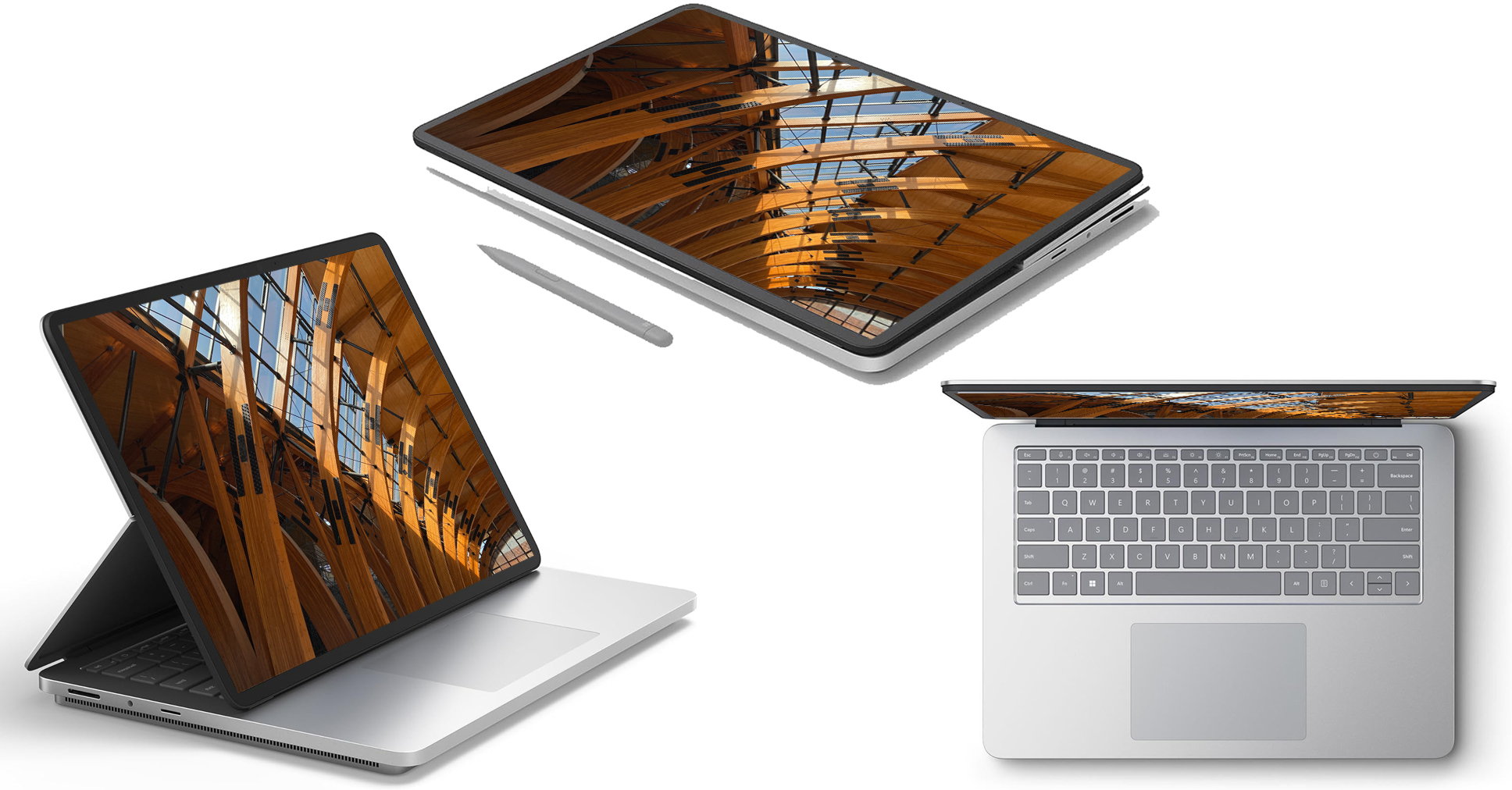
Best 2-in-1: Microsoft Surface Laptop Studio
The Microsoft Surface Laptop Studio combines the versatility of a 2-in-1 design with the power of a traditional laptop. Its innovative form factor allows you to switch between laptop, tablet, and easel modes with ease, making it perfect for sketching, note-taking, and design work on the go.
Best MacBook: MacBook Pro 16
While historically there have been fewer architecture software options for Macs, the MacBook Pro 16 offers excellent performance, a stunning display, and long battery life. If you’re a Mac user and your software is compatible, the MacBook Pro 16 is a top choice for architects.
Best Compact: Dell XPS 13
If you’re looking for a more compact and portable option, the Dell XPS 13 is an excellent choice. Its slim design, lightweight construction, and versatile 2-in-1 form factor make it perfect for architects on the go. Plus, its affordable price point makes it a great option for students or professionals on a budget.
Conclusion: Top Laptops for Architects 2024
Choosing the right laptop is crucial for architects who need to run resource-intensive design software while maintaining portability and versatility. Whether you’re looking for raw power, innovative features, or sleek design, our list of the best laptops for architects in 2024 has something for everyone. So why wait? Upgrade your workstation today and take your designs to the next level.