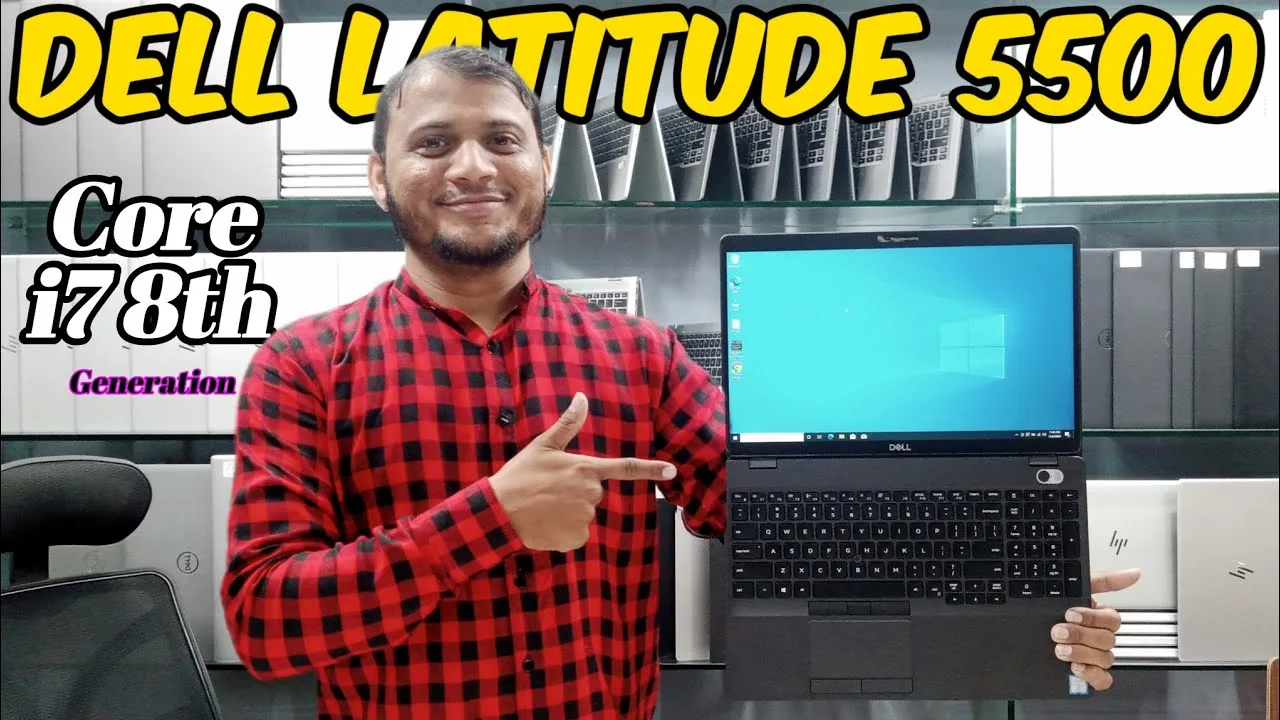
The Dell Latitude 5500 is a popular business laptop known for its reliability, solid performance, and build quality. For students, professionals, and remote workers in Nigeria, it’s often considered a sweet spot between performance and price — especially when purchased as a UK-used model.
In this review, PSERO breaks down how the Latitude 5500 performs for office tasks, remote work workflows, and everyday productivity.
Overview: What Is the Dell Latitude 5500?
The Latitude 5500 is part of Dell’s mainstream business lineup. Designed primarily for office users, it combines:
-
Reliable performance
-
Comfortable keyboard and input
-
Professional build quality
-
Good connectivity for peripherals
In contrast with consumer laptops, the Latitude series focuses on durability, security, and long workdays — traits many students and Nigerian remote workers find valuable.
You can see current Latitude models available at PSERO here:
👉 https://psero.com
Build Quality and Design

First of all, the Latitude 5500 feels solid and business-ready. Unlike many cheap laptops that feel flimsy, the Latitude has:
-
A sturdy chassis that resists daily wear
-
A professional matte finish
-
Minimal flex on the keyboard deck
Because of this build quality, users who travel between home, office, or school will notice the difference right away. The design is straightforward and functional — not flashy, but practical.
Display and Visuals
The Latitude 5500 typically sports a 15.6-inch Full HD (1920×1080) display. It doesn’t have the entertainment-grade brightness of gaming laptops, but it performs well for work tasks.
Specifically:
-
Text documents are clear
-
Spreadsheets are easy to read
-
Presentations display accurately
While some consumer laptops target vibrant colors for videos, the Latitude’s display focuses on clarity and legibility for work tasks.
Keyboard and Typing Comfort
For office and remote work, keyboard comfort matters. Thankfully, the Latitude 5500 delivers:
-
Responsive key travel
-
Comfortable typing feel
-
Good spacing for long sessions
Many users comment that the Latitude keyboard feels better than typical budget laptops. This becomes especially important for people who type a lot — whether writing reports, emails, or coding.
Performance and Speed
The Latitude 5500 is typically configured with:
-
Intel Core i5 or i7 processors
-
8GB or 16GB RAM
-
SSD storage (fast for everyday use)
In practical terms, this means:
-
Office apps work smoothly (Word, Excel, PowerPoint)
-
Web browsing with many tabs remains responsive
-
Remote meeting apps like Zoom or Teams run reliably
-
PDF and document workflows are seamless
For remote workers, this combination rarely becomes a bottleneck. If you multitask with heavier software, configurations with 16GB RAM and a larger SSD are recommended.
Battery Life (Important for Remote Work)
Battery life varies depending on use, but in general:
-
Light office work: 4–6 hours
-
Mixed use (video calls + browsing): 3–4 hours
-
Heavy multitasking: 2–3 hours
While it may not match ultra-thin laptops or modern MacBooks in endurance, the Latitude 5500’s battery life is practical for most work and study sessions.
Connectivity and Ports
One of the Latitude 5500’s biggest strengths is its port selection, which is ideal for office setups:
-
USB-C with power and display support
-
Multiple USB-A ports
-
HDMI for external displays
-
Ethernet port (great for stable wired connections)
-
Headphone/microphone combo jack
For remote workers or office scenarios, this flexibility reduces the need for multiple adapters.
Security and Business Features
Because it is a business laptop, Latitude models generally include useful security features, such as:
-
TPM (Trusted Platform Module) support
-
Fingerprint reader (optional on some units)
-
Trusted BIOS and Dell security utilities
These features matter for professionals who handle sensitive work, especially in corporate or remote setups.
UK-Used Dell Latitude 5500 Value
In Nigeria, UK-used Latitude 5500 laptops often deliver excellent value because:
-
They were originally built for business environments
-
They often include SSD and decent RAM
-
Build and keyboard quality outstrip many new budget units
At PSERO, every used unit is tested before delivery to confirm:
-
Battery condition
-
Full spec accuracy
-
Port functionality
-
Real performance
See available tested units here:
👉 https://psero.com
Pros and Cons
Pros
-
Strong build quality and professional design
-
Comfortable keyboard for long typing sessions
-
Good connectivity options for office setups
-
Reliable everyday performance
-
Practical battery life for remote work
Cons
-
Display is not as vivid as consumer entertainment laptops
-
Not ideal for heavy gaming or high-end creative workloads
-
Battery life is good but not class-leading
Who the Latitude 5500 Is Best For
The Dell Latitude 5500 is ideal for:
-
Students who work remotely
-
Office professionals
-
Freelancers and consultants
-
Administrative and research students
-
Users who prioritize productivity over gaming
In short, if your laptop’s main job is work and study, the Latitude 5500 is one of the best UK-used choices you can find.
Frequently Asked Questions
Can the Dell Latitude 5500 handle remote work software?
Yes. It runs Zoom, Teams, Slack, and Office apps smoothly with the right configuration.
Is it good for students who type a lot?
Yes. The comfortable keyboard and build quality make it ideal for long typing sessions.
Does it support external displays?
Yes. The HDMI and USB-C ports can drive external monitors for presentations and dual-screen work.
Should I upgrade RAM or storage?
If you use heavy multitasking, 16GB RAM and a larger SSD are recommended.
Final Thoughts (PSERO Recommendation)
The Dell Latitude 5500 remains a strong choice for students and professionals who need a balanced laptop for office tasks and remote work. It combines durability, performance, comfort, and connectivity without unnecessary frills.
Whether you are a student, freelancer, or office worker, the Latitude 5500 delivers reliable, everyday performance — and when bought as a tested UK-used unit, it offers outstanding value in the Nigerian market.
Find tested and delivery-ready Dell Latitude 5500 units here:
👉 https://psero.com