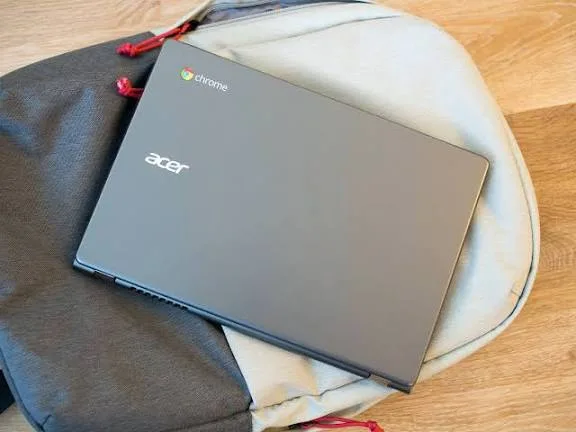
Chromebooks have become popular around the world because they are lightweight, affordable, and easy to use. However, in a market like Nigeria where most laptops are either traditional Windows machines or MacBooks, many buyers ask: “Is an Acer Chromebook practical here?”
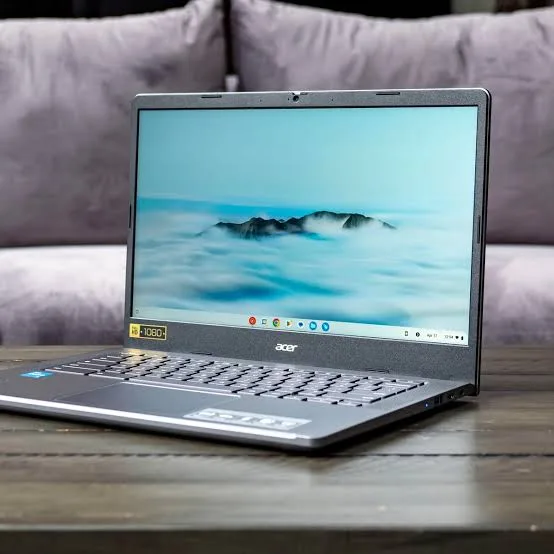
In this review, we look at how Acer Chromebooks perform, what they are good for, where they fall short, and whether they make sense for Nigerian students, professionals, and everyday users.
What Is a Chromebook?
A Chromebook is a laptop that runs Chrome OS — Google’s operating system built around the Chrome browser. Instead of traditional desktop programs, Chromebooks use:
-
Web apps
-
Progressive web apps (PWAs)
-
Android apps from the Google Play Store
This makes Chromebooks simple, fast, and secure, but it also means they are not compatible with all traditional Windows or macOS software.
Design and Build Quality
Acer Chromebooks come in a range of designs from simple plastic builds to more premium metal bodies. In general:
-
They are lightweight and portable
-
Keys and touchpads are usually comfortable
-
Chromebooks often have longer battery life than comparable Windows laptops
For students who carry laptops between classes or work spaces, this portability is a strong advantage.
Chrome OS: Easy to Use, But Not Like Windows
Chrome OS is designed for simplicity:
-
Quick boot times
-
Automatic updates
-
Built-in virus protection
-
Built around the Chrome browser
This makes Chromebooks ideal for:
-
Web browsing
-
Email and social apps
-
Online classes
-
Cloud-based productivity tools (Google Docs, Sheets)
However, Chrome OS is not a full desktop operating system like Windows or macOS, meaning:
-
You generally cannot install full desktop applications like Microsoft Office (beyond web versions)
-
Heavy software like Adobe Premiere Pro, Photoshop (full desktop versions), or traditional IDEs aren’t supported directly
This is important when considering practicality in Nigeria, where many students and professionals depend on full desktop applications.
Performance for Everyday Tasks
Acer Chromebooks tend to use energy-efficient processors like:
-
Intel Celeron
-
Intel Pentium
-
MediaTek or ARM-based chips (on some models)
For cloud-centric tasks, this is fine — Chromebooks load websites and web apps quickly. In real use, you can expect:
-
Fast browsing with many tabs
-
Smooth video playback
-
Responsive Google Workspace apps
-
Good battery life throughout the day
In other words, for everyday tasks like online classes, research, writing assignments, email, and casual media use, Chromebooks are practical and responsive.
What Chrome OS Means for Practicality in Nigeria
Here are key strengths and limitations in the Nigerian context:
Strengths
-
Affordable — Chromebooks tend to be cheaper than many Windows laptops
-
Fast boot and responsiveness — Ideal for browsing and lightweight tasks
-
Low maintenance — Automatic updates and built-in security
-
Good battery life — Useful for students and commuters
Limitations
-
Offline software limitations — For tasks requiring Windows or macOS software, Chromebooks are not ideal
-
Limited storage — Many Chromebooks use small internal storage because they focus on cloud storage
-
App compatibility — Not all professional or specialized apps run natively
Because many academic and professional programs still require Windows or macOS apps, Chromebooks are best suited to certain users more than others.
Who Acer Chromebooks Are Most Practical For
Students
Chromebooks are ideal for:
-
Online classes
-
Research and assignments
-
Google Workspace use
-
Casual browsing
They are particularly good for students who:
-
Rely on web apps
-
Don’t need specialized desktop software
Everyday Users
For general browsing, email, streaming video, social media, and documents, Chromebooks are simple and effective.
Professionals Working in the Cloud
If your work is entirely cloud-based (Google Workspace, web tools, communication apps), Chromebooks can be practical and convenient.
Who Might Want a Traditional Laptop Instead
Chromebooks are not ideal if you need to use:
-
Full desktop apps (Microsoft Office desktop, Adobe Creative Cloud)
-
Development tools and IDEs (Android Studio, Visual Studio)
-
Professional video or audio editing
-
Games that require Windows support
In these cases, a Windows laptop or MacBook provides broader software compatibility.
Battery Life and Performance Test (Real Use)
Acer Chromebook models are known for long battery performance in real use:
-
7–10 hours of mixed activity is common
-
Lower-end models still deliver day-long use for browsing and classes
-
Energy-efficient processors help extend unplugged usage
This makes them very practical for students attending multiple classes without frequent access to power outlets.
Value for Money
In Nigeria, Chromebooks often cost less than equivalent Windows laptops with similar builds. For users whose work is web-centric, Chromebooks offer good value for money because:
-
Affordable price
-
Long battery life
-
Simple maintenance
-
Quick startup
However, the value decreases if you need compatibility with desktop applications.
Final Verdict: Is It Practical in Nigeria?
Yes — for the right user.
Chromebooks, including Acer models, are practical for:
-
Students focusing on online classes and web tasks
-
Everyday users who rely on browsing, email, and cloud tools
-
Professionals whose tools are browser-based
But they are not suitable for users who need full desktop software for:
-
Video editing
-
Advanced design work
-
Software development using full IDEs
-
Specialized academic or professional software
In other words, Chromebooks are practical within the right usage context.
Final Thoughts
An Acer Chromebook can be an excellent all-day device for basic tasks, productivity, and internet-centric workflows. Its simplicity, long battery life, and low price make it attractive — especially for students and general users in Nigeria.
However, before buying, always confirm whether the software you need runs on Chrome OS.