However, recording lectures the wrong way can distract classmates or even violate school rules. Therefore, it is important to do it professionally, quietly, and responsibly.
This guide explains how to record lectures on your laptop effectively without causing disruption, while also helping you choose the right tools and setup.
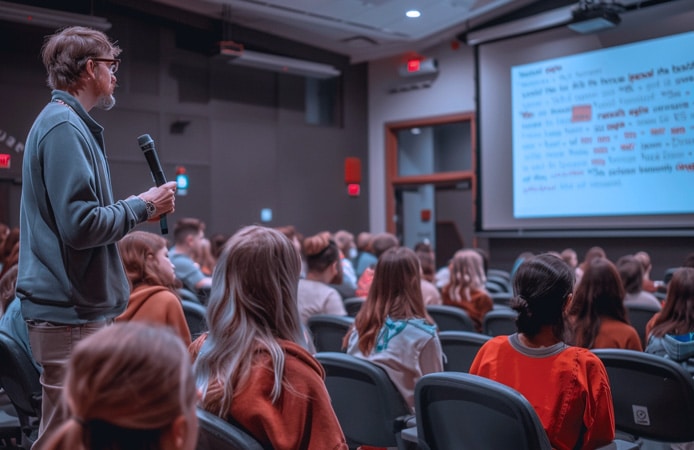
Why Recording Lectures Is Important
First, recording allows you to revisit complex topics. In addition, it helps you focus during class instead of trying to write everything down.
More importantly, it improves understanding because you can replay difficult sections at your own pace.
When combined with proper note-taking, recorded lectures can significantly boost academic performance.
Things to Consider Before Recording
Before you start recording, always consider the environment.
For example:
- Ask for permission if required
- Ensure your recording does not disturb others
- Avoid placing your laptop in a way that blocks views
Respecting these rules helps you maintain professionalism in class.
Choosing the Right Laptop for Recording
Your laptop plays a major role in recording quality.
Ideally, you need a system with:
- Good microphone input
- Stable performance
- Enough storage space
For example, laptops like the
Dell Latitude 3320
provide reliable performance for recording and multitasking.
Similarly, the
HP ProBook 440 G8
offers strong audio handling and smooth operation.
Best Software for Recording Lectures
Using the right software makes recording easier and more effective.
Some of the best tools include:
- OBS Studio (free and powerful)
- Windows Voice Recorder
- Audacity (for audio recording)
These tools allow you to record audio clearly without consuming too many system resources.
How to Record Lectures Without Distracting Others
Maintaining a low profile is essential.
To achieve this:
- Reduce screen brightness
- Mute all system sounds
- Avoid typing loudly during recording
Additionally, place your laptop on a stable surface to prevent noise from movement.
Using External Microphones for Better Audio
While built-in microphones can work, external microphones provide better clarity.
However, if you prefer simplicity, a laptop with good audio input is sufficient.
For example, business-class systems like the
Lenovo ThinkPad L13 Gen 3
deliver clear sound quality.
Managing Storage for Recorded Lectures
Recorded files can take up significant space.
Therefore, it is important to manage storage effectively.
You can:
- Delete unnecessary recordings
- Store files on external drives
- Use cloud storage services
Platforms like
Google Drive
make it easy to store and access your recordings anywhere.
Organizing Your Recorded Lectures
Recording alone is not enough. Organization is key.
For better results:
- Name files clearly
- Group recordings by course
- Create folders for each subject
This makes it easier to find and review lectures later.
Balancing Recording and Note-Taking
Although recording is helpful, it should not replace note-taking.
Instead, combine both methods.
For example:
- Write key points during lectures
- Use recordings to fill in details later
This approach improves understanding and retention.
Battery Management During Lectures
Battery life is another important factor.
Before recording:
- Fully charge your laptop
- Close unnecessary applications
Lightweight laptops like the
HP Pavilion Aero 13
offer longer battery life, making them ideal for long lectures.
Common Mistakes to Avoid
Many students make simple mistakes that affect recording quality.
These include:
- Placing the laptop too far from the lecturer
- Recording in noisy environments
- Ignoring storage limits
Avoiding these mistakes improves your results significantly.
How Recording Improves Academic Performance
Recording lectures provides a second chance to understand difficult topics.
Additionally, it allows you to learn at your own pace.
Over time, this leads to better exam preparation and stronger academic results.
To further improve productivity, explore:
Laptop Productivity and Career Guide.
Final Thoughts
Recording lectures on your laptop is a smart strategy when done correctly. However, it requires the right tools, proper setup, and respect for your learning environment.
By choosing a reliable laptop, using the right software, and staying organized, you can turn simple recordings into a powerful academic advantage.
Ultimately, your goal is not just to record—but to understand and apply what you learn.
Get a Reliable Laptop for Academic Success
Explore trusted options here:
Pay on delivery available in Lagos
Call or WhatsApp: 08032592918