
In 2026, owning a laptop is no longer a luxury for Nigerian students—it has become a necessity. Whether you are preparing for JAMB, studying at a polytechnic, attending a university, working on your final-year project, participating in NYSC programs, or learning professional skills online, your laptop can become one of your most valuable educational tools.

However, simply owning a laptop is not enough. To get the most out of your device, you need the right software. Fortunately, many powerful applications are available completely free of charge. These programs can help students write assignments, conduct research, attend online classes, manage files, protect against viruses, edit documents, improve productivity, and even learn new skills.
As a result, students who install the right software often perform better academically and become more productive. Furthermore, free software allows students to save money while still enjoying professional-level features.
In this comprehensive guide, we will explore the best free software every Nigerian student should install on their laptop in 2026.
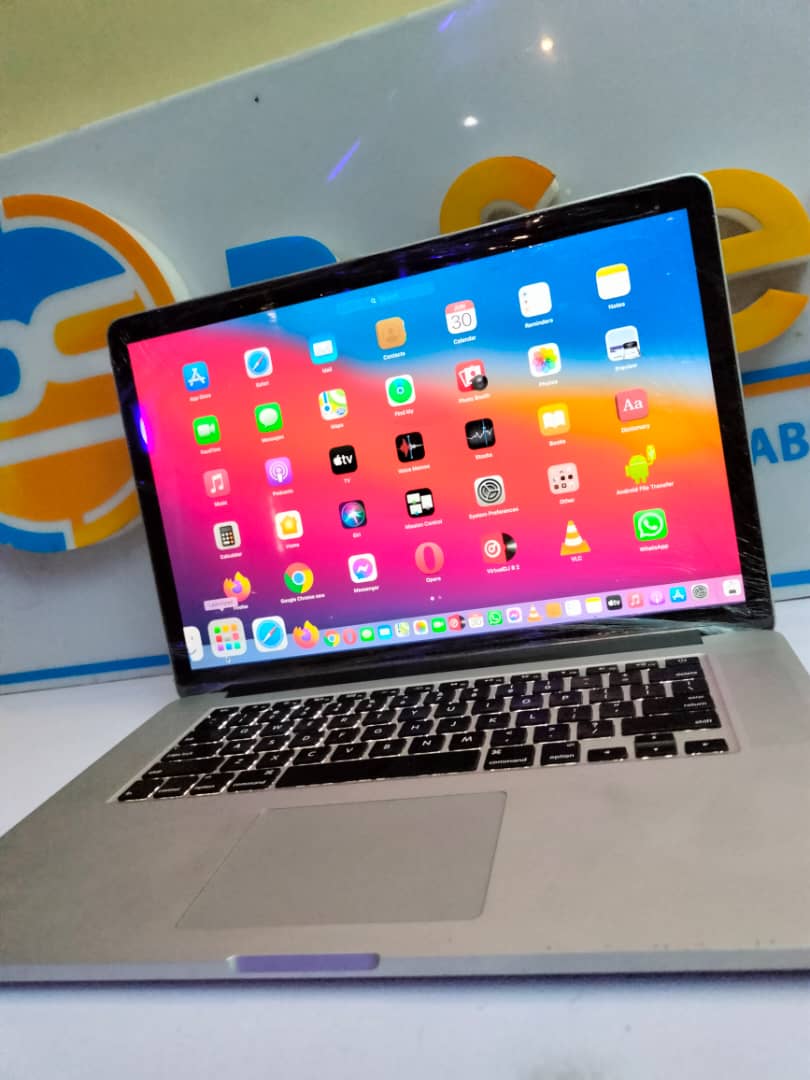
Why Software Matters for Students
Many students focus only on laptop specifications such as RAM, processor speed, or storage capacity. While those factors are important, software determines what your laptop can actually do.
For example, a powerful laptop without useful software becomes less productive. On the other hand, even a modest laptop can become a powerful learning machine when equipped with the right applications.
Additionally, modern software helps students:
- Write assignments faster
- Organize study materials
- Attend online lectures
- Create presentations
- Perform research efficiently
- Collaborate with classmates
- Protect important files
- Improve productivity
1. Google Chrome
Google Chrome remains one of the most important applications every student should install.
Since most educational platforms are web-based, students spend a significant amount of time using browsers. Chrome provides excellent speed, compatibility, and support for educational websites.
Furthermore, Chrome supports extensions that can improve productivity and enhance learning experiences.
Benefits of Google Chrome
- Fast browsing speed
- Easy synchronization across devices
- Large extension library
- Excellent security updates
- Strong compatibility with online learning platforms
2. LibreOffice
Many students cannot afford Microsoft Office licenses. Fortunately, LibreOffice offers an excellent free alternative.
LibreOffice includes tools similar to Microsoft Word, Excel, and PowerPoint. Therefore, students can create documents, spreadsheets, and presentations without spending money.
Moreover, LibreOffice supports many Microsoft Office file formats.
Perfect For:
- Assignments
- Research reports
- Project work
- Presentations
- Data analysis
3. Adobe Acrobat Reader
PDF files remain one of the most common document formats used in schools and universities.
Consequently, every student should install Adobe Acrobat Reader. It allows users to open, read, print, and annotate PDF documents easily.
Additionally, many lecturers distribute course materials in PDF format.
4. Zoom
Online learning continues to grow throughout Nigeria. Therefore, Zoom remains essential for virtual classes, seminars, webinars, and group meetings.
Many institutions and professional organizations use Zoom for remote education.
As a result, students who have Zoom installed can participate in learning opportunities from anywhere.
5. Google Meet
Alongside Zoom, Google Meet has become another important communication platform.
Many educational institutions use Google Meet because it integrates seamlessly with Google Classroom and Google Workspace.
Furthermore, it allows students to join meetings directly from a browser without complicated setup procedures.
6. Google Drive
One of the worst experiences for any student is losing important academic work.
Fortunately, Google Drive helps prevent this problem by automatically backing up files to the cloud.
Consequently, assignments, projects, and notes remain accessible even if a laptop becomes damaged or stolen.
Advantages of Google Drive
- Free cloud storage
- Automatic synchronization
- Easy file sharing
- Access from multiple devices
- Protection against data loss
7. Microsoft OneDrive
Microsoft OneDrive provides another excellent backup solution.
Students who use Windows laptops often benefit from OneDrive because it integrates directly with the operating system.
Additionally, it offers automatic file synchronization and convenient access to documents.
8. VLC Media Player
Educational videos are increasingly common in modern learning.
VLC Media Player supports almost every video and audio format. Therefore, students rarely encounter compatibility problems.
Moreover, VLC remains lightweight and works well on older laptops.
9. Grammarly Free
Strong writing skills are important for academic success.
Grammarly helps students improve grammar, spelling, punctuation, and sentence structure.
Consequently, assignments and research papers often become more professional and easier to read.
10. Notion
Notion has become one of the most popular productivity tools among students worldwide.
It allows users to organize notes, tasks, projects, schedules, and study plans in one location.
Furthermore, students can customize their workspace according to their individual needs.
11. Visual Studio Code
Students interested in programming should install Visual Studio Code.
This free code editor supports numerous programming languages and provides a professional development environment.
Additionally, VS Code works well even on moderately powered laptops.
12. Canva
Canva is an excellent design platform for students.
Whether you need to create presentations, posters, infographics, or social media graphics, Canva simplifies the design process.
As a result, students can create professional-looking visuals without advanced graphic design skills.
13. OBS Studio
OBS Studio is useful for students who create tutorials, presentations, or educational videos.
Furthermore, it allows screen recording and live streaming completely free of charge.
Many students use OBS Studio to record project demonstrations and online lessons.
14. Avast Free Antivirus
Cybersecurity remains important for every laptop user.
A reliable antivirus program helps protect your device from malware, ransomware, phishing attacks, and harmful downloads.
Consequently, students should consider installing a trusted antivirus solution.
15. WhatsApp Desktop
Communication plays an important role in education.
Many class groups, project teams, and student organizations communicate through WhatsApp.
Therefore, installing WhatsApp Desktop can improve convenience and productivity.
Essential Internal Resources for Students
Students looking to maximize the value of their laptops should also read these helpful guides:
- Best Laptops for Nigerian University Students Under ₦200,000 in 2026
- Best Laptops for Law Students and Legal Researchers in Nigeria in 2026
- Best Laptops for Medical Students and Healthcare Professionals in Nigeria in 2026
- Best Laptops for Engineering Students in Nigerian Universities in 2026
- How to Use Your Laptop to Learn Programming for Free in Nigeria in 2026
- How to Use Your Laptop to Apply for International Scholarships From Nigeria in 2026
- How to Use Your Laptop to Pass NYSC Online CDS Courses in Nigeria
- Best Laptops for Accounting Students Using Sage or QuickBooks in Nigeria in 2026
How to Keep Your Laptop Running Smoothly
Installing useful software is important. However, maintaining your laptop is equally essential.
Students should regularly:
- Update software
- Remove unnecessary applications
- Back up important files
- Use antivirus protection
- Monitor storage space
- Keep the laptop clean
By following these practices, your laptop can remain fast and reliable throughout your academic journey.
Why Psero Recommends These Tools
At Psero, we understand that students need affordable solutions that improve productivity without increasing expenses.
Therefore, the software listed in this guide was selected because it provides genuine value, supports educational growth, and works well on both new and UK-used laptops.
Whether you are preparing for JAMB, studying at a university, participating in NYSC programs, or developing professional skills, these applications can help you maximize the value of your laptop.
Final Thoughts
The right software can transform an ordinary laptop into a powerful educational tool. Fortunately, many of the best applications available to students are completely free.
Moreover, these programs help improve productivity, organization, communication, learning, and academic performance. As technology continues to shape education in Nigeria, students who leverage these tools gain a significant advantage.
Most importantly, do not wait until you need a particular application. Install essential software early, learn how to use it effectively, and take full advantage of the opportunities your laptop provides.
Ultimately, your laptop is more than just a device—it is an investment in your education, your skills, and your future success.