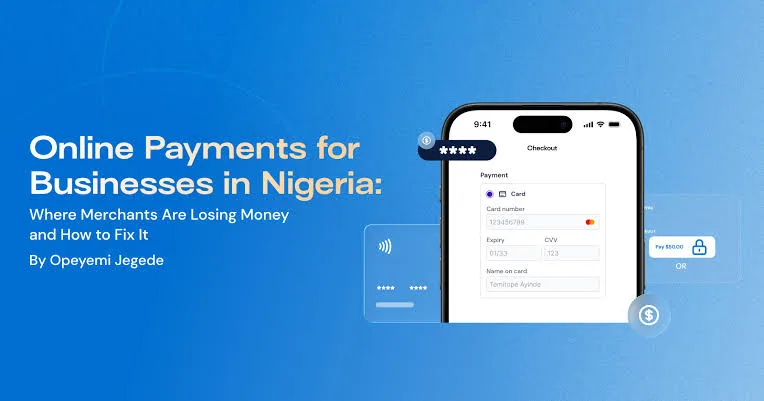
Accepting payments is one of the most important parts of running a business. Whether you sell laptops, clothing, food, household products, digital services, or professional expertise, customers need a convenient and trustworthy way to pay you.
In Nigeria, bank transfers have become a familiar payment method for many customers. However, businesses that want to sell online or serve customers beyond their immediate location may benefit from offering additional payment options. These can include card payments, payment links, online checkout pages, and other electronic payment methods supported by payment providers.
For a small business owner, the challenge is knowing which payment method to choose. Some businesses need a simple way to collect payments through WhatsApp. Others need a payment gateway integrated into a WooCommerce website. An established retailer may require payment reconciliation, automated order confirmation, and records that connect to its accounting or inventory software.
This guide explains how online payments work in Nigeria, the differences between payment gateways and payment links, how to choose a provider, how to receive payments through a website, and how to protect your business against payment fraud. It also covers practical considerations such as transaction charges, settlement periods, customer experience, and payment reconciliation.
1. What Are Online Payments?
Online payments are electronic transactions that allow customers to pay businesses without handing over physical cash. The customer can initiate a payment using a supported digital payment method, and the business receives confirmation through the payment provider or financial institution.
Depending on the service, online payments may support:
- Debit and credit cards.
- Bank transfers.
- USSD payments.
- Supported digital wallets.
- Payment links.
- Recurring payments, where available.
- International card payments, subject to provider and regulatory restrictions.
Not every payment provider supports every method. Availability can depend on the provider, the merchant’s business category, verification status, customer location, and the type of transaction.
For example, a customer purchasing a laptop from an online store may prefer to pay by bank transfer. Another customer may prefer entering card details on a secure checkout page. A business that offers consulting services could send a payment link after agreeing on the service and price.
The goal is to make paying straightforward while maintaining accurate transaction records.
2. Why Nigerian Small Businesses Should Consider Online Payment Options
Many small businesses begin by accepting cash and bank transfers. This can work well for local customers, but additional payment options may make it easier to serve customers who shop remotely.
Serve customers beyond your immediate location
A physical shop in Lagos can receive orders from customers in Abuja, Port Harcourt, Ibadan, Enugu, and other locations. A convenient online payment method can make it easier for these customers to complete purchases without visiting the shop.
This is especially relevant to businesses that deliver products nationwide.
Make online checkout more convenient
Customers who shop through a website may expect to complete their orders without contacting the seller for bank account details.
A properly configured checkout page can show the order total, available payment methods, and the steps required to complete payment.
Improve transaction records
Payment providers usually supply transaction references and payment reports. These records can help businesses identify completed, failed, pending, and refunded transactions.
However, the business still needs a proper reconciliation process to compare payment records with orders and bank settlements.
Reduce manual payment instructions
Sending bank details to every customer can create repetitive work. A payment link or checkout system can simplify the process by directing customers to a payment page.
Support business growth
As order volumes increase, manually tracking every payment through messages and bank alerts becomes more difficult. A structured payment system can help organise transactions and reduce administrative work.
3. Understand the Different Ways to Accept Online Payments
Before choosing a provider, understand the main payment methods available to Nigerian businesses.
Bank transfers
Bank transfers allow customers to send money from one bank account to another. They are widely used in Nigeria and can be suitable for businesses that receive payments through websites, WhatsApp, social media, and physical shops.
A business may provide its account details directly or use a payment service that generates a dedicated or virtual account for an order.
The major responsibility is verification. A screenshot of a transfer receipt or a message from a customer does not independently prove that the money has reached your account.
Card payments
Card payments allow customers to pay using supported debit or credit cards through a payment terminal or secure online checkout.
For online purchases, customers enter their card information on the payment provider’s hosted page or an approved integrated checkout.
Depending on the transaction, additional authentication may be required. A payment may also fail because of bank restrictions, insufficient funds, incorrect details, or network problems.
USSD payments
USSD payment options allow customers to complete supported transactions using a mobile banking menu. The exact process depends on the bank and payment provider.
USSD can be useful for customers who prefer not to enter card details online or who have limited access to internet services.
Payment links
A payment link is a web address that directs a customer to a payment page. A business can generate the link and share it through WhatsApp, email, SMS, or social media.
For example, a computer retailer could send a customer a payment link for an agreed laptop purchase. The customer opens the link, reviews the amount, selects a supported payment method, and completes the transaction.
Payment links can be especially useful for businesses that do not yet have a website.
Website checkout
A payment gateway can be integrated into an online store so that customers can pay while placing an order.
This is useful for businesses operating WooCommerce, Shopify, or other supported e-commerce platforms. It can also help connect payments with order records.
4. What Is a Payment Gateway?
A payment gateway is a technology service that helps a business accept and process electronic payments. It connects the merchant’s checkout experience with the payment processing infrastructure and financial institutions involved in the transaction.
When a customer pays online, the gateway helps transmit the payment information securely through the relevant processing system. The transaction may then be approved or declined.
The exact technical arrangement varies by provider and payment method.
How a payment gateway works
- A customer selects a product or service on the business website.
- The customer proceeds to checkout.
- The checkout displays the available payment methods.
- The customer selects a method and follows the payment instructions.
- The payment provider processes the transaction request.
- The provider returns a transaction result.
- The website or merchant system updates the order according to the verified payment status.
- The provider settles eligible funds according to its settlement terms.
This process can happen quickly, but the time required for settlement into the merchant’s bank account may differ from the time the payment is authorised.
Payment authorisation versus settlement
Payment authorisation means that the payment has received the relevant approval within the processing system. Settlement refers to the movement of funds to the merchant according to the provider’s settlement process.
These are not always the same event. A business should understand the provider’s transaction status definitions and settlement schedule.
5. Payment Providers Nigerian Businesses Can Research
Several payment companies provide services relevant to businesses operating in Nigeria. Their features, eligibility requirements, transaction charges, and supported payment methods can change. Review their current merchant documentation before choosing a provider.
Paystack
Paystack provides payment services for businesses, including online checkout and other payment collection tools.
Depending on eligibility and available features, businesses can research its options for accepting payments through websites, payment pages, and other supported channels.
Paystack may be worth evaluating if you operate a WooCommerce store and want a payment provider with documentation for online integration.
Before registering, confirm its current business verification requirements, supported payment methods, fees, settlement arrangements, and refund procedures.
Flutterwave
Flutterwave provides payment technology and business payment solutions across supported markets.
Businesses can investigate its payment collection tools, checkout options, and integrations to determine whether they suit their sales channels.
If your business serves customers in different countries, pay particular attention to the countries, currencies, payment methods, and settlement options supported for your account.
Interswitch
Interswitch is a Nigerian payment technology company offering payment infrastructure and related services.
Businesses that need payment acceptance solutions can research the available merchant services and integration options.
Ask about the requirements for your business size, supported channels, pricing, settlement, and technical support.
Monnify
Monnify provides payment collection services that businesses can investigate for supported transaction workflows.
Depending on the current product offering and merchant eligibility, its services may be relevant to businesses that need payment collection and transaction references.
Check the latest documentation to understand how account generation, bank transfers, notifications, and settlement work.
How should you compare providers?
Do not choose a provider based only on its advertising or the fact that another business uses it. Compare the actual services available to your business.
Important questions include:
- Can your business register and receive payments in Nigeria?
- Which payment methods are supported?
- What are the current transaction charges?
- How long does settlement normally take?
- Does the provider support WooCommerce?
- Can you generate payment links?
- How are refunds and disputes handled?
- Does the provider offer transaction notifications or webhooks?
- What happens when a payment is pending or reversed?
- How can you contact technical support?
6. How to Accept Payments Without Building a Website
You do not need a complete e-commerce website before you can start collecting electronic payments. Payment links and payment pages can provide a simpler starting point.
Using a payment link
A payment link allows you to send a customer directly to a payment page. Depending on the provider, you may be able to set a fixed amount, describe the product or service, and configure other payment details.
A simple process looks like this:
- Register with an eligible payment provider.
- Complete the required business verification.
- Open the provider’s merchant dashboard.
- Find the payment link or payment page feature.
- Enter the amount and relevant transaction description.
- Generate the payment link.
- Send the link to the customer through an appropriate communication channel.
- Check the transaction status in the merchant dashboard.
The exact steps depend on the provider’s current interface.
Using payment links for WhatsApp sales
WhatsApp is an important communication channel for many Nigerian small businesses. Sellers can discuss products with customers, answer questions, confirm delivery arrangements, and send payment instructions.
A payment link can make the final payment stage more organised.
For example, a customer may contact a laptop seller through WhatsApp and request the price of a particular computer. After confirming the model, specifications, condition, and delivery terms, the seller can provide a payment link through an approved provider.
The seller should still confirm the transaction through the official merchant dashboard before dispatching the product.
Using payment links on social media
Businesses that sell through Facebook, Instagram, and other platforms may place a payment link in their profile or send it directly to customers.
However, avoid posting a payment link without explaining what it is for. Customers should know the business name, product or service, price, and relevant terms before paying.
7. How to Accept Payments on a WordPress and WooCommerce Website
If you operate an online store using WordPress and WooCommerce, you can integrate a supported payment gateway into the checkout process.
This allows customers to place orders and select an available payment method without asking the seller to manually send bank details for every purchase.
What you need before integration
- A working WordPress website.
- WooCommerce installed and configured.
- An eligible merchant account with a payment provider.
- A supported payment gateway plugin.
- A valid HTTPS website connection.
- Accurate product prices and shipping information.
Step 1: Confirm that your website works properly
Before connecting payments, check that your website loads correctly, product pages work, and customers can add items to the shopping cart.
Test the checkout page to confirm that billing and delivery fields are appropriate for your business.
Step 2: Register with a payment provider
Choose a provider that supports your business and the payment methods you want to accept.
Complete its registration and verification process. You may be asked for business information, contact details, bank settlement information, and other documents depending on your business structure and the provider’s requirements.
Step 3: Install the official gateway plugin
In your WordPress dashboard, open Plugins and select Add New Plugin. Search for the official integration supplied or recommended by your payment provider.
Confirm the developer and documentation before installing anything. Avoid downloading payment plugins from unfamiliar websites.
Step 4: Configure the gateway
After installation, open the relevant payment settings. Depending on the plugin, you may need to enter public keys, secret keys, merchant identifiers, or other credentials supplied through your provider’s dashboard.
Never publish secret keys in website content, public repositories, screenshots, or customer messages.
Step 5: Configure payment notifications
Payment gateways may use server-to-server notifications, commonly called webhooks, to inform your website about transaction events.
These notifications help your store update order statuses when payment events occur.
Use the official integration instructions to configure the required notification address and verify that your website can receive the events correctly.
Step 6: Test the checkout process
Use the provider’s supported test environment where available. Confirm that successful and unsuccessful payment attempts produce the correct results.
Check whether the order status updates correctly and whether the customer receives the expected confirmation message.
Step 7: Complete a controlled live transaction
Once testing is complete, follow the provider’s instructions for enabling live payments. Conduct a small, controlled transaction where appropriate and verify that the order and settlement records are correct.
Do not assume that a checkout page is ready simply because the payment button appears on the website.
8. Why Website Security Matters When Accepting Payments
A payment page handles sensitive customer interactions. Even when the payment provider processes the card information, your website still needs appropriate security.
Use HTTPS
HTTPS encrypts the connection between the visitor’s browser and your website. A valid SSL/TLS certificate is essential for a professional checkout experience.
Most modern hosting providers offer SSL certificate options. Confirm that your website redirects visitors to its secure HTTPS address.
Keep WordPress and plugins updated
Outdated software can expose a website to security vulnerabilities. Update WordPress, WooCommerce, themes, and plugins carefully.
Before major updates, maintain a working backup and test important checkout functions afterwards.
Use trusted payment plugins
Payment integrations should come from the provider or a reputable developer with clear documentation and ongoing maintenance.
Unverified plugins can expose your website and customers to serious security risks.
Protect administrator accounts
Use strong passwords and enable additional authentication where available. Limit administrator access to people who genuinely need it.
Do not share your WordPress administrator account with every employee who needs to process orders.
Do not collect sensitive card information yourself
Unless your business has the required infrastructure, security controls, and compliance arrangements, do not build a form that collects and stores customers’ full card details.
Use the payment provider’s approved checkout process and follow its instructions.
9. Understanding Payment Charges and Settlement
Payment processing is not always free. Providers may charge transaction fees, service fees, or other charges depending on the product and payment method.
These charges should be considered when setting product prices and calculating profit.
Understand percentage-based charges
Some payment providers charge a percentage of the transaction value, sometimes with a fixed component or a maximum fee.
For example, if a provider charges a hypothetical 1.5% on a transaction of ₦100,000, the percentage component would be ₦1,500.
This is only an illustration, not a statement of any provider’s current pricing. Always check the official fee schedule.
Consider the effect on small transactions
A transaction charge that seems small on one purchase can become significant when the business processes many transactions.
Calculate the expected monthly cost using your average transaction value and estimated sales volume.
Understand settlement timing
Some providers settle eligible payments quickly, while others operate according to defined settlement schedules. Bank holidays, verification requirements, risk reviews, and payment disputes may affect the process.
Ask when funds become available and whether settlement fees or minimum thresholds apply.
Distinguish transaction status from bank balance
A customer may receive a successful payment message while the merchant’s settlement is still pending. The business should understand the provider’s official status definitions.
Maintain a reconciliation process that compares completed transactions, provider reports, settlement records, and bank statements.
10. How to Protect Your Business From Fake Payment Alerts
Payment fraud is a serious concern for businesses that sell through social media, messaging applications, and online stores.
A customer may send a screenshot claiming that a transfer or card payment has succeeded. However, screenshots can be edited, reused, or taken from unsuccessful transactions.
Your business should rely on independent verification rather than customer-provided evidence alone.
Verify bank transfers directly
Check your bank account or official banking channel to confirm that the payment has arrived. Compare the amount, transaction reference, sender information where available, and time of payment.
Do not release goods simply because a customer shows a transfer receipt.
Check payment status in the merchant dashboard
When a customer pays through a payment gateway, inspect the transaction through the official merchant dashboard or a properly configured integration.
Confirm that the transaction relates to the correct customer order and amount.
Do not trust messages from unknown numbers
Fraudsters may impersonate payment providers, bank employees, or business owners. They may claim that a transaction needs to be reversed or that a payment is waiting for approval.
Do not disclose passwords, PINs, secret keys, or one-time codes to anyone who contacts you unexpectedly.
Never pay a customer to release a payment
Be suspicious of anyone who claims that your business must transfer money to unlock, validate, or release an incoming customer payment.
Contact the provider through its official support channel if you are unsure about a transaction.
Use transaction references
Keep the payment reference associated with each order. This makes it easier to investigate disputes, failed payments, duplicate charges, and settlement issues.
11. How to Reconcile Online Payments With Business Orders
Reconciliation means comparing different records to confirm that transactions have been recorded correctly.
For an online retailer, this involves checking whether each order has a matching successful payment and whether the expected funds appear in the settlement records.
Maintain a payment register
A simple payment register can include:
- Order number.
- Customer name or reference.
- Order date.
- Order amount.
- Payment method.
- Payment reference.
- Transaction status.
- Settlement date.
- Refund information, where applicable.
This information can be managed through accounting software, an order management system, or a carefully maintained spreadsheet.
Compare payments with orders
At the end of each business day, compare successful payment records with the orders recorded by your website or sales team.
Investigate orders that show as paid without a matching provider transaction, as well as payments that have no corresponding order.
Account for transaction fees
The amount received in your bank account may be lower than the total customer payments because the provider has deducted applicable charges.
Record these fees separately so that the business does not mistakenly treat them as missing customer payments.
Record refunds correctly
When a refund is approved, link it to the original transaction and order. This helps prevent the business from counting the original sale as revenue without accounting for the refund.
12. How to Choose the Right Payment Solution for Your Business
The most suitable payment setup depends on how customers discover your products and complete their purchases.
For a business selling through WhatsApp
A payment link may be a practical starting point. It allows you to send customers a payment page without building a complete online store.
Make sure the link clearly identifies the business and the agreed payment amount.
For a business with a WordPress website
A WooCommerce-compatible payment gateway can make the checkout process more convenient. Look for reliable integration, clear documentation, payment notifications, and support.
For a physical retail shop
A business may need a combination of bank transfers, card acceptance, and a POS system that records transactions.
The important thing is to ensure that the sales records and payment records match.
For a business serving international customers
Confirm which countries, currencies, and payment methods the provider supports. Check foreign transaction charges, currency conversion, settlement arrangements, and any restrictions affecting your business category.
For a business with recurring services
If customers pay monthly for a service, investigate whether the provider supports recurring payments or subscriptions in your market.
Review the consent process, failed-payment handling, cancellation procedures, and customer notifications.
13. Common Mistakes Businesses Make When Setting Up Online Payments
Choosing a provider without checking eligibility
A provider may advertise international payment services but restrict particular countries, business categories, or transaction types. Confirm that your business is eligible before building your checkout around it.
Ignoring transaction charges
Failing to account for fees can reduce profit margins. Include payment charges in your business calculations.
Launching without testing
A checkout page that looks correct may still fail during payment processing. Test successful, failed, and pending transactions before advertising your store.
Failing to configure notifications
If your website does not receive or process payment notifications correctly, orders may remain pending or display incorrect statuses.
Follow the provider’s integration instructions and verify the complete transaction flow.
Trusting screenshots instead of official records
Always verify payment through your bank or merchant dashboard. Never rely solely on a screenshot sent by a customer.
Failing to explain delivery and refund terms
Customers should understand delivery charges, estimated delivery times, refund conditions, and how to contact the business before paying.
Clear terms can reduce disputes and improve trust.
Using an insecure website
A website that lacks HTTPS, uses outdated plugins, or exposes administrator credentials can put business operations at risk.
Security should be part of the payment setup, not an afterthought.
14. Practical Example: Setting Up Online Payments for a Nigerian Laptop Store
Consider a laptop retailer based in Ikeja, Lagos, that sells UK-used and brand-new laptops to customers across Nigeria.
The business receives enquiries through its website, WhatsApp, Facebook, and direct telephone calls. Some customers visit the shop, while others request nationwide delivery.
The business needs a payment arrangement that supports different purchasing methods without making order management unnecessarily complicated.
Website purchases
A customer visits the online store, selects a laptop, reviews its specifications, adds it to the cart, and proceeds to checkout.
The website displays the available payment methods through the configured gateway. The customer completes payment, and the store receives the relevant transaction notification.
The staff verify the order and payment before arranging delivery.
WhatsApp purchases
A customer contacts the store through WhatsApp and requests information about an HP EliteBook.
The seller confirms the processor, memory, storage, condition, price, and delivery arrangements. The customer agrees to purchase the laptop.
The seller can then send an approved payment link or provide verified business bank details, depending on the available payment arrangement.
After payment, the seller independently verifies the transaction before dispatch.
Payment reconciliation
At the end of the day, the business compares its website orders, payment link transactions, bank transfers, and provider settlement records.
This helps identify unpaid orders, duplicate records, payment discrepancies, and fees.
Why this arrangement is useful
The business does not need to force every customer to use one payment method. It can provide suitable options while maintaining a consistent verification and record-keeping process.
As order volumes grow, the business can improve the arrangement through accounting integration, automated notifications, and more structured order management.
15. Frequently Asked Questions About Online Payments in Nigeria
Can a small business in Nigeria accept payments online?
Yes. Eligible businesses can use supported payment providers, payment links, online checkout systems, and other electronic payment services. Registration and verification requirements depend on the provider.
Do I need a website to accept online payments?
No. Some providers offer payment links or hosted payment pages that can be shared through WhatsApp, email, and social media. A website becomes more useful when you want customers to browse products and complete orders through an online store.
What is the difference between a payment gateway and a payment link?
A payment gateway is the technology used to process online payments. A payment link is a shareable address that takes the customer to a payment page. Some providers use their gateway infrastructure to power payment links.
Can I receive card payments on my WordPress website?
Yes, if you integrate a payment provider that supports your business and offers a compatible WooCommerce plugin or integration. Follow the provider’s setup instructions and test the checkout process.
Are online payment transactions free?
Not necessarily. Providers may charge transaction fees, subscription fees, or other service charges. Check the current pricing schedule before registering.
How long does it take to receive online payments?
Settlement times depend on the provider, payment method, merchant account, and applicable review processes. Check the provider’s current settlement policy rather than assuming every payment arrives immediately.
Can I accept international payments from Nigeria?
Some providers support eligible international transactions, but availability depends on the provider, business verification, currency, customer location, and payment method. Confirm the exact restrictions before offering international checkout.
Is a bank transfer screenshot proof of payment?
No. A screenshot can be altered or may show an unsuccessful transaction. Verify the payment through your bank account or official payment provider records.
Can I use payment links for laptop sales?
Yes, where the provider permits your business category and transaction type. Make sure the link reflects the correct amount and that the customer understands the product and delivery terms.
Can online payment gateways automatically update WooCommerce orders?
Supported integrations can update order statuses through payment notifications and other mechanisms. However, the configuration must be correct, and you should test the process before relying on it.
What happens when a customer pays but the website still shows pending?
Do not immediately ask the customer to pay again. Check the transaction through the provider’s official dashboard, verify the payment reference, and investigate the notification or order update. This helps avoid duplicate payments.
Should I accept payment before delivering products?
That depends on your business model and agreed terms. For online orders, businesses commonly verify payment before dispatch. If you offer pay-on-delivery, establish clear delivery and collection procedures to manage the additional risk.
16. Final Thoughts: Build a Payment System Customers Can Trust
Online payments can help Nigerian businesses serve customers more conveniently, collect money through different channels, and maintain better transaction records. However, choosing a payment provider should involve more than comparing advertisements or looking for the lowest transaction fee.
Consider the way your business operates. A seller who receives orders through WhatsApp may begin with payment links. A retailer with a WooCommerce website may need an integrated payment gateway. A physical shop may require card acceptance, bank transfer verification, and POS transaction records.
Whatever arrangement you choose, understand the provider’s charges, settlement process, eligibility requirements, refund procedures, and security controls. Test the system before launching it to customers, and establish a consistent process for matching payments with orders.
For businesses selling physical products, reliable technology is also important behind the scenes. A suitable laptop can support website management, customer communication, inventory records, payment reconciliation, accounting applications, and daily administration.
At PSERO LAPTOP, we help Nigerian buyers find affordable laptops for business, education, remote work, and everyday productivity. Whether you are setting up an online store or improving an existing business, choosing dependable equipment can make your work easier.
Visit PSERO LAPTOP to explore available laptop options. Our business is based in Ikeja, Lagos, and we deliver nationwide.
Useful External Resources
- Paystack – payment solutions and merchant services.
- Flutterwave – payment technology and business payment services.
- Interswitch – Nigerian payment technology and infrastructure.
- Monnify – payment collection services and business solutions.
- WooCommerce Documentation – official guidance for configuring and managing an online store.
- Central Bank of Nigeria – information about Nigeria’s financial system and payment regulation.
PSERO LAPTOP – Affordable Laptops in Nigeria. We Deliver Nationwide.