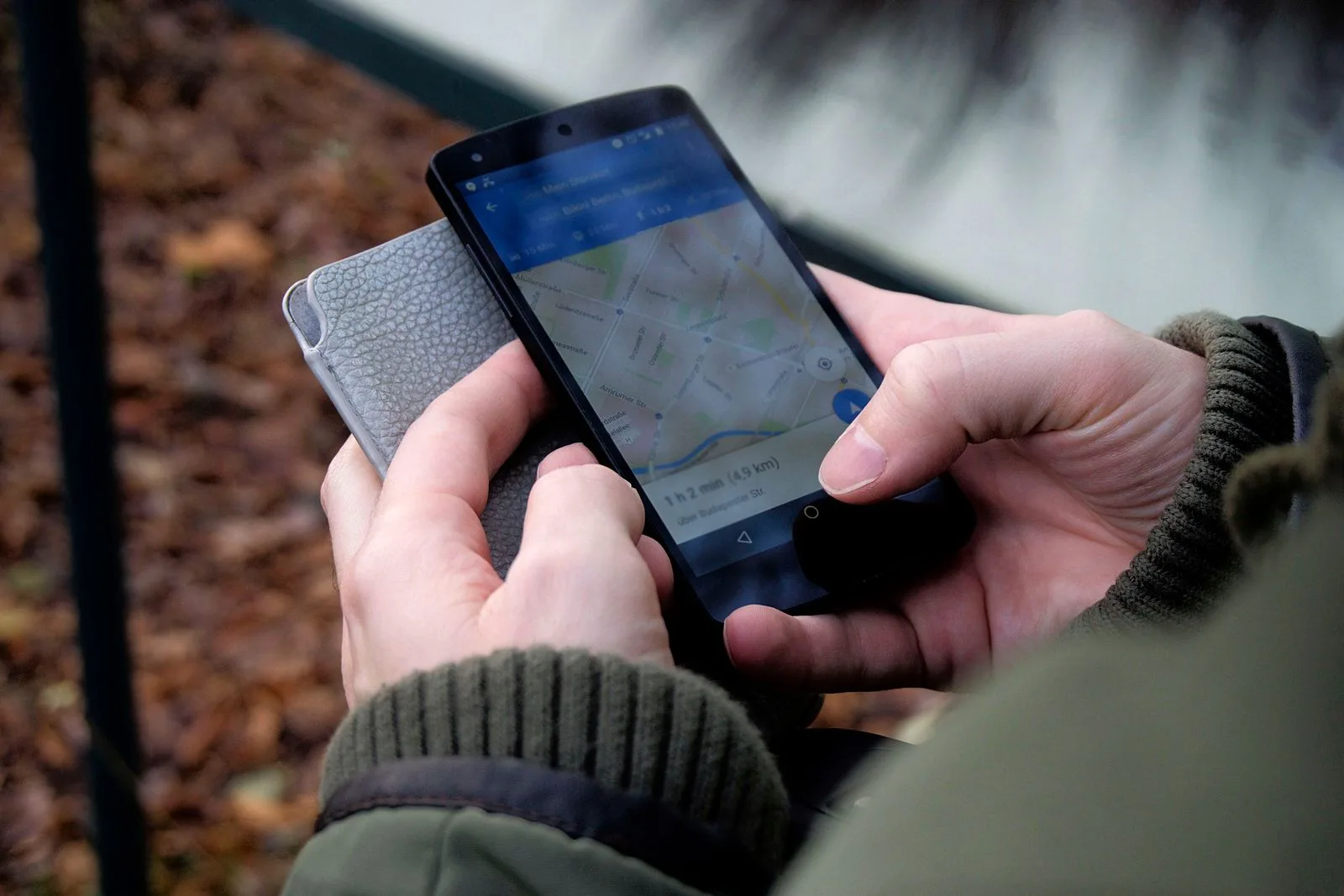
When someone in Lagos, Abuja or Port Harcourt searches for “laptop shop near me” or “best salon in Lekki”, Google often shows a map with a short list of businesses. Those listings come from Google Business Profile. If your business is not there, or your profile is half-empty, you are invisible to many ready-to-buy customers. In contrast, a complete and active profile can bring calls, visits and WhatsApp messages every week, at no cost.
This guide explains how to set up, verify and improve your Google Business Profile as a Nigerian business. You will learn how to choose the right category, add accurate details, post useful photos, win honest reviews and track results. Whether you run a shop, a service business or an online store with a pickup point, these steps will help more local customers find you.

What Is a Google Business Profile?
A Google Business Profile is a free listing that shows your business on Google Search and Google Maps. It displays key details such as your name, address, phone number, opening hours, photos and reviews. Customers can call you, get directions or visit your website straight from the listing.
Where your profile appears
Your profile can appear in several places:
- In the map results when people search for a type of business near them
- On Google Maps when people browse an area or search for directions
- On the right side of Google Search on desktop when someone searches your business name
- In the main results on mobile when people search for you directly
Why it matters for Nigerian businesses
Today, more Nigerians use smartphones to find places to buy, eat and get services. Many search on Google before they visit a shop or call a provider. So a strong Google Business Profile puts you in front of people at the exact moment they are ready to act.
It is free
Best of all, creating and managing a Google Business Profile costs nothing. You only need a Google account and accurate details about your business. Compared with paid adverts, it is one of the best-value marketing tools available.
1. Check Whether You Already Have a Google Business Profile
Before you create a new profile, search for your business on Google Maps. Sometimes a listing already exists. Customers or Google itself may have created it from public information.
Search by name and location
First, type your business name and your area into Google Maps. For example, search “PSERO LAPTOP Lagos”. If a listing appears, look for a link that says “Own this business?” or “Claim this business”.
Claim an existing Google Maps listing
If the listing exists but no one manages it, you can request to claim it. Google will then ask you to verify that you own or run the business. Once you do, you can edit the details and respond to reviews.
Avoid duplicates
Also, do not create a second listing if one already exists. Duplicate listings confuse customers and may split your reviews. Instead, claim the original and update it.
2. Create Your Google Business Profile Step by Step
If no listing exists, you can create one in a few minutes. Google explains the process in its official help centre. Here is a simple overview.
Step 1: sign in and start
Go to Google Business Profile or open Google Maps and choose the option to add your business. Sign in with a Google account you plan to keep long term. Ideally, use a business email rather than a personal one.
Step 2: enter your business name
Always use your real business name exactly as it appears on your signboard, receipts and website. Do not add keywords, locations or slogans to the name. For example, write “Mama Ngozi Kitchen”, not “Mama Ngozi Kitchen Best Food Lagos Cheap”. Stuffing extra words into the name breaks Google’s guidelines and can get your profile suspended.
Step 3: choose your Google Business Profile category
Your Google Business Profile category tells Google what kind of business you run. Choose the most specific one that fits, such as “Computer store”, “Hair salon” or “Restaurant”. You can add extra categories later, but the primary category matters most.
Step 4: add your location or service area
If customers visit your shop or office, add your physical address. If you serve customers at their location, such as a plumber or a mobile tailor, you can set a service area and hide your address. Choose the option that matches how you really work.
Step 5: add contact details
Next, add your phone number and website. Use a number customers can reach during business hours. If you do not have a website yet, our guide on building a professional business website explains how to begin.
3. Verify Your Google Business Profile
Verification proves to Google that you are the real owner or manager. Until you verify, your profile may not appear publicly, and you cannot use all its features.
Common verification methods
Google offers different methods depending on your business and location. These may include:
- Recording a short video of your business, signage and location
- Receiving a code by phone or text message
- Receiving a code by email
- A live video call with Google support in some cases
Google decides which options you see. So follow the steps shown in your dashboard.
Tips for Google Business Profile video verification
Today, video verification is common for many businesses. To pass, show your street or nearby landmarks, your signboard, your business equipment and proof that you manage the business, such as unlocking the shop or showing your tools. Record in good light and keep the video steady.
Be patient
Verification can take a few days, and sometimes longer. If Google asks for more information, respond quickly and honestly. Avoid creating new listings while you wait, since that can slow things down.
4. Fill In Every Detail of Your Google Business Profile
A complete Google Business Profile helps Google understand your business and match it to the right searches. It also helps customers decide whether to visit you.
Google Business Profile opening hours
First, add your regular hours for each day of the week. Also add special hours for public holidays, such as Christmas, Easter, Sallah and Independence Day. Nothing frustrates a customer more than arriving at a closed shop that Google said was open.
Business description
Next, write a clear description of what you sell, who you serve and what makes you different. Use plain language and include your main services naturally. Avoid links, all caps and exaggerated claims.
Products and services on your business listing
Add your main products or services with short descriptions and, where possible, prices. For instance, a laptop shop can list UK-used laptops, brand-new laptops, accessories and repairs. This helps you appear for more specific searches.
Attributes
Google offers attributes such as “Wheelchair accessible”, “Free Wi-Fi”, “Women-owned” or “Delivery”. Choose those that truly apply. They help customers find businesses that match their needs.
An accurate Google Maps listing pin
In many Nigerian areas, addresses can be confusing. So check that your map pin sits exactly on your shop. If it is wrong, drag it to the correct spot. Clear directions reduce lost customers and frustrated phone calls.
5. Use Plus Codes and Landmarks in Your Google Maps Listing
However, Nigerian addresses do not always match neatly with digital maps. Some streets lack signs, and many people give directions using landmarks. You can still make your location easy to find.
What a Plus Code is
A Plus Code is a short code based on map coordinates. Google Maps shows it when you drop a pin. You can share it with customers or add it to your address details. It points to an exact spot, even on unnamed streets.
Mention landmarks
In your description or posts, mention well-known landmarks near you. For example, “opposite the filling station” or “beside the bank on the main road”. Landmarks help customers who prefer traditional directions.
Keep your address consistent
Use the same address format on your profile, website, social media pages and receipts. Consistency helps both customers and Google trust your location.
6. Add Great Photos to Your Google Business Profile
Photos are one of the first things customers notice on a Google Business Profile. Businesses with clear, recent photos often look more trustworthy and attract more interest.
What photos to add to your Google Business Profile
Aim to cover these areas:
- Logo: a clean version of your logo for brand recognition.
- Cover photo: an attractive image that represents your business well.
- Exterior: your shopfront and signboard, so customers can recognise you on arrival.
- Interior: your shop layout, displays and waiting area.
- Products: clear photos of popular items.
- Team: friendly photos of staff at work, with their permission.
Photo quality tips
Use natural light and a steady hand. Also keep images sharp and uncluttered. Avoid heavy filters, stock images and photos with text all over them. Real photos of your actual business build more trust.
Add new photos regularly
Fresh photos on your Google Business Profile show customers that your business is active. Therefore, add new images every few weeks, especially when you get new stock, renovate or run a special event.
Short videos
You can also add short videos. A quick tour of your shop or a demo of a product can help customers feel familiar with you before they visit.
7. Earn Google Business Profile Reviews the Right Way
Reviews strongly influence where people choose to buy. They also help your Google Business Profile stand out in local search results.
Ask happy customers to review your business listing
After a good sale or service, ask the customer to leave a review. Make it easy by sharing your review link. You can find it in your profile dashboard. Then send it by WhatsApp, SMS or email, or print it as a QR code at your counter.
Never buy fake reviews
After all, fake reviews break Google’s policies. Google may remove them and can take action against your profile. They also damage trust if customers notice. Similarly, do not offer gifts or discounts in exchange for positive reviews.
Respond to every Google Business Profile review
Thank customers for positive reviews by name when possible. Keep replies short, warm and genuine. For negative reviews, stay calm and professional. Apologise for the problem, explain what you will do and invite the customer to contact you directly.
Learn from feedback
In fact, reviews are free customer research. If several people mention slow delivery or unclear prices, fix the issue. Then mention the improvement in your replies and updates.
Report fake or abusive reviews
If you receive reviews that are clearly fake, offensive or from competitors, you can report them through your dashboard. Google checks reports against its policies, although it may not remove every review.
8. Post Updates and Offers on Your Google Business Profile
Google Business Profile lets you share updates, offers and events. These posts appear on your listing and keep it fresh.
What to post on your Google Business Profile
Here are some ideas:
- New arrivals or popular products
- Special offers and seasonal promotions
- Events, such as product launches or workshops
- Helpful tips, such as how to care for a laptop
- Changes to opening hours or services
Keep posts short and clear
Use a strong photo, a short message and a clear action button, such as “Call now” or “Learn more”. Customers scan quickly, so get to the point.
Post regularly
Try to post at least once a week or whenever you have news. Regular posts show customers that your business is active and responsive.
9. Connect Your Profile to Other Marketing Channels
Your Google Business Profile works best as part of a wider marketing plan. Connecting it to your other channels helps customers move smoothly from search to sale.
Link to your website
Add your website link so customers can learn more and buy online. Make sure your website loads quickly on mobile and shows the same contact details.
Make it easy to contact you on WhatsApp
Also, many Nigerian customers prefer WhatsApp. So mention your WhatsApp number in your description or posts, and make sure the number listed is active. Reply quickly when customers reach out.
Make payment simple
When customers contact you from Google, make payment smooth and secure. Our guide on how Nigerian small businesses can accept online payments explains payment links, transfers and checkout options.
Promote your profile offline
Add a “Find us on Google” note or QR code to your receipts, flyers and shop counter. Encourage satisfied customers to review you before they leave.
10. Track Your Google Business Profile Performance
Google provides performance data that shows how customers find and interact with your profile. Use it to understand what works.
Key Google Business Profile numbers to watch
Look for these insights in your dashboard:
- How many people viewed your profile on Search and Maps
- Which search terms people used to find you
- How many calls, website clicks and direction requests you received
- How your numbers change over time
Use data to improve
If many people view your profile but few call, review your photos, hours and description. If certain search terms bring many visitors, mention those services more clearly. Small changes based on data can boost results over time.
Ask customers how they found you
Still, numbers tell only part of the story. So also ask new customers how they found you. If many say “Google Maps”, you know your profile is paying off.
11. Common Google Business Profile Mistakes to Avoid
Many businesses weaken their Google Business Profile with simple errors. Avoid these:
- Keyword stuffing in the name: this breaks guidelines and risks suspension.
- Wrong or outdated hours: customers lose trust after one wasted trip.
- Inaccurate map pin: confusing directions send customers elsewhere.
- Ignoring reviews: unanswered complaints look careless.
- Fake reviews: they can lead to penalties and lost trust.
- Old photos: outdated images suggest a business that no longer cares.
- Duplicate listings: they split reviews and confuse customers.
12. Keep Your Google Business Profile Safe
Your Google Business Profile is a valuable asset. Protect it like any other business account.
Use a secure account for your Google Business Profile
Use a strong password and turn on two-step verification for the account that manages your profile. This prevents hackers from taking over your listing.
Add managers carefully
You can give staff or agencies access as managers. However, keep at least one owner account under your direct control. If someone leaves, remove their access promptly.
Watch for unwanted edits
Sometimes users suggest changes to your listing, and Google may apply them. Check your profile regularly to make sure your name, hours, phone number and address are still correct.
Manage your profile from a reliable laptop
Managing photos, replying to reviews and updating posts is easier on a laptop. A dependable machine with a good screen helps you edit images and handle your profile quickly. At PSERO LAPTOP, we stock UK-used and brand-new laptops that suit everyday business tasks.
13. Advanced Tips for Better Local Search Visibility
Once your Google Business Profile basics are in place, you can go further. These tips help your business stand out in competitive areas.
Choose secondary categories for local search
Add a few secondary categories that describe other parts of your business. For example, a laptop store might also add “Computer repair service” if it offers repairs. Only add categories that truly apply.
Build consistent online listings
List your business on reputable directories and social platforms with the same name, address and phone number. Consistency strengthens trust in your location.
Encourage detailed reviews
Reviews that mention specific products or services can help customers understand what you offer. You can gently ask customers to mention what they bought, but never write the review for them.
Keep your website and profile aligned
Make sure your website includes your address, phone number and opening hours. Also embed a Google Map on your contact page. This alignment helps customers and search engines connect your website with your profile.
14. Google Business Profile Ideas for Different Nigerian Businesses
Every business can benefit from a Google Business Profile. However, the best approach depends on what you sell and how customers reach you. Here are some practical ideas.
Laptop, phone and electronics shops
Gadget shops should list their main product types, such as UK-used laptops, new laptops and accessories. In addition, they can post photos of new arrivals each week. Reviews that mention good after-sales support also build strong trust for high-value purchases.
Restaurants and food vendors
Food businesses should add menus, opening hours and plenty of mouth-watering photos. Also, they should update holiday hours early, since many people search for open restaurants during festive periods. Meanwhile, quick replies to reviews about taste or delivery show that you care.
Salons, spas and barbers
Beauty businesses can show before-and-after photos with client permission. Likewise, they can list services with clear prices. As a result, customers know what to expect before they book.
Clinics, pharmacies and schools
Health and education providers should keep hours, phone numbers and directions very accurate. After all, people often search for them in urgent moments. Also, they should answer reviews with care and protect patient or student privacy at all times.
Service-area businesses
Plumbers, electricians, cleaners and mobile mechanics can set a service area instead of showing an address. Then they can post photos of completed jobs. Similarly, they can ask happy clients to mention the area they served in their reviews.
15. A Simple Weekly Google Business Profile Routine
A good Google Business Profile needs regular care. Fortunately, a few minutes each week is usually enough.
Monday: check details
First, open your profile and check your hours, phone number and address. Also look for any suggested edits from Google or users. Fix anything that looks wrong straight away.
Wednesday: post an update
Next, share a short post with a photo. For example, show a new product, a customer success story or a helpful tip. As a result, your profile stays fresh and active.
Friday: reply to reviews
Then read and reply to every new review. Thank happy customers and respond calmly to complaints. In addition, send your review link to a few satisfied customers from the week.
Monthly: review performance
Once a month, look at your performance data. Compare views, calls and direction requests with the previous month. Then adjust your photos, posts or services based on what you learn.
16. Write a Business Listing Description That Converts
Your description is a short pitch to new customers. So every word should help them decide to contact you.
Lead with what you do
Start with a clear sentence about your main products or services and your location. For instance, “We sell tested UK-used and brand-new laptops in Lagos, with delivery across Nigeria.” This tells customers at once whether you can help them.
Show what makes you different
Next, mention one or two real strengths. Perhaps you offer warranties, fast delivery or friendly support. However, avoid empty claims such as “the best in Nigeria” unless you can prove them.
Keep it natural
Mention your main services naturally, without stuffing keywords. Also avoid links, phone numbers and promotions in the description. Google has rules about this, and breaking them can cause problems.
17. What to Do If Your Google Business Profile Is Suspended
Sometimes Google suspends or restricts a profile. This can feel alarming. Still, you can often fix it if you act calmly and honestly.
Common reasons for suspension
Suspensions often happen because of keyword stuffing in the name, a fake or virtual address, duplicate listings or sudden major edits. In some cases, Google’s systems flag a profile by mistake.
Steps to recover
First, read Google’s guidelines carefully and fix anything that breaks them. Then request a review through your dashboard or the help centre. In addition, prepare proof of your business, such as photos of your signboard, utility bills or registration documents.
Prevent future problems
To avoid trouble, keep your details accurate and consistent. Also, make big changes one at a time rather than all at once. Finally, never use fake addresses or create extra listings to appear in more areas.
18. Managing a Google Business Profile for More Than One Branch
If you run several branches, each location can have its own profile. This helps customers find the nearest branch.
Create one profile per real location
Each branch should have its own address, phone number and hours. However, only create profiles for real locations that serve customers in person.
Keep branding consistent
Use the same business name and logo across all branches. Meanwhile, add local photos and details for each one. As a result, customers recognise your brand while still seeing local information.
Use a central account
Manage all branches from one owner account, and add branch managers as needed. This gives you control while letting local staff reply to reviews and post updates.
19. Turn Google Business Profile Views into Sales
Views are good, but sales pay the bills. So once people find your Google Business Profile, make it easy for them to buy.
Answer calls fast
Many people call straight from Google. If no one picks up, they may call the next shop on the list. So keep the phone line staffed during your listed hours. If you miss a call, call back as soon as you can.
Make your shop easy to find
When a customer taps “Directions”, they should reach your door with no stress. Therefore, check your pin, add a clear photo of your shopfront and mention a nearby landmark. A clear sign outside also helps.
Show prices where you can
Customers like to know what to expect. If your prices change often, show a range or say “from” a certain price. As a result, people who contact you are more likely to buy.
Follow up after the sale
After each sale, thank the customer and share your review link. Then, if they leave a review, reply with a short thank-you. This simple loop builds trust and brings in more customers over time.
20. Your Google Business Profile Checklist
Use this short checklist to make sure your listing is complete. Tick each item, then come back to it every few months.
Google Business Profile set-up basics
- Real business name with no extra keywords
- Correct primary category and a few relevant extras
- Accurate address or service area
- Precise map pin and a Plus Code if needed
- Active phone number and website link
Content and trust
- Regular and holiday opening hours
- Clear, honest business description
- Products or services with short details
- Logo, cover photo and fresh real photos
- Replies to every review
Ongoing care
- A new post at least once a week
- A monthly look at performance data
- Two-step verification on the owner account
- A quick check for unwanted edits
Once you tick every box, your Google Business Profile will work much harder for you.
Frequently Asked Questions About Google Business Profile
Is Google Business Profile free in Nigeria?
Yes. Creating and managing a Google Business Profile is free. You only need a Google account and accurate business details.
Can I have a profile without a physical shop?
Yes. Service-area businesses that visit customers can set a service area and hide their address. However, purely online businesses with no in-person contact may not qualify.
How long does verification take?
It varies. Some businesses verify within minutes, while others wait several days. Follow the steps in your dashboard and respond promptly if Google requests more information.
How do I get more Google reviews?
Ask satisfied customers directly, share your review link on WhatsApp or SMS and display a QR code at your counter. Never buy reviews or offer rewards for positive ones.
Does a Google Business Profile help my website rank?
A Google Business Profile mainly helps you appear in local map results. However, it also links customers to your website and builds trust in your brand. When your website, profile and other listings share the same details, they support each other.
Can I use my home address for my Google Business Profile?
You can, if you truly serve customers there or run the business from home. If you do not want customers to visit, set a service area and hide the address. Never use a fake address, since this breaks Google’s rules.
Can I remove a bad review?
You cannot delete reviews yourself. However, you can report reviews that break Google’s policies. For genuine complaints, reply professionally and work to fix the issue.
How often should I update my profile?
Check it at least monthly. Also update it immediately when your hours, phone number or address change. Regular photos and posts keep it fresh.
Conclusion: Make Google Business Profile Work for Your Business
A strong Google Business Profile helps Nigerian customers find you exactly when they need what you sell. With accurate details, a precise map pin, great photos, honest reviews and regular updates, your listing can bring steady calls, visits and sales.
Start today. Search for your business on Google Maps, claim or create your profile and fill in every detail. Then ask your next five happy customers for reviews and post your first update this week.
To manage your profile, website and online sales smoothly, you need a reliable laptop. Visit psero.com to browse UK-used and brand-new laptops that help your business work faster and grow with confidence.