
Choosing a laptop for students in Nigeria is not just about picking the cheapest option or the most famous brand. A student laptop has to survive hostel life, long lecture days, power cuts, heat and years of assignments. It also has to run the software your course needs. If you choose well, the laptop becomes a study partner that lasts until graduation. If you choose badly, it becomes a daily frustration.
This guide makes the decision easier. We explain which specs matter most, how to match a laptop to your course and how to stretch your budget without regret. We also cover battery life, durability, software and smart buying tips for parents and students alike.
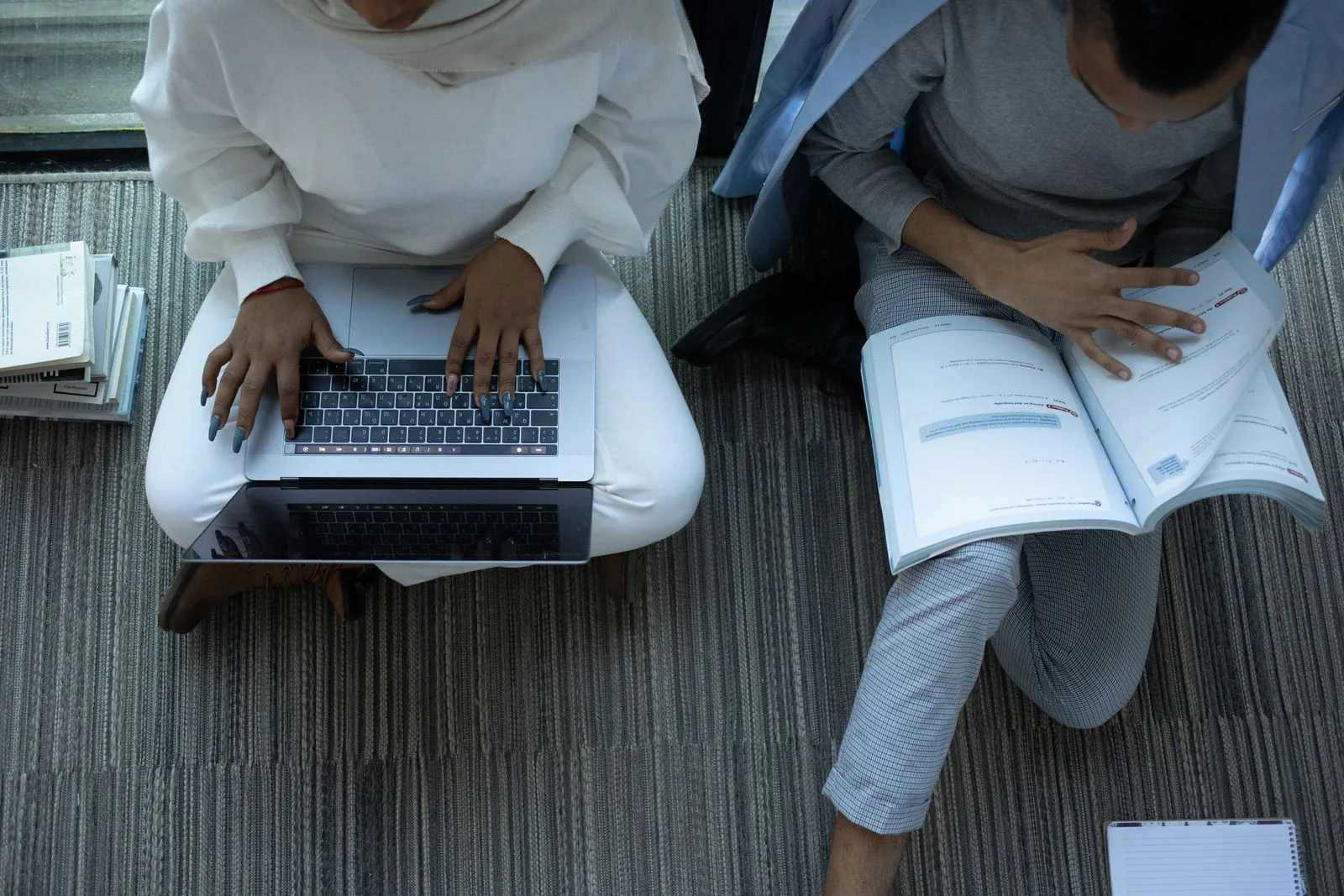
Why Choosing the Right Laptop for Students Matters
University and polytechnic life in Nigeria is demanding. Students write long assignments, prepare presentations, join online classes and often learn new software. For many, the laptop is also the main tool for research, entertainment and side hustles.
A laptop is a long-term investment
In practice, most students keep the same laptop for several years. So the right choice should still work well in your final year, not just in your first semester. That means thinking ahead about storage, RAM and durability.
The Nigerian context matters
However, student life here brings unique challenges. Power supply can be unreliable, hostels can be hot and crowded, and laptops travel a lot between rooms, libraries and lecture halls. As a result, battery health, build quality and security matter as much as raw speed.
Budgets are real
Most families plan carefully when buying a laptop for students. Prices change with the exchange rate, so value for money is crucial. Fortunately, quality UK-used business laptops can offer strong performance for less than many new consumer models.
1. Start with Your Course and Daily Tasks
Naturally, different courses need different laptops. A law student and an architecture student will not use their laptops in the same way. So start by thinking about your course and the software you will use.
General courses and arts
Students in law, arts, social sciences, mass communication and many humanities courses mostly use word processing, browsers, presentations and online classes. A mid-range laptop handles these tasks easily. Focus on battery life, keyboard comfort and portability.
Business, accounting and economics
In addition, these courses use spreadsheets, accounting software and sometimes statistics tools. A reliable processor, 8GB to 16GB RAM and a comfortable keyboard help. A number pad can also be handy for heavy data entry.
Science and medical courses
Medical, pharmacy, nursing and science students read a lot of PDFs, watch lectures and prepare reports. Some may use lab or statistics software. A balanced laptop with good battery life and a clear screen suits most of them.
Engineering, computer science and architecture
By contrast, these courses can be the most demanding. Engineering students may run programs such as AutoCAD, MATLAB or SolidWorks. Computer science students may run code editors, virtual machines and databases. Architecture students often use 3D modelling and rendering tools. For these courses, aim for a stronger processor, 16GB RAM, a fast SSD and, in many cases, a dedicated graphics card.
Design, media and creative courses
Students in graphic design, film or music production use demanding creative apps. A good screen with accurate colours, a strong processor, 16GB RAM or more and plenty of storage make a big difference.
Ask your department before buying a university laptop
Before you buy, ask senior students or lecturers what software the course uses. Some programs only run on Windows. Others need specific hardware. A quick question can save you from buying the wrong laptop for students in your field.
2. Processor: The Brain of a Student Laptop
The processor, or CPU, affects how fast a student laptop feels. It handles everything from opening apps to running complex software.
Intel and AMD processors
Today, most Windows laptops use Intel Core or AMD Ryzen processors. For everyday student work, an Intel Core i5 or AMD Ryzen 5 is a sweet spot. For heavier courses, a Core i7 or Ryzen 7 gives more headroom.
Generation matters more than the label
A newer Core i5 can beat an older Core i7. So always check the generation. For Intel, the number after “i5” usually reveals it. For example, a Core i5-1135G7 is an 11th generation chip, while a Core i5-8250U is 8th generation.
Apple M-series chips
Meanwhile, MacBooks with Apple’s M-series chips are fast and power-efficient. They often deliver excellent battery life. However, check that all your course software runs on macOS before you choose one.
Windows 11 support
Microsoft lists the official Windows 11 system requirements on its website. Some older processors do not meet them. Since you will use your laptop for years, choosing one that supports current Windows versions is wise for security and updates.
3. RAM: How Much Memory Does a Student Laptop Need?
Simply put, RAM lets your laptop handle several tasks at once. With too little RAM, the laptop slows down when you open many browser tabs or apps.
8GB RAM for most students
For general courses, 8GB RAM is usually the minimum you should consider. It handles office apps, browsers, online classes and light multitasking.
16GB RAM for demanding courses
Engineering, computer science, architecture and design students should aim for 16GB RAM. Heavy software, virtual machines and large files need the extra memory. Also, 16GB helps the laptop stay useful for longer.
Check if RAM is upgradeable
Some laptops let you add more RAM later. Others have RAM soldered to the motherboard. If you start with 8GB, an upgradeable model gives you a cheaper path to 16GB in future.
4. Storage: Why Every Student Laptop Needs an SSD
Next, storage holds your files, apps and operating system. Its type and size both matter.
Why an SSD is essential
An SSD makes a huge difference in speed. Laptops with SSDs start up quickly, open apps fast and feel more responsive. In contrast, old hard drives are slow and more fragile. For any modern laptop for students, an SSD should be non-negotiable.
How much storage is enough?
For most students, 256GB is the minimum. However, 512GB gives more breathing room for software, projects, photos and videos. Design, media and engineering students may want 1TB or an external drive for large files.
Use cloud storage too
Cloud storage helps you back up assignments and reach files from any device. Our guide on cloud computing for small businesses explains how cloud tools work, and the same ideas apply to students. Many schools also give students free cloud storage through their email accounts.
5. Battery Life: Crucial for a Student Laptop in Nigeria
In many campuses and hostels, power is not constant, so students need a laptop that lasts. So battery life can decide whether you finish an assignment on time.
Look for long real-world battery life
Advertised battery life is often measured in ideal conditions. Real use with Wi-Fi, video and bright screens usually gives less. Therefore, read reviews or ask the seller about real-world use.
Check battery health on a used student laptop
If you buy a UK-used laptop, check the battery condition. On Windows, a battery report shows how much capacity remains. A healthy battery is especially important for a laptop for students who move between classes all day.
Battery vs mains power
Some students consider removing a worn battery and running on mains power. However, that leaves you without protection during outages. Our guide on using a laptop without a battery explains the risks clearly.
6. Student Laptop Screen Size, Quality and Viewing Angles
Since you will stare at your screen for hours every day, quality matters. So screen quality affects comfort, eye strain and productivity.
Choosing the right size
Generally, students prefer screens between 13 and 15.6 inches. A 13 or 14-inch laptop is lighter and easier to carry. A 15.6-inch screen gives more space for spreadsheets, coding and design, but it adds weight.
Resolution and brightness
Full HD, or 1920 x 1080, is a good standard for most students. Lower resolutions can look grainy. Also look for a bright screen, since dim screens are hard to read near windows or outdoors.
Viewing angles and panel type
IPS panels usually offer better colours and wider viewing angles than older TN panels. This matters when you share your screen with classmates during group work. Our guide on laptop viewing angle explains this in detail.
7. Durability: A School Laptop Built for Campus Life
Every student laptop faces bumps, drops, spills and constant travel. A sturdy build can save you from costly repairs.
Business laptops are tough school laptops
Makers design business laptops, such as Lenovo ThinkPad, Dell Latitude and HP EliteBook, for daily use and travel. They often have strong hinges, spill-resistant keyboards and solid frames. That makes them great choices as a laptop for students on a budget, especially as UK-used units.
Consumer laptops can be lighter
On the other hand, consumer models often look sleek and feel light. Some are well-built, while others use cheaper materials. Our comparison of Lenovo ThinkPad vs IdeaPad shows how these two lines differ in build and value.
Keyboard quality
Also, students type a lot of essays, notes and reports. So a comfortable keyboard with good key travel matters. A backlit keyboard also helps when you study at night during power cuts.
8. Student Laptop Ports, Connectivity and Webcam
The right ports and wireless features make daily study easier.
Useful laptop ports for students
Ideally, look for at least two USB-A ports for flash drives and accessories. A USB-C port adds flexibility for charging and modern devices. An HDMI port is handy for presentations. Also, an SD card reader helps media students.
Wi-Fi and Bluetooth
Similarly, good Wi-Fi helps you connect quickly on busy campus networks. Newer Wi-Fi standards often perform better in crowded areas. Bluetooth lets you connect wireless earphones and a mouse.
Webcam and microphone
Today, online classes, interviews and group calls are common, so this matters too. A decent webcam and clear microphone help you look and sound professional. If the built-in webcam is weak, a cheap external one can fix that.
9. Windows, macOS or ChromeOS for a Student Laptop?
The operating system affects which software you can run. Choose carefully based on your course.
Windows laptops for students
First, Windows laptops offer the widest choice of models and prices. They also run most course software, including many engineering and statistics programs. For most Nigerian students, Windows is the safest choice.
MacBooks
MacBooks are well-built and offer excellent battery life on newer models. They suit design, media and general courses. However, some engineering and specialised programs do not run on macOS. So check your course software first.
Chromebooks
Finally, Chromebooks are simple and secure, but they rely heavily on internet access and web apps. They may not run the desktop software some courses need. For many Nigerian students, they are less flexible than Windows laptops.
10. Software Students Need on Their Laptop
The right software makes any student laptop more useful. Fortunately, many tools are free or discounted for students.
Microsoft Office for students
Many universities provide Microsoft 365 to students through their school email. Microsoft explains eligibility on its Office for students page. Ask your school’s ICT unit if you can get access.
Free alternatives
If Microsoft 365 is not available, you can use free tools such as Google Docs, Sheets and Slides, or LibreOffice. These handle most assignments well.
Course-specific software
Some software makers offer free or low-cost student licences for engineering, design and statistics tools. Check the maker’s website for education programs. Avoid cracked software, since it often carries malware that can damage your laptop and steal your data.
11. Budget Tips for Buying a Laptop for Students
Getting good value means balancing price, performance and durability.
Set a realistic budget range
Prices change with the market, so be flexible. So set a range rather than a single figure. This gives you room to choose a better laptop if one appears slightly above your target.
Consider UK-used business laptops for students
UK-used business laptops often offer premium build and good performance at lower prices. Many come from company fleets with regular care. When tested and sold by a trusted store, they can be an excellent laptop for students who want quality without overspending.
Prioritise what matters most
If your budget is tight, focus on an SSD, enough RAM and a healthy battery. These three features affect daily experience more than a slightly faster processor or a flashy design.
Factor in accessories
Remember to budget for a laptop bag, a surge protector and perhaps a mouse. A good bag protects the laptop on the move. A surge protector guards against power spikes in hostels and homes.
12. Laptop Buying Tips for Parents and Students
Whether you are a parent or a student, a few smart steps make buying easier and safer.
Buy from a trusted seller
Above all, a trusted store offers tested laptops, clear specs and after-sales support. This reduces the risk of hidden faults. At PSERO LAPTOP, we stock UK-used and brand-new laptops suited to students across many courses.
Ask about warranty and returns
Ask how long the warranty lasts and what it covers. Also ask about returns or swaps if a fault appears early. Get these terms in writing with your receipt.
Test before you pay
If you buy in person, test the screen, keyboard, battery, Wi-Fi, webcam and ports. These checks take only a few minutes and can prevent costly problems later.
Think about the full course length
A four or five-year course is a long time. Choose a laptop that can handle future software updates and growing files. Spending a little more now can save you from replacing the laptop mid-course.
13. Keep Your Student Laptop Safe and Healthy
Once students buy a laptop, good habits help it last until graduation and beyond.
Protect your university laptop from theft
Unfortunately, hostels, libraries and lecture halls can be busy places. Never leave your laptop unattended. Use a strong password and consider a lock cable in shared spaces.
Protect it from heat and dust
Use your laptop on a hard surface rather than a bed or pillow. Clean the vents occasionally, especially during harmattan. This keeps the laptop cooler and helps the battery last longer.
Protect your data
Back up assignments to the cloud or an external drive. Also keep your system updated and use antivirus protection. Losing a final-year project to a crash or theft is a painful lesson.
Use surge protection
Likewise, power surges are common in many hostels and homes. A surge protector is a small cost that can protect both your charger and your laptop.
14. Recommended Student Laptop Specs by Course
Here is a quick summary to guide your choice. Use it as a starting point, then adjust based on your course and budget.
Laptop for students in general and arts courses
- Intel Core i5 or AMD Ryzen 5 from a recent generation
- 8GB RAM
- 256GB to 512GB SSD
- Full HD screen
- Long battery life and light weight
For business and science students
- Intel Core i5 or AMD Ryzen 5, or better
- 8GB to 16GB RAM
- 512GB SSD
- Comfortable keyboard, ideally with a number pad on larger models
Laptop for students in engineering, computer science and architecture
- Intel Core i7 or AMD Ryzen 7, or a strong recent Core i5 or Ryzen 5
- 16GB RAM or more
- 512GB to 1TB SSD
- Dedicated graphics card for 3D and CAD work
For design and media students
- Strong processor and 16GB RAM or more
- 512GB to 1TB SSD, plus external storage
- Screen with good colour accuracy
- Dedicated graphics for video and 3D work
15. Laptop for Students on a Tight Budget: Where to Compromise
Not every family can buy a top laptop. That is fine. However, you need to know where you can save money and where you should not.
Where you can compromise
First, you can often accept an older but solid business laptop instead of a new consumer model. Also, you can skip features such as touchscreens, very thin designs and premium finishes. In addition, a slightly smaller screen usually costs less and weighs less too.
Where you should not compromise
On the other hand, do not compromise on an SSD. A slow hard drive will make even a good processor feel sluggish. Similarly, avoid less than 8GB RAM if you can, since it struggles with modern browsers and apps. Finally, insist on a healthy battery, because power cuts are part of campus life.
Upgrade later when possible
If money is tight now, choose a laptop for students that allows upgrades. For example, you might start with 8GB RAM and add more next year. Likewise, you can swap a small SSD for a bigger one later. As a result, your laptop can grow with your course.
Avoid false savings
A very cheap laptop that breaks in six months costs more in the end. So compare total value, not just the price tag. In many cases, a tested UK-used business model gives the best balance of cost and lifespan.
16. Side Hustles, Gaming and Extra Needs for a Student Laptop
Many Nigerian students do more than study. Some run small businesses, while others freelance, design, edit videos or play games. These extra activities can change the kind of laptop you need.
Freelancing and online work
If you plan to do freelance writing, virtual assistance or data entry, a standard student laptop works well. However, a good webcam, a comfortable keyboard and reliable Wi-Fi become more important. Also, a long battery life helps you meet deadlines during outages.
Graphic design and video editing
If you plan to design flyers or edit videos for clients, you will need more power. In this case, aim for 16GB RAM, a strong processor and a screen with good colours. Meanwhile, extra storage helps with large media files.
Gaming
Gaming laptops have strong graphics cards and powerful cooling. However, they are often heavier, louder and shorter on battery life. So think carefully before choosing one as your main laptop for students. If study comes first, a balanced laptop may serve you better.
Coding and tech skills
Many students now learn coding, data analysis or cybersecurity on the side. For these skills, 16GB RAM and a fast SSD help a lot. Also, a laptop that runs Windows or Linux well gives you more freedom to experiment.
17. Essential Accessories for a School Laptop
The right accessories protect your laptop and make study more comfortable. Fortunately, most of them are affordable.
A padded laptop bag
A good bag protects your laptop from bumps and rain. Look for padding, a separate laptop sleeve and strong zips. Also choose a design that does not scream “laptop inside” if you travel on busy roads.
A surge protector
Power surges are common when electricity returns after an outage. Therefore, a surge protector is one of the most useful accessories for a student laptop. It protects both the charger and the laptop.
A mouse and cooling pad
A mouse makes long sessions in Excel, design apps or CAD tools much easier. Meanwhile, a cooling pad helps keep the laptop cool in hot hostels. Both items are cheap but helpful.
An external drive or flash drive
Back up your assignments and projects regularly. An external drive gives you a safe copy if you lose or damage your laptop. In addition, a flash drive helps when you need to print or share files on campus.
18. A Simple Checklist When Buying a Laptop for Students
Before you pay, run through this quick checklist. It helps you avoid common mistakes and get the right laptop for students in your home.
Before you shop
- List the software your course needs.
- Set a realistic budget range.
- Decide on minimum specs: processor, RAM and SSD size.
- Choose a screen size that suits your travel habits.
In the shop or on delivery
- Check the processor model and generation in Windows.
- Confirm RAM and SSD size in Task Manager.
- Run a battery report or check battery health.
- Test the keyboard, touchpad, webcam, Wi-Fi and ports.
- Look for cracks, loose hinges and screen flicker.
Before you leave
- Ask about warranty and returns.
- Get a written receipt with the model and serial number.
- Make sure Windows shows as activated and no BIOS password exists.
Following this list takes only a few minutes. Yet it can save you months of frustration.
19. Choosing a University Laptop for Final Year and Postgraduate Study
Final-year students and postgraduates often face heavier workloads. Projects, theses and research data can push a basic laptop to its limits.
Research and data analysis
Many final-year projects involve statistics or data analysis software. These tools can use a lot of memory. So 16GB RAM and a fast processor make the work smoother. Also, a larger screen helps when you work with long documents and big spreadsheets.
Writing long documents
Writing a thesis means hours of typing, editing and referencing. A comfortable keyboard and a clear screen reduce strain. In addition, reference tools and cloud backups help you stay organised and safe.
Presentations and defences
When you present your project, you may need to connect to a projector. Therefore, check that your laptop has HDMI or that you own the right adapter. Practise with the setup before the big day.
Planning ahead
If you are buying in your first year, think about these later needs too. As a result, the same laptop for students can carry you from your first lecture to your final defence.
20. Buying a Laptop for Students Online or In Person
Today, families can buy a laptop for students online or walk into a shop. Both options can work well. However, each one needs a slightly different approach.
Buying in person
When you buy in person, you can see and test the student laptop before you pay. This is a big advantage. On the other hand, busy markets can feel rushed, and some sellers may push you to decide quickly. So bring your checklist and take your time.
Buying online
Online shopping saves time and lets you compare many laptops for students from home. Still, you cannot test the laptop before it arrives. Therefore, choose a store with clear photos, detailed specs, a real address and a fair return policy. Also read the warranty terms carefully.
Check the laptop on delivery
When the laptop arrives, test it at once. Check the specs, battery health, screen, keyboard and ports. If anything is wrong, contact the seller straight away while the return window is open.
Ask for help choosing
If you are unsure, ask the seller for advice. Tell them your course, your budget and the software you need. A good store will suggest a laptop for students that fits, rather than the most expensive one on the shelf.
Frequently Asked Questions About Choosing a Laptop for Students
What is the best laptop for students in Nigeria?
There is no single best laptop model for all students. The best choice depends on your course, budget and software. For many students, a UK-used business laptop with an SSD, 8GB to 16GB RAM and a healthy battery offers excellent value.
Is 8GB RAM enough for a university student?
For general courses, yes. However, engineering, computer science, architecture and design students should aim for 16GB to handle heavy software.
Should students buy a new or UK-used laptop?
Both can work well. A new laptop offers full warranty and the latest features. A tested UK-used laptop can offer better build quality for the same money. Buy from a trusted seller either way.
Is a MacBook good for Nigerian students?
MacBooks are fast, durable and offer great battery life. However, some course software runs only on Windows. Check your course needs before choosing a MacBook.
Do students need a dedicated graphics card?
Most students do not. However, those in engineering, architecture, design and media often benefit from one for 3D, CAD and video work.
How can I make my student laptop last longer?
Use surge protection, keep it cool and clean, avoid drops and spills and back up your files. Good battery habits also help it last longer.
Can I use my phone instead of a laptop for school?
A phone helps students with reading and quick tasks. However, typing long assignments, running course software and doing serious research are much easier on a laptop.
Conclusion: Pick a Laptop That Supports Your Studies
The right laptop for students in Nigeria balances performance, durability, battery life and price. Start with your course needs, then choose the right processor, RAM, storage and screen. Also think about power cuts, campus life and how long you will need the laptop.
UK-used business laptops can be a smart choice for many students, offering strong builds and good performance for less. Wherever you buy, choose a trusted seller, test the laptop and ask about warranty.
Ready to find the right laptop for your studies? Browse our range of UK-used and brand-new laptops at psero.com today. Our team will help you choose a laptop that fits your course, your needs and your budget.