A slow or unreliable office network can quietly drain a small business. Staff wait for files to open, video calls freeze, POS payments fail and printers refuse to connect. In Nigeria, where power and internet can already be unpredictable, a weak setup makes every working day harder. The good news is that a well-planned network does not need to be expensive or complicated.
This guide walks you through the basics in plain language. You will learn how to choose an internet connection, pick the right router, plan Wi-Fi coverage, decide when to use cables, share printers and files, and keep everything secure. By the end, you will know how to build a network that keeps your team connected and productive.
What Is an Office Network and Why Does It Matter?
An office network is the system that connects your computers, phones, printers and other devices to each other and to the internet. It usually includes an internet connection, a router, Wi-Fi, cables and sometimes a network switch.
Everyday tasks that depend on your network
Today, almost everything in a modern office relies on the office network. For example:
- Sending and receiving emails
- Using cloud tools such as Google Workspace or Microsoft 365
- Processing card payments and payment links
- Printing documents from several computers
- Sharing files between team members
- Holding video calls with clients and suppliers
When the network is slow or down, all of these tasks suffer. As a result, customers wait, staff lose patience and the business loses money.
Why planning matters
Many small offices simply buy a router, plug it in and hope their office network will cope. That might work for two people. However, as you add staff, devices and cloud tools, problems grow quickly. A little planning at the start saves a lot of stress later.
1. Assess Your Office Network Needs First
Before you buy any office network equipment, understand how your business uses the internet. This helps you choose the right connection and devices.
Count office network users and devices
First, list everyone who will use the office network. Then count their devices. Remember that most people use a laptop and a phone at the same time. Also count shared devices, such as printers, POS terminals, CCTV cameras and smart TVs.
List your key online activities
Next, think about what your team does online. Light tasks include email, web browsing and messaging. Heavier tasks include video calls, large file uploads, cloud backups and streaming. If many people do heavy tasks at once, you need more bandwidth.
Map your space
Walk around your office and note the layout. How many rooms are there? Where will people sit? Where are the walls, especially thick concrete ones? This map helps you plan Wi-Fi coverage and cable runs.
Plan for growth
Think about the next one to two years. Will you hire more staff, open a second floor or add CCTV? Choose a setup that can grow with you, rather than one that is already stretched on day one.
2. Choose the Right Internet Connection for Your Office Network
Your internet connection is the foundation of your office network. In Nigeria, the right choice depends on your location, budget and needs.
Fibre broadband for small business internet
Fibre is often the fastest and most stable option where it is available. It suits offices with many users, heavy cloud use and frequent video calls. However, coverage still reaches only certain areas, so check with providers near you.
Fixed wireless
Alternatively, some providers deliver internet through a small antenna on your roof that connects to a nearby tower. This can be a good option where fibre is not available. Performance depends on distance, line of sight and weather.
4G and 5G routers for small business internet
Mobile network routers use a SIM card to provide internet. They are quick to set up and work in many locations. They suit small offices, backup connections and businesses that move often. Still, speeds can vary with network congestion and signal strength.
Satellite internet
Meanwhile, satellite services can reach remote areas where other options are weak. They need a clear view of the sky and a dish installation. Costs and performance vary, so compare carefully.
Check licensed providers
Choose reputable, licensed internet service providers. The Nigerian Communications Commission regulates the telecoms sector and provides consumer information. Before you sign, ask about real-world speeds, data caps, installation fees and support response times.
Consider a backup connection
Outages happen. Therefore, many businesses keep a second connection, such as a 4G router, for emergencies. Some routers can switch automatically to the backup link when the main one fails.
3. Pick the Right Router for Your Office Network
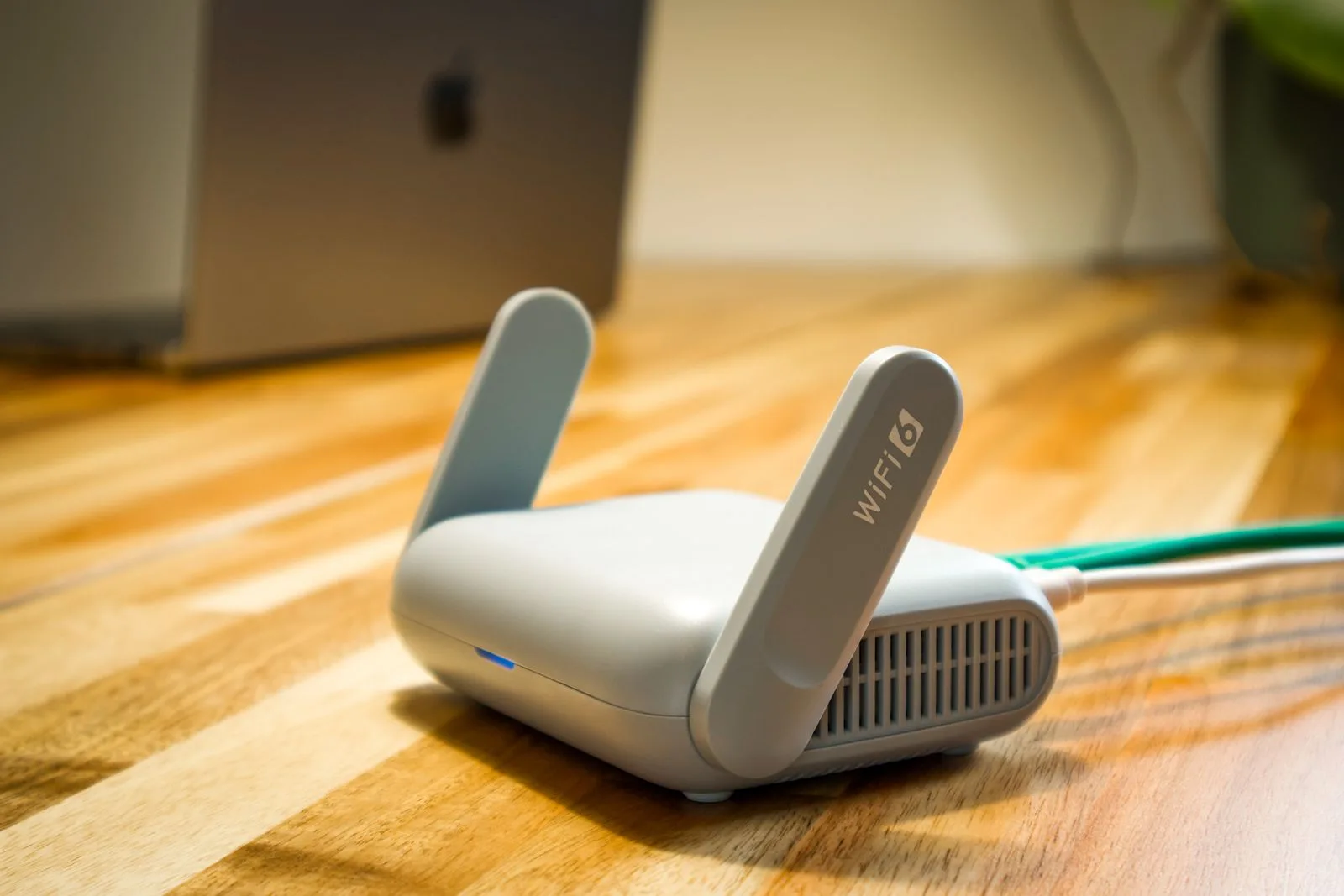
The router is the heart of an office network, because it connects you to the internet and manages traffic between devices. Many internet providers supply a basic router. However, it may not be strong enough for a busy office.
Router features to look for in an office network
When choosing a router, consider these features:
- Modern Wi-Fi standard: Wi-Fi 6 or newer handles many devices better than older standards.
- Dual-band or tri-band: these offer both 2.4GHz and 5GHz bands for better performance.
- Enough Ethernet ports: for computers, printers and switches.
- Guest network support: to keep visitors separate from business devices.
- Security features: such as WPA3 support and regular firmware updates.
- Dual-WAN or failover: to connect a backup internet line.
Consumer vs business routers
In general, consumer routers work for very small offices. Business routers offer more control, stronger security and better performance with many users. If you have more than a handful of staff, a business-grade router is worth considering.
Where to place the office network router
Place the router in a central, open spot. Keep it off the floor and away from thick walls, metal cabinets and microwaves. Good placement can greatly improve Wi-Fi coverage without extra cost.
4. Plan Business Wi-Fi Coverage Across Your Office
Wi-Fi is the most convenient part of an office network, but it can be frustrating when the signal is weak. Proper planning gives everyone a reliable connection.
Understand Wi-Fi bands
Typically, most routers broadcast on two bands. The 2.4GHz band travels farther and passes through walls better, but it is slower and more crowded. The 5GHz band is faster but has shorter range. Many modern routers combine both under one network name and steer devices automatically.
Deal with thick walls
In addition, many Nigerian buildings use solid concrete blocks. These walls can weaken Wi-Fi signals significantly. As a result, one router may not cover every room.
Mesh systems for business Wi-Fi
A mesh system uses several units placed around the office. They work together to create one seamless network. Mesh suits offices with multiple rooms or floors, and it is easy to set up.
Access points
Access points connect to your router by cable and broadcast Wi-Fi in different areas. They often deliver better performance than wireless extenders. For larger offices, wired access points are a strong, professional choice.
Avoid cheap extenders where possible
Basic Wi-Fi extenders can help in small spaces. However, they often cut speed and create separate networks that confuse devices. Mesh systems or access points usually work better.
5. When to Use Cables in Your Office Network
However, Wi-Fi is not always the best answer for an office network. Wired connections can be faster, more stable and more secure.
Benefits of wired connections
First, Ethernet cables give consistent speeds and low delay. They also suffer less interference. Therefore, they suit desktops, printers, POS terminals, servers and video conference stations.
Choose good cables
For most offices, Cat6 cables are a solid choice. They support fast speeds and future upgrades. Also buy quality cables from reputable sellers, since poor cables can cause slow or unstable connections.
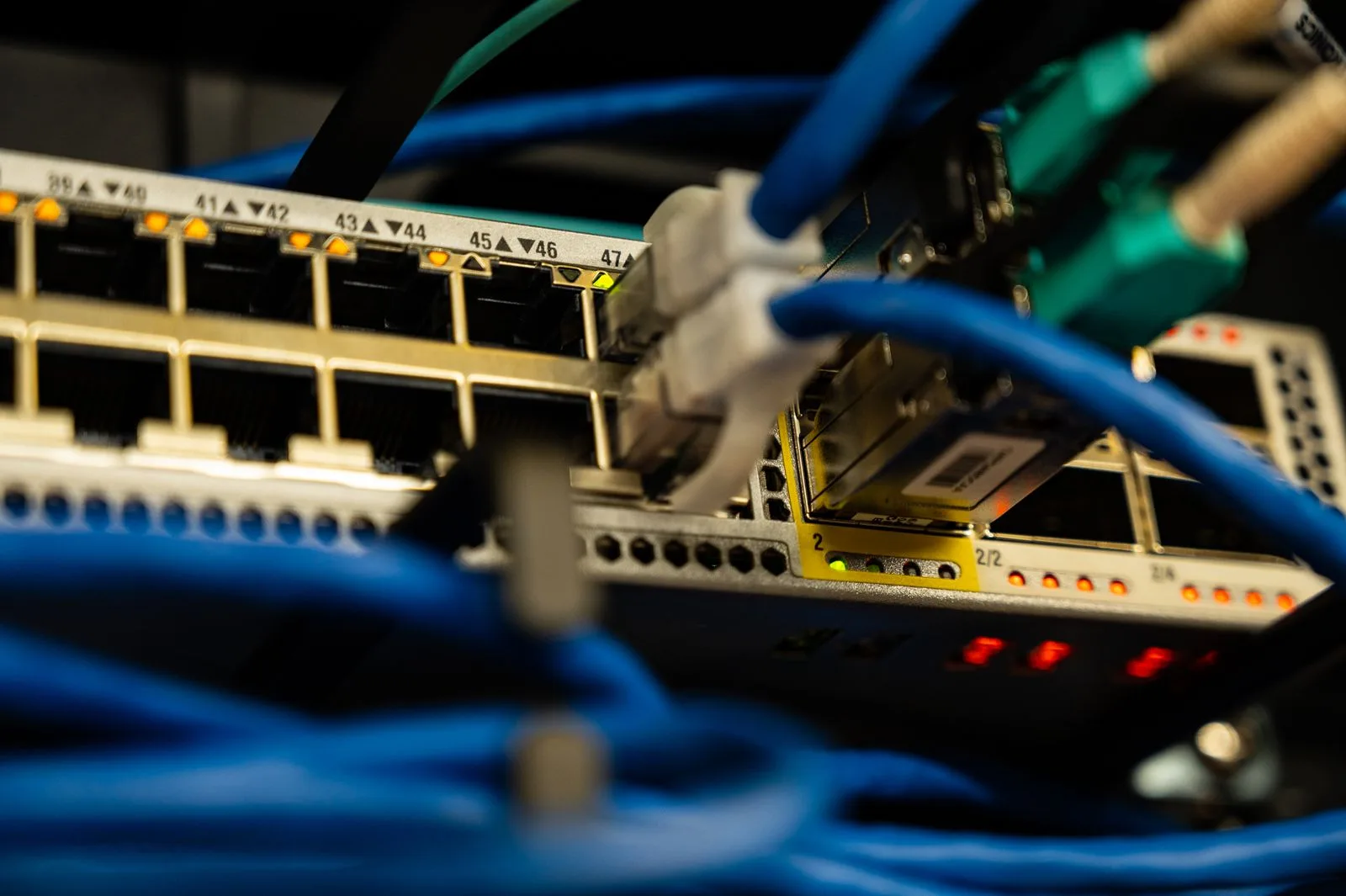
Use a switch to expand your office network
A switch adds more Ethernet ports to your network. For example, if your router has four ports but you need ten connections, a switch solves the problem. Unmanaged switches are simple and affordable. Managed switches offer more control for larger setups.
Consider PoE
Power over Ethernet, or PoE, lets a single cable carry both data and power. This is useful for access points and IP cameras, since you do not need a power socket at each device. You will need a PoE switch or injector to use it.
Plan and label cable runs
Run cables neatly along walls or through trunking. Then label both ends. Clear labelling makes troubleshooting much easier later.
6. Share Printers and Files on Your Office Network
A shared office network saves money and time. Instead of buying a printer for every desk, one network printer can serve the whole team.
Network printers
Today, many printers connect to Wi-Fi or Ethernet. Once connected, any computer on the network can print to them. For reliability, connect busy printers by cable rather than Wi-Fi when possible.
Setting up a shared printer
Connect the printer to the network and give it a fixed IP address in your router settings. This stops its address from changing, which often causes “printer offline” problems. Then add the printer on each computer.
Shared folders
You can share folders from one computer, use a network-attached storage device or rely on cloud storage. Cloud tools are often the simplest choice for small teams. Our guide on cloud computing for Nigerian small businesses explains how to store and share files online.
Network-attached storage
A NAS is a small box with hard drives that connects to your network. It can store shared files and backups for the whole office. It suits teams that work with large files or want local storage alongside the cloud.
7. Secure Your Office Network
An office network that is easy to break into puts your business, customers and data at risk. Fortunately, basic security steps are simple.
Change default office network passwords
Unfortunately, routers often come with default admin passwords. Change them immediately to strong, unique passwords. Also change the default Wi-Fi password.
Use strong Wi-Fi encryption
Choose WPA3 if all your devices support it. Otherwise, use WPA2. Avoid older options such as WEP, which are easy to crack.
Create a guest business Wi-Fi network
Give visitors and customers a separate guest network. This keeps them away from your business computers, printers and files. Change the guest password regularly.
Update firmware
Also, router makers release updates to fix security flaws and improve performance. Check for updates regularly, or turn on automatic updates if available.
Limit admin access
Only trusted people should access router settings. Also keep a record of who has admin access and update it when staff leave.
Protect devices too
Network security also depends on the devices connected to it. Keep computers updated, use antivirus software and train staff to avoid suspicious links. Strong passwords and two-step verification on business accounts add more protection.
8. Keep Your Office Network Running During Power Cuts
In Nigeria, power outages can knock your network offline even when the internet provider is working. So power protection is an essential part of network planning.
Put office network gear on a UPS
Fortunately, routers, switches and modems use relatively little power. A small UPS can keep them running for a good while during outages. This keeps laptops connected even when the lights go off.
Protect against surges
Use surge protection for all network equipment. Sudden spikes when power returns can damage routers and switches.
Use laptops for resilience
Laptops keep running on battery during outages. Combined with a router on UPS, they let your team keep working. At PSERO LAPTOP, we stock UK-used and brand-new laptops that suit busy offices.
9. Support Payments and Business Systems on the Office Network
Many business tools depend on a stable office network. If the connection fails, sales can stop.
POS and payment terminals
Some POS terminals use their own SIM, while others rely on Wi-Fi. If yours uses Wi-Fi, make sure the signal at the counter is strong. A wired connection or a nearby access point can help. Our guide on choosing POS software explains how POS systems connect and what to consider.
Online payments and websites
If you take payments online, a reliable connection helps you confirm transactions and respond to customers quickly. Our guide on how Nigerian small businesses can accept online payments covers payment gateways, transfers and links.
Video calls and remote work
Video calls need stable upload and download speeds. If calls often freeze, consider prioritising video traffic in your router settings, or move key users to wired connections.
10. Manage Office Network Bandwidth Fairly
Even a fast office network can feel slow if a few users take most of the bandwidth. Simple management keeps things fair.
Watch for heavy users
For example, large downloads, streaming and cloud backups can slow everyone else. Many routers show which devices use the most data. Check this when the network feels slow.
Use quality of service settings
Quality of service, or QoS, lets you give priority to important traffic, such as video calls or payment systems. Not every router offers it, but many business models do.
Schedule heavy tasks
Schedule large backups and updates for times when the office is quiet, such as late evening. This keeps daytime performance smooth.
11. Troubleshoot Common Office Network Problems
Even a good office network has occasional issues. Knowing the basics helps you fix many problems quickly.
Slow office network speeds
First, test your speed with a reliable online speed test. Compare it with the speed your provider promised. Then check whether the problem affects one device or everyone. If only one device is slow, the issue may be the device. If everyone is slow, the problem may be the connection or the router.
Wi-Fi drops
Restart the router and check for firmware updates. Also look for interference from other networks or devices. Moving the router or adding a mesh unit may help.
Printer offline
First, check that the printer is on and connected. Next, confirm it still has the same IP address. Restarting the printer and the computer often fixes the issue.
Internet down
To start, check the router lights and cables. Then restart the modem and router. If the problem continues, contact your provider and ask whether there is an outage in your area.
12. Sample Office Network Setups for Nigerian Businesses
Every business is different, so every office network looks a little different. However, these examples show how setups can scale.
Office network for a small shop with two or three staff
A single good router with Wi-Fi 6 may be enough. Add a 4G router as backup, a small UPS for the router and a guest network for customers. Connect the POS terminal by cable if possible.
Office network for five to fifteen staff
Use a business-grade router, a network switch and two or more access points or a mesh system. Connect desktops and printers by cable. Add a UPS for networking gear and set up a guest network.
Growing office with multiple rooms or floors
Plan structured cabling with Cat6 to key points. Use managed switches, wired access points and a router with failover to a backup connection. A NAS can add local storage and backups. At this size, working with a professional installer is wise.
13. Working with a Network Installer
For a larger or more complex office network, a professional can save you time and mistakes.
When to hire help
Consider hiring help if you have many users, multiple floors, CCTV or strict security needs. Also get help if you plan structured cabling, since it is hard to change later.
Questions to ask
Ask installers about their experience, the equipment they recommend and why. Request a written quote that lists all devices, cable lengths and labour. Also ask about warranties and after-installation support.
Keep documentation
Ask the installer for a simple diagram of your network, along with admin passwords and device details. Store this information securely. It will help future technicians understand your setup quickly.
14. Office Network Ideas for Different Nigerian Businesses
Every business uses its office network in a slightly different way. So the best setup depends on your daily work. Here are a few practical examples.
A retail shop or showroom
A shop needs a stable office network mainly for POS terminals, payment links and stock updates. Therefore, connect the till by cable and keep a 4G backup ready. Also give customers a separate guest network, so their phones never touch your business devices.
A law firm, accounting firm or agency
These offices handle sensitive client files every day. As a result, security matters as much as speed. Use a business router, strong Wi-Fi encryption and a guest network for visitors. In addition, store shared files in secure cloud folders or on a NAS with backups.
A school or training centre
Schools often have many users online at the same time. For this reason, the office network should use several access points and a strong main connection. Meanwhile, content filters and separate networks for staff and students help keep things safe and fair.
A clinic or pharmacy
Health businesses rely on records systems, payments and phone lines. Because downtime can affect patients, a backup internet link and a UPS are essential. Also, limit network access to trusted staff devices only.
A creative studio
Designers and video editors move large files all day. So wired connections, a fast switch and a NAS can save hours each week. Likewise, schedule big cloud uploads for the evening to keep daytime speeds smooth.
15. A Simple Office Network Maintenance Routine
A network is not something you set up once and forget. Instead, a little regular care keeps it fast and safe.
Weekly checks
First, glance at your router dashboard once a week. Look for unknown devices, unusual data use or error messages. Also restart any device that seems sluggish.
Monthly tasks
Next, check for firmware updates on your router, access points and switches each month. Then run a quick speed test at different times of day. As a result, you can spot slowdowns before they become serious.
Quarterly reviews
Every few months, review who has Wi-Fi and admin access. Remove old staff devices and change the guest password. In addition, dust your network equipment and check that cables are still firmly connected.
Yearly planning
Finally, review your office network once a year. Ask whether your team has grown, whether speeds still meet your needs and whether any equipment is getting old. Then plan upgrades before problems force your hand.
16. Office Network Budget: Where to Spend and Where to Save
Money is tight for most small businesses. Still, some parts of your office network deserve more of your budget than others.
Where to spend
First, invest in a reliable internet connection, since everything else depends on it. Next, spend on a good router or mesh system that can handle your users. Also, buy quality cables and a UPS for your networking gear. These items keep your business running every day.
Where you can save
On the other hand, you do not always need the most expensive switch or the newest Wi-Fi standard. For a small office, an unmanaged switch is often enough. Likewise, you can start with a simple mesh kit and add units later.
Avoid false savings
A cheap router that drops connections every afternoon costs more in lost time than it saves. Similarly, skipping a backup connection can cost a full day of sales during an outage. So think about the cost of downtime, not just the price tag.
Grow in stages
You can also build your office network in stages. For instance, start with a good router and a UPS. Then add access points, a switch and a backup link as your team grows.
17. Office Network Rules for Your Staff
Technology alone cannot keep a network safe. People also need clear rules.
Keep passwords private
Ask staff not to share the business Wi-Fi password with visitors. Instead, point guests to the guest network. Also, never write passwords on sticky notes near the router.
Use approved devices
Decide which devices can join the main office network. For example, you might allow work laptops and phones but not personal smart TVs or gadgets. This reduces risk and keeps the network fast.
Report problems early
Encourage staff to report slow Wi-Fi, strange pop-ups or unknown devices straight away. Early reports help you fix small issues before they grow.
Be careful with downloads
Finally, remind everyone to avoid large personal downloads and streaming during work hours. As a result, the network stays fast for the tasks that matter.
18. How to Set Up a Small Office Network Step by Step
If you are starting from scratch, this simple order of steps keeps the job manageable.
- Assess your users, devices and space.
- Choose and install your main internet connection.
- Pick a router and place it in a central, open spot.
- Change default passwords and set up WPA3 or WPA2 encryption.
- Create a guest network for visitors.
- Add a switch and run cables to desktops, printers and POS terminals.
- Add mesh units or access points to cover weak areas.
- Connect the router and switch to a UPS and surge protector.
- Set up shared printers and cloud folders.
- Write down your setup, passwords and provider contacts.
Following these steps in order helps you avoid rework. Moreover, it gives you a clear record of your office network for the future.
19. Adding CCTV and Smart Devices to Your Office Network
Many Nigerian businesses now use IP cameras, smart locks and other connected devices. These tools add security and convenience. However, they also add load and risk to your office network.
Plan bandwidth for cameras
IP cameras send video all day. As a result, several cameras can use a large share of your bandwidth, especially if they upload to the cloud. So ask your installer how much data each camera uses, and plan your connection with that in mind.
Use cables and PoE where possible
Wired cameras are usually more stable than Wi-Fi cameras. In addition, a PoE switch can power them through the same cable. This keeps the setup neat and reduces the number of power sockets you need.
Keep smart devices separate
Smart devices often receive fewer security updates than computers. Therefore, place cameras and smart gadgets on a separate network or VLAN if your router supports it. That way, a weak device cannot easily reach your business laptops and files.
Change default logins
Finally, change the default usernames and passwords on every camera and smart device. Many attacks start with devices that still use factory logins.
Common Office Network Mistakes to Avoid
Many small offices repeat the same office network mistakes. Avoid these:
- Relying on the provider’s basic router: it may not handle many users.
- Poor router placement: hiding it in a cabinet weakens coverage.
- No guest network: visitors share access with business devices.
- Default passwords: an easy way in for attackers.
- No backup connection: one outage stops the whole business.
- No power protection: outages and surges knock the network offline.
- Messy, unlabelled cables: troubleshooting becomes a nightmare.
Frequently Asked Questions About Office Networks
What internet speed does a small office need?
It depends on how many people work online at once and what they do. Email and browsing need little bandwidth, while video calls and cloud backups need much more. Ask providers for real-world speeds and start with a plan that has room to grow.
Is Wi-Fi enough, or do I need cables?
Wi-Fi is enough for many small offices. However, cables give better speed and stability for desktops, printers, POS terminals and video call stations. Many offices use a mix of both.
What is the difference between a router and a switch?
A router connects your network to the internet and manages traffic. A switch adds more wired ports so more devices can connect by cable.
How can I improve Wi-Fi in an office with thick walls?
Use a mesh Wi-Fi system or wired access points placed around the office. These spread the signal more evenly than a single router.
Should I set up a guest Wi-Fi network?
Yes. A guest network keeps visitors separate from your business devices and data. It is a simple but valuable security step.
How do I keep the internet running during power cuts?
Put your router, modem and switch on a small UPS. Also use laptops, which run on battery, and consider a backup 4G connection.
Conclusion: Build an Office Network That Works as Hard as You Do
A reliable office network keeps your business moving. It connects your team, supports payments, powers cloud tools and keeps customers happy. With careful planning, the right internet connection, a good router, smart Wi-Fi coverage and basic security, you can build a network that grows with your business.
Start by assessing your needs and mapping your space. Then choose your connection and equipment carefully, secure everything and protect it from power problems. Finally, document your setup so it stays easy to manage.
Fast, reliable laptops make the most of a good network. Browse our range of UK-used and brand-new laptops at psero.com today, and equip your team with machines that keep up with your business.