The ASUS ExpertBook series is designed specifically for business users who need reliability, performance, security features, and all-day productivity. Whether you are a manager, consultant, remote professional, or student focused on business coursework, this review explains whether the ExpertBook delivers where it matters most.
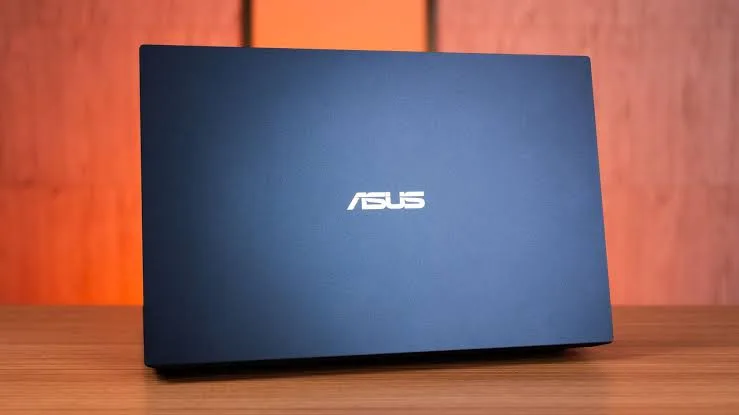
Quick Overview: What the ExpertBook Is
The ASUS ExpertBook is a business-focused laptop lineup that prioritizes:
-
Lightweight and portable design
-
Strong battery life
-
Business-grade security
-
Stable performance for daily workflows
These laptops compete with business models like Lenovo ThinkPad, Dell Latitude, and HP EliteBook.
Design and Build Quality
The ExpertBook feels professional and durable:
-
Sleek, minimalist design that matches business settings
-
Solid aluminum chassis that resists wear
-
Lightweight construction for daily mobility
Business users who travel or attend meetings benefit from the ExpertBook’s portability without sacrificing structural integrity.
Display: Clear and Comfortable
Most ExpertBook models come with a 14-inch Full HD (1920×1080) display.
In real use:
-
Text and spreadsheets are easy to read
-
Video calls and presentations look clear
-
Screen brightness is usually adequate for indoor and office environments
The display is sized for productivity rather than entertainment, and it performs well in business contexts.
Keyboard and Typing Experience
ASUS places emphasis on typing comfort for business users. On the ExpertBook:
-
Keys have solid travel and responsiveness
-
Layout is comfortable for typing emails, reports, and proposals
-
Backlit keyboard options improve usability in low-light environments
This makes the ExpertBook ideal for professionals who spend hours typing documents or coding.
Performance: Day-to-Day Business Workloads
ExpertBook configurations vary, but common specs include:
-
Intel Core i5 / i7 processors
-
8GB to 16GB RAM
-
SSD storage (256GB or larger)
In practical use, this means reliable performance for:
-
Email and calendar apps
-
Word processing and spreadsheets
-
Project management tools
-
Web browsing with many tabs
-
Video conferencing (Zoom, Teams, Meet)
Even with many apps open simultaneously, the ExpertBook rarely feels sluggish thanks to SSD storage and efficient CPU performance.
Battery Life: All-Day Productivity
Business users often work away from power outlets — in meetings, coworking spaces, or during travel.
Typical battery performance includes:
-
Light productivity: 8–10 hours
-
Mixed use (documents + meetings): 6–8 hours
-
Heavy multitasking: 5–7 hours
This level of battery life comfortably supports:
-
Full workdays
-
Back-to-back meetings
-
Presentations on the go
For many business users in Nigeria, this reduces dependence on constant charging.
Connectivity and Ports
A key business need is flexible connectivity.
The ExpertBook usually includes:
-
USB-C with power and display support
-
USB-A ports
-
HDMI for external presentations
-
Audio jack
-
Optional Ethernet via adapter
These ports make it easy to connect:
-
Projectors and displays during presentations
-
USB drives and external storage
-
Headsets for virtual meetings
Overall, connectivity is solid for daily business tasks.
Security Features
Business users care about security, and ExpertBook models include features like:
-
Fingerprint sensor
-
TPM security chip
-
BIOS-level protections
These help protect sensitive work files, company data, and user credentials — a real advantage compared with consumer laptops that lack such security.
Pros and Cons for Business Users
Pros
-
Lightweight and professional design
-
Comfortable typing experience
-
Good battery life for all-day use
-
Solid performance for office apps
-
Business-grade security features
-
Reliable connectivity options
Cons
-
Not designed for heavy creative workloads
-
Not ideal for intensive gaming or 3D design
-
Premium configurations can be pricey
Who the ASUS ExpertBook Is Best For
The ExpertBook is ideal for:
-
Corporate professionals
-
Business students and MBA candidates
-
Remote workers
-
Consultants and project managers
-
Entrepreneurs and SME owners
It shines in everyday business tasks such as:
-
Presentations and reports
-
Email and scheduling
-
Video conferencing
-
Data entry and analysis
-
Document collaboration
How It Compares With Business Competitors
| Feature | ASUS ExpertBook | ThinkPad / Latitude / EliteBook |
|---|---|---|
| Build Quality | Strong | Strong |
| Keyboard Comfort | Good | Excellent |
| Battery Life | Very Good | Very Good |
| Security Features | Good | Excellent |
| Price | Competitive | Often higher |
| Service & Support | Good | Often stronger |
The ExpertBook often delivers solid value, while competitors may have stronger keyboards or support ecosystems.
Final Thoughts
The ASUS ExpertBook is a solid choice for business users who want a reliable, portable, and secure laptop for all-day productivity. It hits the key points that matter for professionals:
-
Long battery life
-
Comfortable typing and build quality
-
Balanced performance for everyday business apps
-
Practical connectivity and security features
If you want help finding a tested ExpertBook with verified battery health and delivery options in Nigeria, you can explore listings here:
https://psero.com