
For many students in Nigeria, laptops must serve two purposes: supporting academic activities (like research, online classes, and writing reports) and work‑related tasks (such as freelancing, remote jobs, content creation, design, or part‑time work). Therefore, choosing the right laptop requires balancing performance, portability, battery life, and price.
In this guide, we break down the best laptop options for students who plan to both study and work — whether online, in offices, or from home.

What Students Should Look For in a Work‑and‑Study Laptop

Before we talk models, it’s important to understand what features really matter:
1. Performance (CPU)
A strong processor ensures smooth multitasking — especially when switching between browser tabs, documents, productivity tools, and work apps.
Prefer Intel Core i5 / Ryzen 5 or higher
Core i7 / Ryzen 7 is ideal for heavy workloads
2. Memory (RAM)
RAM impacts how well your system handles multiple tasks.
8GB RAM is the minimum
16GB or more is better for editing, heavy multitasking, and advanced tools
3. Storage (SSD)
SSDs make laptops faster, particularly for booting, loading apps, and opening large files.
SSD (256GB or larger) is recommended
Avoid systems with only HDD
4. Battery Life
Students often move around campus, attend classes, and work remotely. As a result, battery life matters greatly.
Aim for 4–8 hours of real use
Better battery means fewer chargers to carry
5. Weight and Portability
A lightweight laptop makes commuting and day‑to‑day movement easier.
Target 1.2 kg to 1.8 kg for best portability
Best Laptop Options for Students Who Work and Study
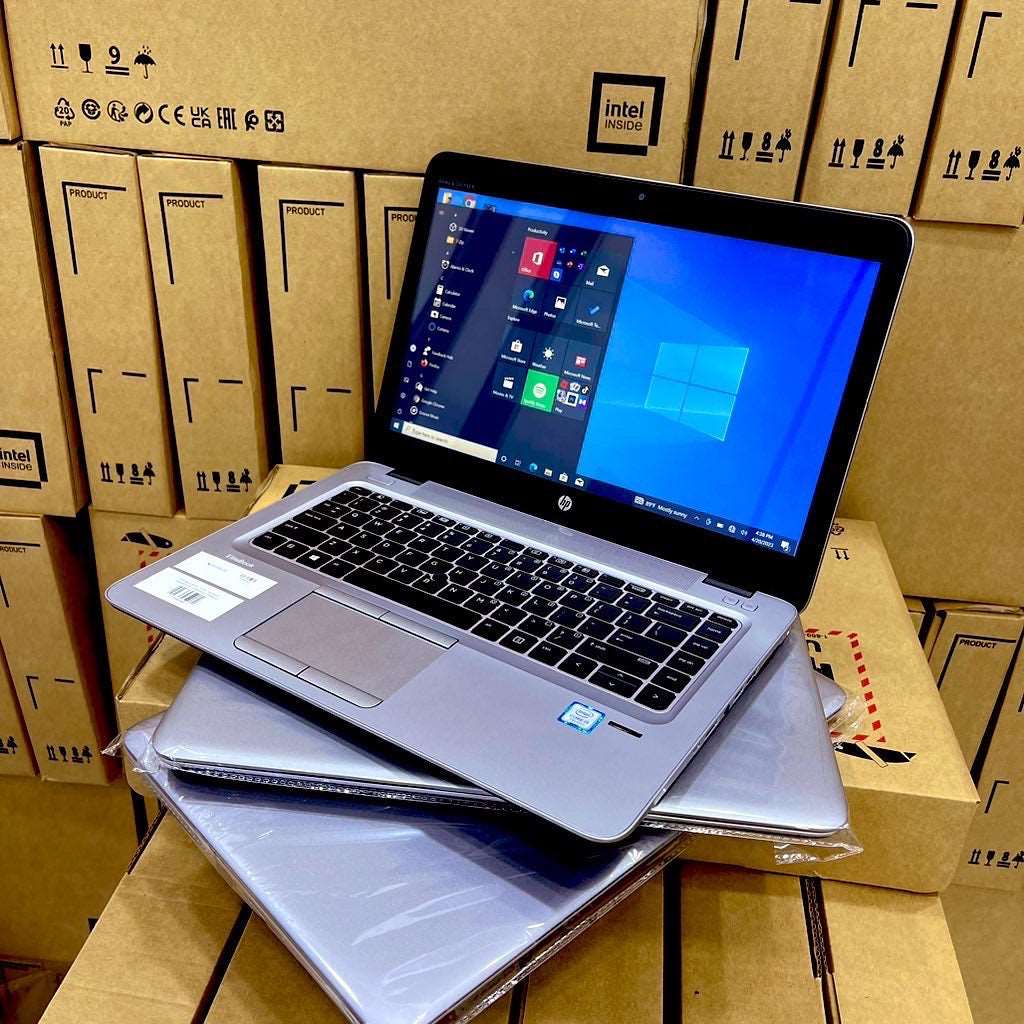
Below are practical laptop recommendations that balance study needs + work productivity — especially for Nigerian students on a budget or midrange.
1. Lenovo ThinkPad X Series (e.g., X260, X270)
Why it’s great:
ThinkPads are known for their comfortable keyboards, durable build, and reliable multitasking — perfect for writing assignments and work reports.
Suitable for:
Office work tools
Remote job applications
Writing and research
Light editing and business software
Best for: Students who type a lot and need solid performance daily
2. HP EliteBook 840 G3 / G4
Why it’s recommended:
This laptop series offers balanced performance, long battery life, and portability — excellent for both academic and business tasks.
Suitable for:
Presentations and spreadsheets
Content creation workflows
Zoom lectures
Remote work tools
Best for: Students who want stability and professional performance
3. Dell Latitude 7480 / 7490
Why it stands out:
Dell Latitude laptops deliver consistent everyday performance and are known for durability and reliability.
Suitable for:
Daily multitasking
Online classes
Professional applications
Work tools like Excel, Slack, Teams
Best for: Students with online and offline work needs
Discover laptops with advanced features you never knew you needed! Check out our latest collection here: Psero UK USED Laptops – Feature-Packed Models.
4. Acer Swift and Aspire Series
Why students like it:
These models tend to be lightweight, affordable, and efficient, often with long battery life.
Suitable for:
Browsing and research
Writing documents
Presentation design
Freelance tasks
Best for: Students on a lean budget who still want reliable performance
5. MacBook Air A1466 (2017 & Later)
Why it’s worth it:
MacBooks provide smooth performance, excellent battery life, and macOS stability — great across study and creative tasks.
Suitable for:
Creative work
Video calls and online classes
Writing and design
Remote job tools
Best for: Students who prefer macOS and lighter creative workloads
How to Choose Based on Your Career and Study Needs
Students who want to work and study simultaneously often use a range of tools — from simple browsers and word processors to professional work apps like Slack, Zoom, Figma, and remote work tools.
Here’s how to prioritize:
If You Do Mostly Writing + Research
Focus on battery life + keyboard comfort
ThinkPad and EliteBook models are great fits
Multimedia Work + Creative Tasks
Choose models with faster CPUs and SSDs
MacBook Air or higher‑spec ThinkPads shine here
Remote Work Every Day
Pick laptops with good webcams, microphones, and battery life
Dell Latitude and Swift series balance these features well
Discover laptops with advanced features you never knew you needed! Check out our latest collection here: Psero UK USED Laptops – Feature-Packed Models.
Tips Before You Buy
1. Check Battery Health
Always ask for battery health details, especially for used laptops.
2. Confirm Working Condition of Ports
Ports are essential for connectivity (USB‑A, USB‑C, HDMI) — ensure they work before purchasing.
3. Ask for Real Photos or Test First
This avoids buying devices with hidden issues.
4. Go for SSD Over HDD
SSDs drastically improve performance for study and work tasks.
5. Keep a Budget Range in Mind
Determine how much you are willing to spend before choosing a configuration.
FAQs — Quick Answers for Students
What laptop specs do I need if I want to work and study?
Aim for Intel Core i5 or Ryzen 5, at least 8GB RAM, SSD storage, and good battery life.
Is a UK used laptop good enough for work and study?
Yes, as long as it has the right specs and battery condition — it often offers better value.
Do I need a MacBook for study and work?
Not always. Many Windows laptops deliver excellent performance for mixed workloads, though MacBooks offer long battery life and macOS stability.
Should I prioritize CPU or RAM?
Both are important, but if you multitask heavily, RAM can make a bigger difference for smooth performance.
Final Thoughts
Students who want to work and study at the same time need laptops that are balanced, reliable, and powerful enough for both academic and professional tasks. Whether you choose a ThinkPad for productivity, an EliteBook for business tools, an Acer for affordability, or a MacBook for a smooth creator experience, your decision should align with your daily workflow and long‑term needs.