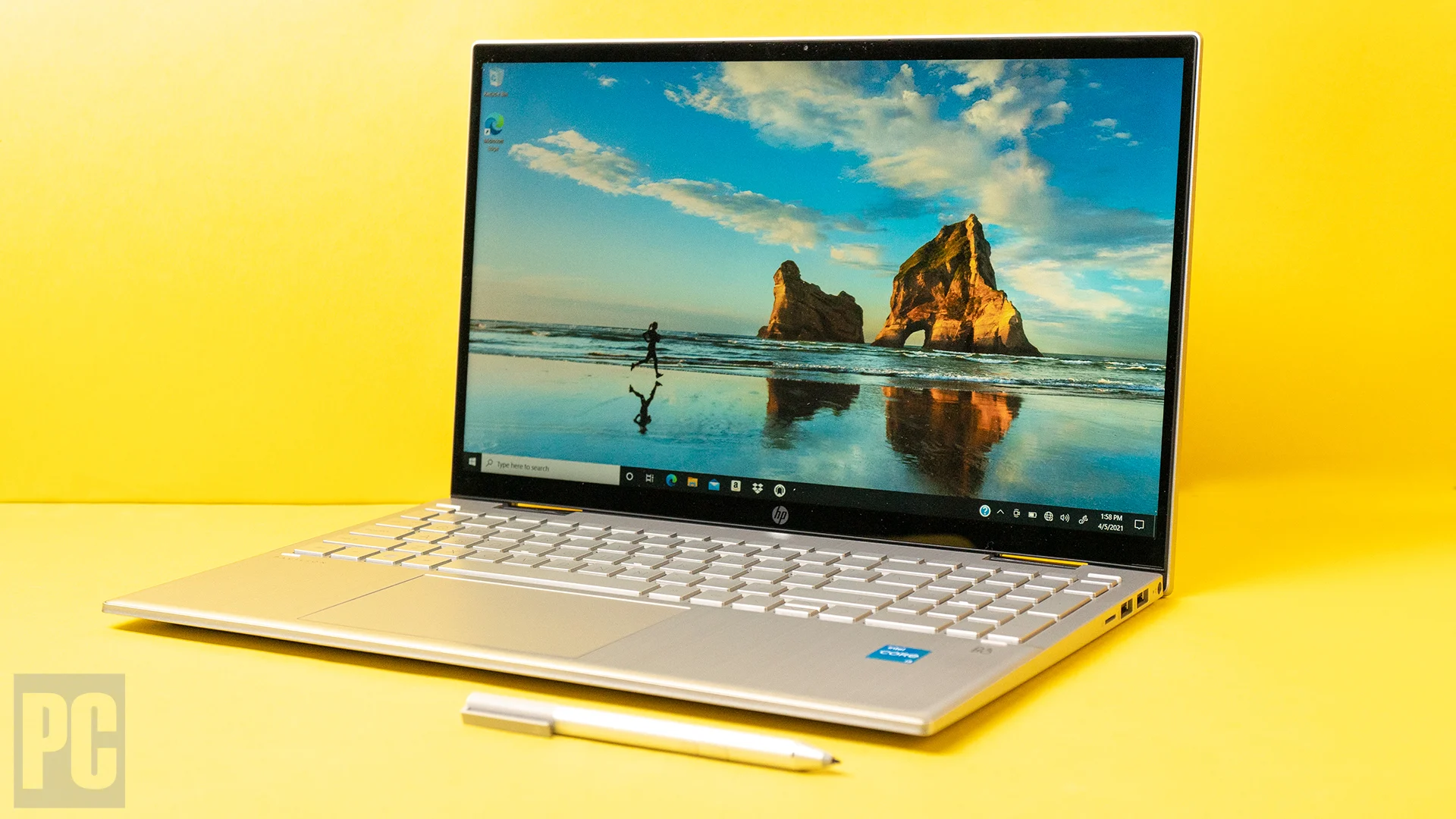
The HP Pavilion x360 is a convertible laptop that aims to balance productivity, flexibility, and affordability — making it a compelling choice for students, remote workers, and everyday users in Nigeria. With its 2-in-1 design, touchscreen, and solid performance for general tasks, many buyers ask: “Is the Pavilion x360 worth it?”
In this review, PSERO breaks down its design, performance, battery life, display, and overall value, so you know what to expect before you buy.
Explore tested Pavilion x360 laptops ready for delivery in Lagos and nationwide:
👉 https://psero.com

What Is the HP Pavilion x360?
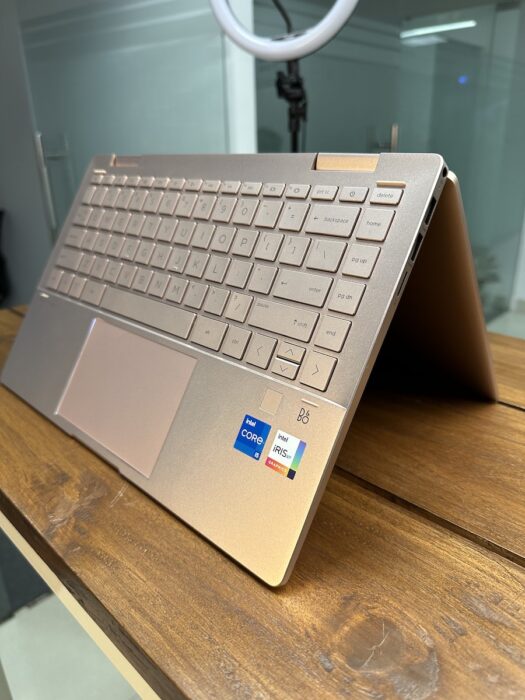
Unlike traditional clamshell laptops, the Pavilion x360 has a 360-degree hinge that lets you use it in multiple modes:
Laptop mode for typing and work
Tent mode for presentations and casual viewing
Stand mode for consuming media
Tablet mode for touch-based interaction
Thanks to this flexibility, the x360 is often marketed as both a laptop and a tablet replacement — especially for students and creative users.
Design and Build – Flexible Without Being Fragile
First of all, the Pavilion x360 feels well-built for its price range. While it’s not as rugged as premium convertibles, it delivers:
A smooth 360-degree hinge
A slim and lightweight chassis
Minimal flex during typing
Because students often carry their laptops between classes, libraries, and home, this mix of portability and flexibility is practical for everyday use.
Display – Touchscreen That Works
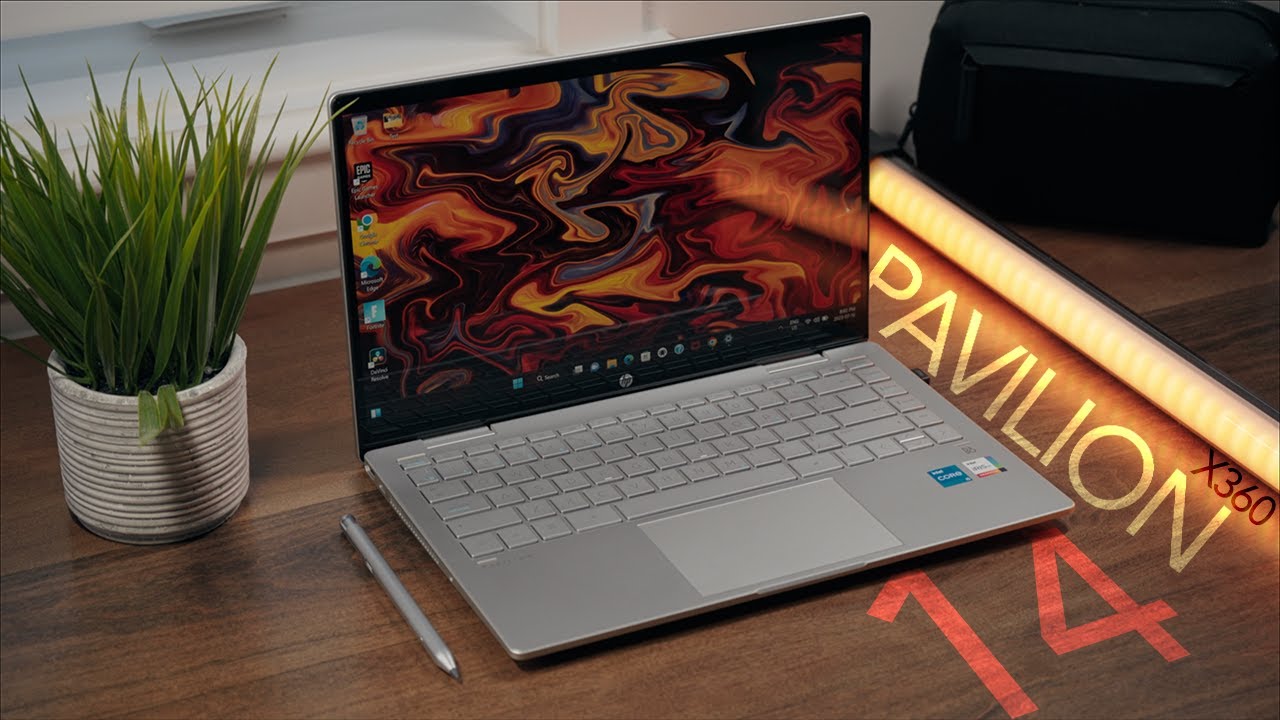
Most Pavilion x360 models come with a 14-inch touchscreen Full HD (1920×1080) display. In everyday use:
Colors are clear for video calls, browsing, and media
Touch responsiveness is decent for tap and swipe actions
Tablet and tent modes work well with touch and stylus options
However, compared with dedicated tablets or premium touch displays, brightness and color accuracy are average. Even so, for schoolwork, presentations, and online classes, it performs well.
Keyboard and Touchpad – Comfortable for Daily Work
When used in traditional laptop mode, the Pavilion x360 keyboard provides:
Responsive key action
Comfortable key spacing
Reliable touchpad responsiveness
These features make it suitable for typing assignments, browsing research material, and attending online classes.
Students who type a lot will appreciate the overall comfort, although the keyboard may not be as robust as those on business-class laptops.
Performance and Everyday Speed
Performance varies by configuration, but typical Pavilion x360 units you’ll find at PSERO include:
Intel Core i3 or i5 processors
8GB RAM
SSD storage (often 256GB)
In everyday use, this setup means:
Smooth web browsing with many tabs
Good performance for online classes (Zoom, Teams, Google Meet)
Fast app loading and document handling
Acceptable responsiveness for light photo editing
However, for heavy video editing, high-end gaming, or intensive creative software, this laptop will start to show its limits. For those tasks, a stronger GPU and more RAM are recommended.
See tested Pavilion x360 laptops here:
👉 https://psero.com
Battery Life – Practical for Study and Work
Battery life depends on screen brightness and usage, but in real use:
Light tasks (notes, browsing): 5–7 hours
Mixed use (video calls, streaming): 4–5 hours
Heavy multitasking: ~3–4 hours
While not class-leading, this is good enough for classroom sessions or daytime work — especially when combined with power-saving settings.
Connectivity – Ports You Can Use
One advantage of the Pavilion x360’s design is its reasonable port selection, typically including:
USB-C port
USB-A ports (standard connection)
HDMI output (for external displays)
Headphone jack
SD card reader (on many models)
This flexibility makes it easier to connect:
External monitors
USB drives
Headsets for online classes
As a result, it feels more versatile than many other touch-screen laptops in its price range.
Pros and Cons – Student & Everyday Use
Pros
Flexible 2-in-1 design (laptop, tent, stand, tablet)
Touchscreen for interactive workflows
Comfortable keyboard for notes and assignments
Good performance for everyday use
Solid value in the convertible category
Cons
Not ideal for heavy gaming or advanced editing workflows
Battery life is good but not outstanding
Display brightness and color accuracy are average
Who the Pavilion x360 Is Best For
The HP Pavilion x360 is particularly suitable for:
Students attending online and hybrid classes
Users who enjoy touch and tablet modes
People who want a single device for media, work, and study
Light creative tasks and everyday productivity
In contrast, if you need a powerhouse for demanding creative software or serious gaming, then laptops with stronger specs (dedicated GPUs and larger RAM) are better.
Value for Money (PSERO Perspective)
In the Nigerian market — especially for UK-used units — the Pavilion x360 offers competitive value because:
It combines flexibility with everyday performance
UK-used options often include SSD and solid RAM
It replaces both a laptop and tablet for many users
For students and everyday users, this makes it a worthwhile option at its price point.
Find tested HP Pavilion x360 laptops ready for nationwide delivery:
👉 https://psero.com
Frequently Asked Questions
Is the HP Pavilion x360 good for students?
Yes. Its flexibility and performance handle online classes, notes, and everyday tasks well.
Can it run video calls smoothly?
Yes, most configurations run Zoom, Teams, and Google Meet without lag.
Should I get 8GB or 16GB RAM?
For light use, 8GB is fine. If you multitask heavily or plan to keep the laptop longer, 16GB is better.
Is the touchscreen worth it?
For creative note-taking, presentations, and browsing, the touchscreen adds convenience.
Final Thoughts (PSERO Recommendation)
The HP Pavilion x360 is a solid convertible laptop that works well for students and everyday productivity tasks. While it’s not designed for heavy creative workloads or gaming, it offers good performance, flexibility, and practical features — especially when purchased as a tested UK-used unit from PSERO.
For tested laptops with verified specs and delivery across Nigeria, start here:
👉 https://psero.com