
The Lenovo ThinkPad L490 is a business-class laptop that balances durability, performance, and everyday productivity — making it a strong choice for both office professionals and students. Whether you’re typing assignments, attending online classes, working remotely, or handling spreadsheets and presentations, the L490 delivers reliable performance without unnecessary cost.
In this review, we break down how the ThinkPad L490 performs in real life, including design, performance, battery, keyboard comfort, connectivity, and overall value — especially in the Nigerian market.
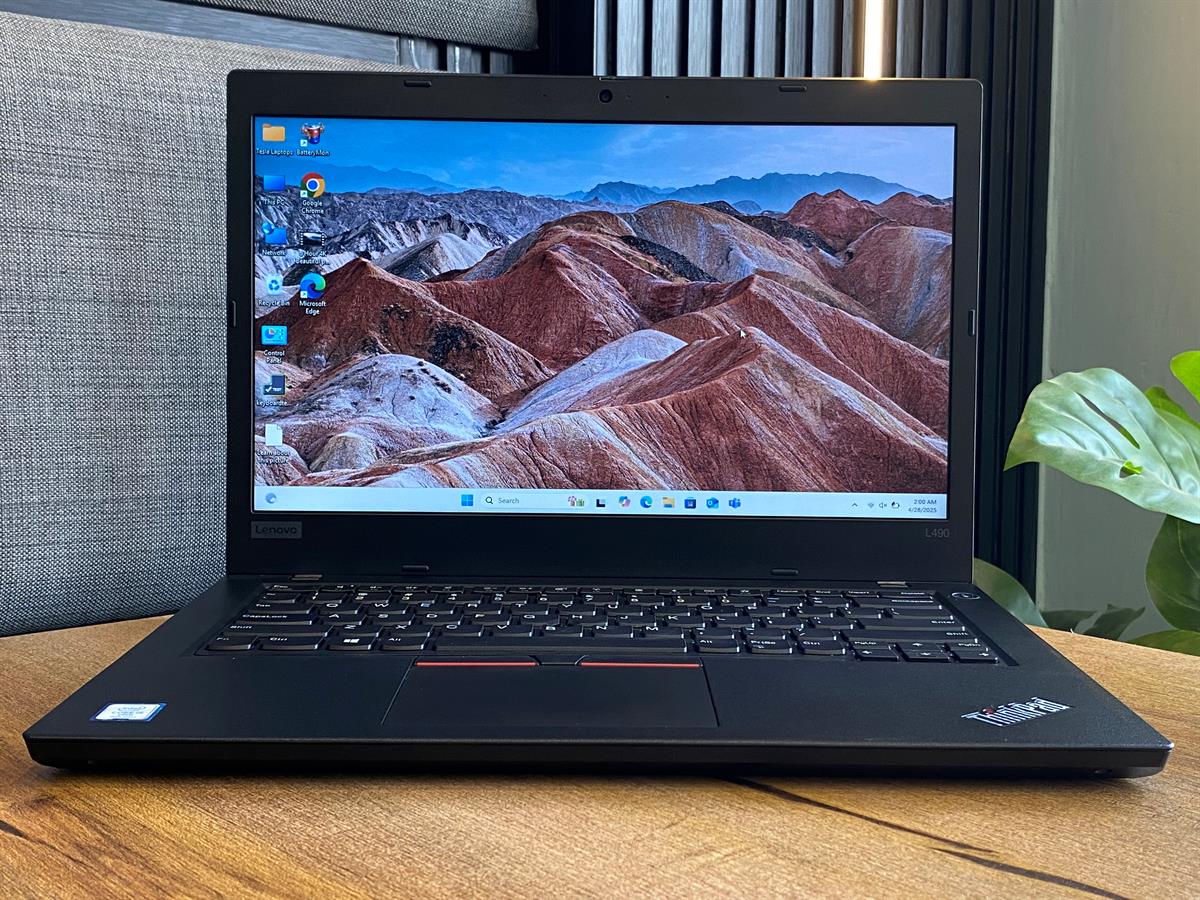
Explore tested L490 units that PSERO delivers nationwide:
👉 https://psero.com
Overview: What the ThinkPad L490 Is Designed For
To start with, the Lenovo ThinkPad L490 is part of ThinkPad’s “L” series — a lineup focused on value and practical productivity. Unlike premium business models that chase ultra-thin design, the L490 stands out by offering:
A reliable keyboard and build quality
Balanced performance for work and school
Good connectivity
Practical battery life
Therefore, it is well suited to students, office workers, researchers, and remote employees who need a dependable machine without overspending.
Design and Durability: Built for Daily Use
Right away, you notice that the ThinkPad L490 looks like a classic ThinkPad — understated and professional. However, this is deliberate; it prioritizes functionality over flash.
Notably:
The chassis is robust and feels harder to dent or bend compared with many budget laptops.
The matte black finish hides fingerprints and smudges more effectively.
ThinkPad’s iconic red TrackPoint sits in the middle of the keyboard, which many long-time users appreciate.
For Nigerians who travel between school, home, and work, this build quality means the laptop stands up to real-world daily movement.

Display: Practical for Productivity
The ThinkPad L490 usually comes with a 14-inch Full HD (1920×1080) display in most configurations. Accordingly, this size and resolution give you:
Sharp text for reading and writing documents
Comfortable viewing for spreadsheets and presentations
Reasonable screen real estate for multitasking
However, the display is not ultra-vibrant like some high-end consumer laptops. Nevertheless, for school projects, online classes, and office tasks, it performs reliably.
Keyboard and Typing Experience
One of the strongest points of ThinkPads — including the L490 — is the keyboard quality. Specifically:
Keys have excellent travel and feedback
Layout is comfortable for extended typing
Typing feels natural and accurate even during long sessions
Consequently, students writing essays and professionals drafting emails or presentations feel more productive over extended periods.
If keyboard comfort matters — and it absolutely does for students and office work — then the ThinkPad L490 delivers.
Performance: Everyday Tasks and Multitasking
When configured with a typical business setup — such as an Intel Core i5 or i7 processor, 8GB or 16GB RAM, and SSD storage — the L490 handles everyday tasks without lag.
Specifically, it is strong for:
Microsoft Office (Word, Excel, PowerPoint)
Web browsing with multiple tabs
Email and remote work apps (Teams, Slack, Zoom)
PDF annotation and research tools
Thanks to SSD storage, applications open rapidly, and switching between tasks feels responsive. For most office and school workflows, this performance meets expectations comfortably.
PSERO’s tested units often include SSD storage and sufficient RAM to make everyday use smooth and dependable — especially compared with cheap new laptops in the same price range.
Find available tested ThinkPad L490 models at PSERO:
👉 https://psero.com
Battery Life: Real-World Expectations
Battery life for the ThinkPad L490 varies by workload, but in general:
Office and document work: 4–6 hours
Mixed use (browsing + video calls): 3–4 hours
Heavy multitasking: 2–3 hours
While this battery life is not class-leading, it’s practical for a typical school day or office shift — especially if you use power-saving settings. In addition, the L490’s efficiency means you won’t be charging every hour.
Connectivity: Ports and Everyday Use
ThinkPad laptops are known for offering useful ports without adapters, and the L490 continues this trend:
USB-C with power and display support
USB-A ports for older peripherals
HDMI for external displays
Audio combo jack for headset and microphones
Ethernet (in select configurations)
As a result, connecting to projectors, monitors, external storage, and headsets is straightforward — which matters for presentations and online classes.
Security Features
Because the ThinkPad L490 is business-oriented, it often includes security features such as:
TPM support
Optional fingerprint reader
Secure boot and BIOS protections
These features matter more than most buyers realize, especially for professionals handling sensitive work and students with valuable data.
Pros and Cons
Pros
Durable build quality suitable for daily use
Excellent keyboard for typing
Solid performance for work and study tasks
Wide range of connectivity options
Practical battery life and ease of repair
Cons
Display brightness is moderate compared with premium laptops
Not designed for heavy gaming or advanced 3D work
Slightly heavier than ultra-thin consumer models
Value for Money (PSERO Perspective)
In Nigeria’s laptop market — especially for UK-used units — the ThinkPad L490 offers remarkable value because:
It outperforms many cheap new laptops in build and performance
It includes business-grade durability not usually found at the price point
Its keyboard and connectivity are ideal for productivity
At PSERO, each L490 unit undergoes testing to ensure:
Specs match the description
Battery health is acceptable
Keyboard and ports function properly
Find tested L490 stock ready to deliver nationwide:
👉 https://psero.com
Who the ThinkPad L490 Is Best For
The Lenovo ThinkPad L490 is ideal for:
Students needing a durable, productive laptop
Office workers and remote professionals
Nigerians who value keyboard quality and connectivity
Users who want a laptop that lasts beyond the first semester or contract
In other words, it’s designed for people who rely on their laptops for real work — not just occasional browsing.
FAQ — Quick Answers
Is the ThinkPad L490 good for students?
Yes. Its build quality and keyboard make it excellent for typing, research, and daily class work.
Can it handle remote work apps?
Yes. Zoom, Teams, Slack, and productivity tools run smoothly with the right configuration.
Is it good for presentations?
Yes, thanks to HDMI and USB-C output options.
Should I choose 8GB or 16GB RAM?
16GB is recommended for heavy multitasking, while 8GB is sufficient for everyday use.
Final Thoughts (PSERO Recommendation)
The Lenovo ThinkPad L490 stands out as a balanced, reliable choice for everyday school and office use. It combines durability, comfort, performance, and connectivity — which are the main priorities for students and professionals alike.
For Nigerians looking for a practical laptop that fits study, remote work, and daily productivity — the ThinkPad L490 remains a dependable choice.
Explore PSERO’s tested Lenovo ThinkPad L490 inventory and get nationwide delivery:
👉 https://psero.com