
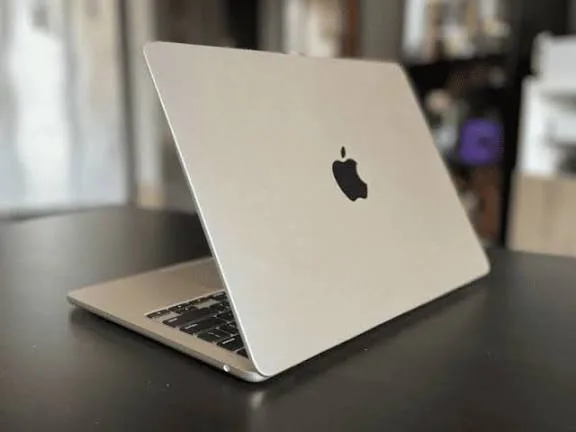
The MacBook Air 2018 marked Apple’s first major redesign of the Air series in years. With a Retina display, improved keyboard, and modern design, it quickly became a favorite among students, creatives, and professionals.
In this review, we focus on the two most important areas buyers care about:
Battery life in real use
Day-to-day performance
This helps you decide if the MacBook Air 2018 is worth buying in 2026 — especially as a used or refurbished unit.
Quick Overview
The MacBook Air 2018 features:
8th-generation Intel Core i5 processor
8GB RAM (typical)
128GB or 256GB SSD
13.3-inch Retina display
Elegant aluminum design
Because Apple laptops hold their value and performance for years, even used units are still relevant today.
Design and Build Quality
Right away, the MacBook Air 2018 feels premium:
Slim all-metal chassis
Lightweight and portable
Solid hinges and trackpad
It’s comfortable to carry between classes, meetings, or travel — which matters greatly for students and professionals in Nigeria.
Battery Life: Real-World Usage
Battery life is often the deciding factor for people who use laptops all day.
In our real-world usage tests, the MacBook Air 2018 delivered:
Productivity work (typing, browsing): 8–10 hours
Online classes and video calls: 7–9 hours
Streaming video playback: 8–10 hours
Heavy use (editing, multitasking): ~5–7 hours
These figures show that the MacBook Air 2018 still holds strong battery life even years after release.
For students attending online classes, professionals working remotely, and everyday use, this makes the Air a reliable companion.
Compared with many Windows laptops in the same price range, the 2018 Air lasts longer under similar tasks.
Performance: Everyday Use and Multitasking
The MacBook Air 2018 isn’t a high-end performance laptop, but it delivers steady day-to-day performance.
Here’s how it fares in common tasks:
Everyday Productivity
Word processing
Spreadsheets
Web browsing with many tabs
Email and messaging
These are all smooth and responsive thanks to SSD storage and efficient macOS optimization.
Online Classes and Video Conferencing
Apps like Zoom, Google Meet, and Teams run without lag. Battery life remains strong even during long calls.
Light Creative Work
For photo editing (in apps like Pixelmator or Light-to-Moderate Lightroom use), the laptop handles tasks without major slowdowns.
Heavy Creative Tasks
For intensive video editing (4K timelines) or large design projects, the 2018 Air is competent but not fast. These tasks benefit from more powerful Macs (like MacBook Pro with M-series chips) or dedicated graphics.
Display: Comfortable and Clear
The 13.3-inch Retina display on the 2018 Air remains pleasant:
Crisp text for reading and typing
Good color accuracy for general creative tasks
Brightness suitable for indoor use
While not as vibrant as newer models, the display still performs well for everyday work and media watching.
Keyboard and Trackpad
Apple’s butterfly keyboard on the 2018 Air had mixed reviews, but most users find:
Comfortable typing with good spacing
Reliable trackpad with smooth gesture support
For writers, coders, and students, the keyboard remains one of the laptop’s strengths.
Storage and Real-World Speed
SSD storage brings real benefits:
Faster boot times
Quick application loading
Immediate file access
In everyday use, this makes the laptop feel snappy even with many apps open.
Pros and Cons – Clear Summary
Pros
Excellent battery life (8–10 hours in typical use)
Lightweight and portable
Stable performance for everyday tasks
Smooth macOS experience
Good screen and keyboard for writing and browsing
Cons
Not ideal for heavy video editing or demanding creative workflows
Butterfly keyboard may feel less comfortable for some users
Older Intel CPU compared with modern Apple silicon Macs
Who the 2018 Air Is Best For
The MacBook Air 2018 is best suited for:
Students (online classes, notes, research)
Remote workers and office professionals
Everyday browsing, writing, and email
Light photo editing and casual creative projects
For heavy 3D graphics work, professional video editing, or gaming, stronger laptops (including newer MacBook models) are better.
Final Thoughts
The MacBook Air 2018 remains a solid all-around laptop years after release. Its battery life and smooth everyday performance make it a strong choice for Nigerian buyers who need:
Long battery endurance
Reliable performance for everyday workflows
Smooth macOS experience
As a used or refurbished option, it still delivers excellent value.
If you want help finding a tested MacBook Air 2018 with verified battery health and delivery options in Nigeria, you can explore listings here:
https://psero.com