Before embarking on the discussion proper, Note that this is not one time guide but will be updating as much as I can.This is to enable the guide sustain the test of time. Here’s What to Consider when Choosing the Best Laptops for Artists.
However, the general belief nowadays is that processing power is generally surpassing software requirement. In essence, it entails that whatever device you purchase, it should run your software smoothly, except you’re working and running special software.
What to Consider when Choosing the Best Laptops for Artists

This article is to help discover what to look for when choosing laptops for artists.
If I may ask you again, what are you planning to do on the laptop? Although I already knew the response but just want to know the type of art you like.
Let me ask, is it Vector? 3D? Comics? Digital Painting? Animation? Do you prefer to carry your device every where you go?
The truth is that what you specialize will determines what you purchase . In essence let’s examine the parts to look for while choosing laptops for artists.

What to consider when choosing the best laptops for artists

RAM
Without mincing words, you can use RAM to save temporary data. When a drawing is made on the screen, e.g. typing, that task is saved for the main time in the RAM before you actually store your document.

Do you know that the level of art you can made on a screen before storage is base on the amount of RAM. If you’re short of RAM, your device will work slowly. The device work slowly because it has to change to saving that temporary data on screen to the very slow hard drive.
 Hard drive speed

The truth is that hard drive or harddisk is used for permanent data storage such as, your graphic documents and lots more. It’s very slow compare to RAM at saving data. So it automatically affects the level at which you carry out task, in smaller ways which can gather to big time wastage. The OS is also saved on the hard drive, which depicts much time to start.
Do you know that hard drives appear in many speeds. 7200RPM, 15,000RPM, 5400RPM, while you can determine hard drive speed via RPM. When it comes to desktop devices, they boast of 7200RPM while 5400RPM for laptops.
In case the speed did not form a major inclusive part of the list of devices you’re purchasing, do not hesitate to confirm from the salesman and try to check for the model number for internet searches.
The truth is that hard drive speed cannot be overlooked, If you’re short of finances, I would advice you to upgrade the hard drive to SSD rather than upgrading to additional RAM
Hard drive space
Recently, hard drives are not expensive. The truth is that the space you want is base on the size of your work documents. Note that Five 200mb Photoshop document will consume 1 GB invariably.
It is good to get an extra for backup sake. Hard drive can develop fault. When that occurs, you’ll forfeit all your files — a strong and suitable disk recovery is insanely costly. If you’re buying a desktop, internal drive is advisable. But for laptops, order for an external hard drive — not all models help you to fit double hard drives.
If you’re not financially buoyant, order for at least a 7200RPM hard drive.
Processors

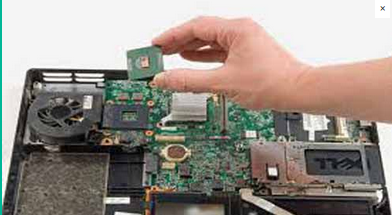
If you want to enjoy your device to the core, go for a dual-core processor. I know you want the processing power for the sake of 3D rendering.
It is advisable to order for the device with a dual-core processor, at least 2Ghz dual-core.
Many devices today boast of a quad-core and not all apps can make use of quad-cores, but they are advisable to buy if the price factor is under control over the dual-core.
Graphics card

There is possibility that you won’t need an advanced end card because you’re engaging in 3D modeling. The truth is that 2D digital painting and layout don’t really need that card to make calculations of 3D data.
If you make use of specific 3D software, you should try to get the graphics cards provided by the software outlet. Most 3D software might possess their own little issues when working on non-suitable graphics card.
Note that you cant upgrade Graphics card on device after purchase so select your laptops carefully. If you’re not a lover of games, you can put small cash into saving here.
Disc drive

Note, that 4GB of files that you simply forward to your clients, A DVD burner can burn the files.
It may be faster nowadays to just upload your documents onto cloud storage and forward the link to clients without wasting precious time.
Software

Many times, computers boast of bundled software that are (free) as picture during adverts. or with some discounts. The truth is that they are not absolutely free, reason is that you pay for everything you want.
It is pertinent to note that computers don’t usually feature art software, so you’ll have to purchase them.
Where to get the best laptops for artists
Psero Tech is the right dealer

We have talked about the essentials to look for when choosing laptops for artists. Another major concern is to source for the the right and reliable dealer that sell some of these quality laptops.
Do not panick, I have conducted series of research and online poll, the findings is obvious and clear. All hands pointed at PSero Tech. They are reliable dealer for best and quality laptops that will give you a long-lasting experience. Kindly visit their online store, www.psero.com or their open store at 09, Nigeria Army Shopping Arena Bolade Oshodi Lagos Nigeria or call their office line +2348105975788.