In 2018, Apple introduced macOS 10.14 Mojave, offering a wealth of new features while continuing to prioritize user-friendly design. One of its most notable additions was Dark Mode, a feature that provided a sleek, eye-soothing alternative to the traditional bright interface. Mojave, named after the Mojave Desert, introduced a range of improvements, including organizational features, enhanced security, and a performance boost.
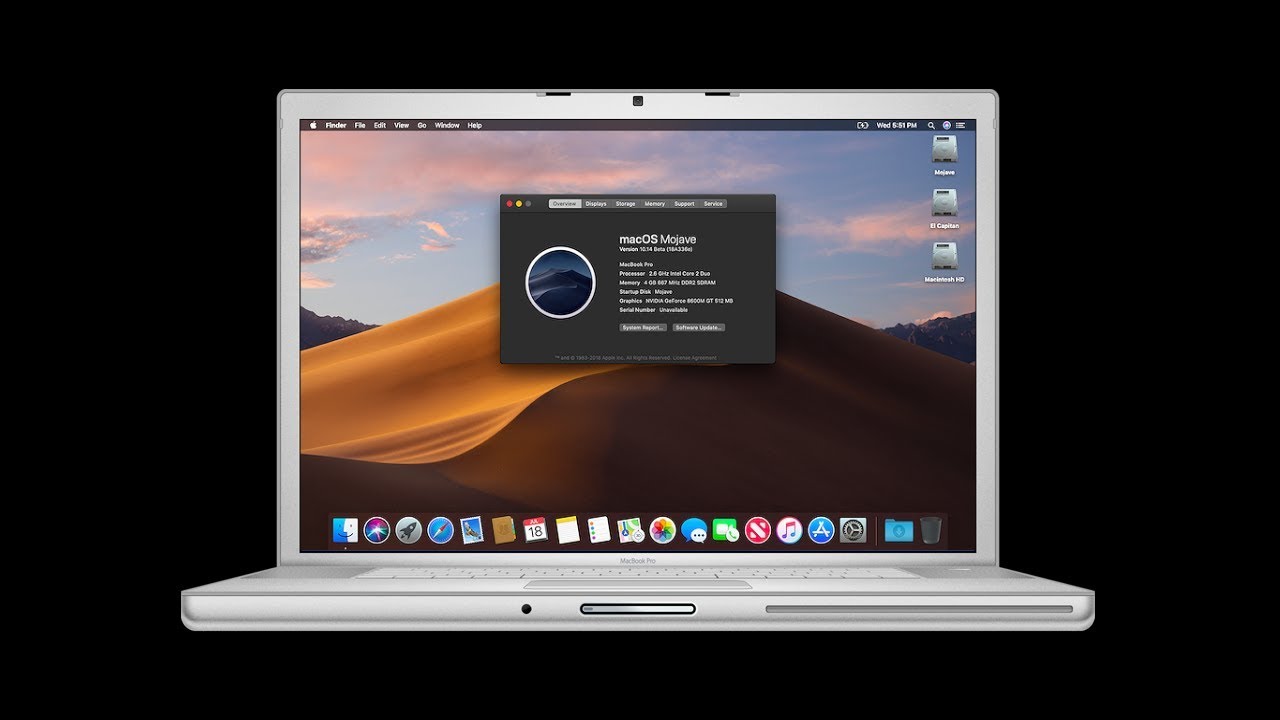
Key Features of macOS Mojave
1. Dark Mode
The standout feature of macOS Mojave was the introduction of Dark Mode. This system-wide feature turned the interface dark, making it easier on the eyes and ideal for working in low-light environments. Many apps were updated to support Dark Mode, including Safari, Mail, and the Finder, delivering a more unified look across the system.
2. Dynamic Desktop
Mojave’s Dynamic Desktop feature adjusted the desktop’s background according to the time of day. As morning turned into night, the desktop slowly transitioned from a bright sky to a starry night, adding a new level of personalization and visual appeal to the user experience.
3. Stacks for Desktop Organization
To help users keep their desktops tidy, Mojave introduced Desktop Stacks. This feature grouped similar files together automatically, organizing them by file type, date, or tags. It provided a quick and easy way to declutter the desktop, allowing users to locate documents more efficiently.
4. Enhanced Security and Privacy
Security and privacy were focal points in macOS Mojave. Apple added enhanced protections, requiring apps to ask for user permission before accessing hardware like the camera or microphone. Safari also received upgrades to block tracking by websites, helping to protect user data and privacy online.
5. Mac App Store Revamp
The Mac App Store got a much-needed overhaul in Mojave. The new design made app discovery easier with curated content, editorial stories, and better app categorization. Apple’s focus on improving app access resulted in a smoother experience for users.
6. Screenshots Tool
Taking screenshots in Mojave became more intuitive, with a new screenshot utility that provided more control. Users could capture screenshots, annotate them immediately, and choose where to save them. The tool also allowed screen recordings, enhancing its functionality for users needing to create tutorials or share quick demonstrations.
Performance Upgrades and Compatibility
macOS 10.14 Mojave delivered not only cosmetic changes but also performance enhancements. Users with older Mac models found Mojave to be relatively smooth, provided their system met the hardware requirements. However, Mojave marked the end of support for 32-bit applications, pushing users to update their software to maintain compatibility.
Why Upgrade to macOS Mojave?
macOS Mojave was a must-have upgrade for users who wanted a more modern interface, better file organization, and tighter security. The introduction of Dark Mode, improved desktop management through Stacks, and Dynamic Desktop made it visually appealing, while the enhanced privacy features kept data safe. Creative professionals and developers also benefited from better app discovery and more powerful screenshot utilities.
Final Thoughts on macOS 10.14 Mojave
macOS Mojave delivered a perfect balance of form and function. It brought the Dark Mode revolution, improved desktop organization, and significantly enhanced security. Although it introduced changes that required some users to adjust (like dropping 32-bit app support), Mojave’s positive impact on productivity and user experience was undeniable.
For more information on macOS and other updates, visit psero.com.