
Apple’s macOS 10.15 Catalina, released in October 2019, brought many improvements to the Mac ecosystem. The update introduced a simpler, more efficient way to manage media and enhanced security. It also opened the door to better app integration, making it easier to use your iPad with your Mac.
Key Features of macOS Catalina
1. The End of iTunes
One of the most notable changes in macOS Catalina was the replacement of iTunes. Instead, users got Apple Music, Apple Podcasts, and Apple TV. This split made managing music, podcasts, and TV shows more intuitive and user-friendly.
2. Sidecar
Another key feature is Sidecar, which allows the iPad to act as a second display. This feature makes multitasking easier, especially for designers and professionals who benefit from using an additional screen.
3. Catalyst for iPad Apps on Mac
With Project Catalyst, developers can now bring iPad apps to macOS. This seamless integration offers more options for Mac users, allowing them to access a wide variety of apps that were previously exclusive to the iPad.
4. Enhanced Security and Privacy
Security enhancements are a significant part of macOS Catalina. Gatekeeper was improved to ensure apps met stricter security requirements. Additionally, Data Protection asks for permission before apps can access key folders, improving privacy.
5. Screen Time for Mac
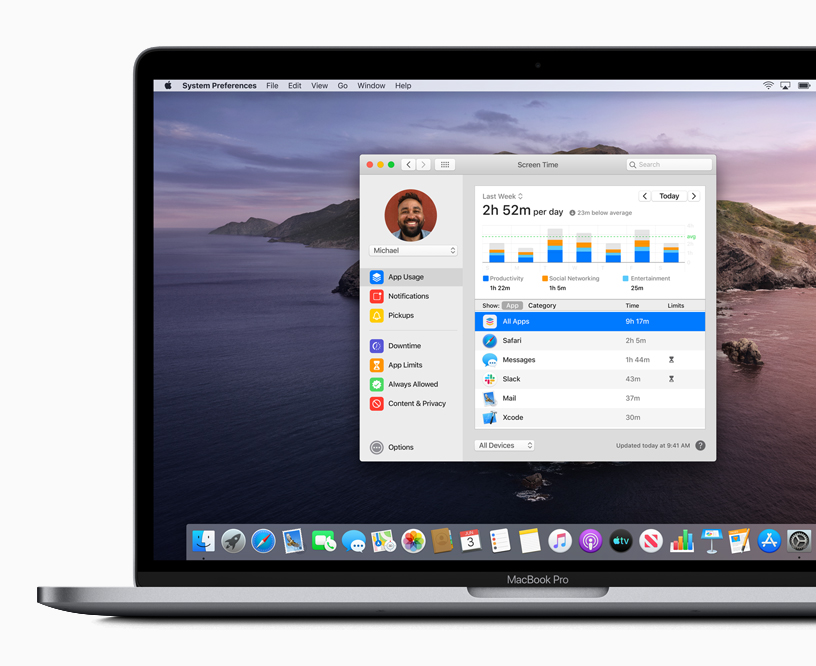
Another feature, Screen Time, helps users manage their time on their devices. By offering app usage reports and the ability to set time limits, it ensures users can control screen time more effectively.
Performance Upgrades and Compatibility
Although Catalina introduced many new features, it also phased out support for 32-bit applications. While this change required some users to update older apps, it contributed to better system performance. Additionally, Macs with T2 Security chips gained activation lock, adding an extra layer of theft protection.
Accessibility Features
Apple made macOS Catalina more inclusive by adding Voice Control. This feature allows users to control their Macs with their voices. It helps individuals with motor disabilities navigate the system more easily.
Final Thoughts on macOS 10.15 Catalina
macOS Catalina revolutionized the Mac experience by improving productivity, security, and app compatibility. While some users had to adapt to the discontinuation of 32-bit apps, the system’s overall performance and features were greatly enhanced.
For more details, check out psero.com.