Accidental spills are one of the most common laptop disasters. Whether it’s your morning coffee, an afternoon soda, or even a bowl of soup, liquids can wreak havoc on your device. But not all spills are created equal. Here’s what happens when these different substances come into contact with your laptop—and how you can (or can’t) recover from it.
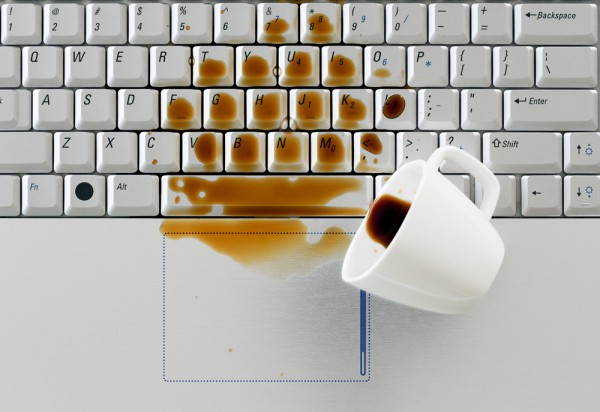
1. Coffee: The Silent Killer
Coffee is one of the most common liquids spilled on laptops. While it may seem harmless, its high acidity and stickiness make it particularly damaging.
What Happens?
- Immediate Effect: The liquid seeps into the keyboard, potentially shorting the circuits on the motherboard.
- Long-Term Damage: Sugars and milk in coffee leave behind residue, which can corrode internal components over time.
- Sticky Keys: Once dried, coffee often causes keys to stick or malfunction.
What To Do?
- Step 1: Turn off the laptop immediately and unplug it.
- Step 2: Flip it upside down to let the coffee drain out.
- Step 3: Clean the affected area with isopropyl alcohol if possible.
2. Soda: The Sugary Disaster
Soda spills are particularly bad due to their high sugar content and carbonation.
What Happens?
- Immediate Effect: Carbonation speeds up the spread of the liquid inside the laptop, potentially causing short circuits.
- Long-Term Damage: Sugary residue can cause corrosion, attract dust, and block ventilation fans.
- Sticky Mess: The sugar hardens, making keys and trackpads nearly unusable.
What To Do?
- Step 1: Power down and disconnect the battery.
- Step 2: Rinse the affected area with distilled water to remove sticky residue (only if you’re prepared for a teardown).
- Step 3: Let the laptop dry completely before attempting to turn it on.
3. Soup: A Thick, Salty Menace
Soup spills are rare but particularly devastating due to their thickness and salt content.
What Happens?
- Immediate Effect: The thick liquid spreads slowly but clogs vents and ports.
- Salt Corrosion: Salty soups are extremely corrosive, damaging metal components quickly.
- Residue Buildup: The oils and solids in soup create a greasy residue that’s tough to clean.
What To Do?
- Step 1: Turn off the laptop and remove the battery if possible.
- Step 2: Wipe off as much soup as you can with a dry cloth.
- Step 3: Take the laptop to a professional for a thorough internal cleaning.
4. Can Your Laptop Survive?
Factors That Determine Survival
- Reaction Time: The quicker you act, the better your chances.
- Type of Liquid: Plain water is the least damaging, while sugary and salty liquids cause the most harm.
- Laptop Design: Some laptops, like the Lenovo ThinkPad X1 Carbon, have spill-resistant keyboards that provide extra protection.
When All Else Fails
If your laptop doesn’t survive the spill, removing the hard drive to recover your data is often still possible.
5. How to Prevent Liquid Damage
- Invest in a Spill-Resistant Laptop: Models like the Dell Latitude Rugged series or Lenovo ThinkPad offer extra protection.
- Use a Keyboard Cover: Silicone keyboard covers can help prevent liquids from reaching internal components.
- Keep Drinks Away: The simplest solution is often the best—don’t place beverages near your laptop.
Final Thoughts
Spills happen, but knowing how to respond can save your laptop or, at the very least, your data. The next time your coffee cup tips over, you’ll know what to do—and what not to do.
Have you ever spilled something on your laptop? Share your experience in the comments below!