A laptop with 2GB of RAM is considered an entry-level device, suitable for basic tasks. While modern applications and operating systems demand more memory, a 2GB RAM laptop can still be useful for specific purposes, especially with the right optimizations.
➡️ “Buy all kinds of computer accessories at very cheap affordable price in Nigeria! Check out our latest collection here: Psero accessories – Feature-Packed Models.”
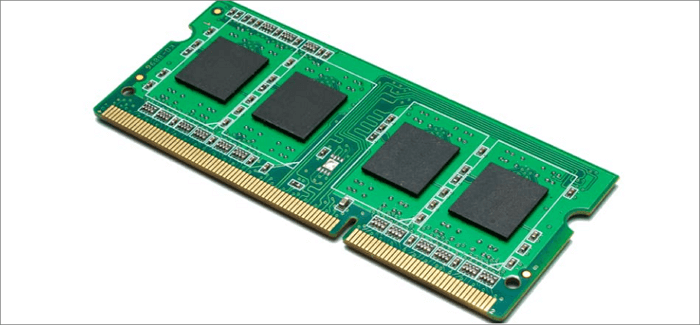
1. What Can You Do with a 2GB RAM Laptop?
Basic Office Work
- Running Microsoft Word, Excel, and PowerPoint
- Using Google Docs and other cloud-based office apps
- Reading and editing PDFs
Web Browsing
- Surfing the internet with lightweight browsers like Opera Mini or Microsoft Edge
- Using a maximum of 2-3 browser tabs at a time to avoid slow performance
- Streaming videos on low resolution (480p or 720p)
Media Consumption
- Watching movies and listening to music offline
- Running simple media players like VLC or Windows Media Player
- Editing photos with lightweight software like Paint or older versions of Photoshop
Lightweight Software Usage
- Running older versions of applications that don’t require much memory
- Using basic accounting or invoicing software
- Running lightweight programming tools like Notepad++ or older versions of Visual Studio Code
2. What a 2GB RAM Laptop Cannot Do Efficiently
- Multitasking: Opening multiple applications at once will slow down the system.
- Video Editing & Graphic Design: Software like Adobe Premiere Pro and Photoshop requires at least 4GB or 8GB RAM for smooth performance.
- Gaming: Most modern games require higher RAM and dedicated graphics cards. Only old or low-end games will run.
- Advanced Web Browsing: Too many open tabs or using RAM-heavy browsers like Chrome can freeze the laptop.
➡️ “Discover Clean Uk Used Desktops! Check out our latest collection here: Psero desktops – Feature-Packed Models.”
3. How to Improve Performance on a 2GB RAM Laptop
- Use a Lightweight OS: Install a lighter operating system like Windows 7, Linux, or Chrome OS.
- Disable Background Apps: Close unnecessary programs running in the background.
- Use Lightweight Software: Replace heavy apps with alternatives, such as using LibreOffice instead of Microsoft Office.
- Increase Virtual Memory: Adjust Windows virtual memory settings to boost performance.
- Upgrade RAM (If Possible): If your laptop supports it, upgrading to 4GB or 8GB RAM will significantly improve performance.
Conclusion
A 2GB RAM laptop is best for basic tasks like typing documents, browsing with minimal tabs, and watching videos at low resolution. However, it struggles with multitasking, gaming, and running modern applications. If you need a laptop for professional work, consider upgrading to at least 4GB or 8GB RAM for a better experience.