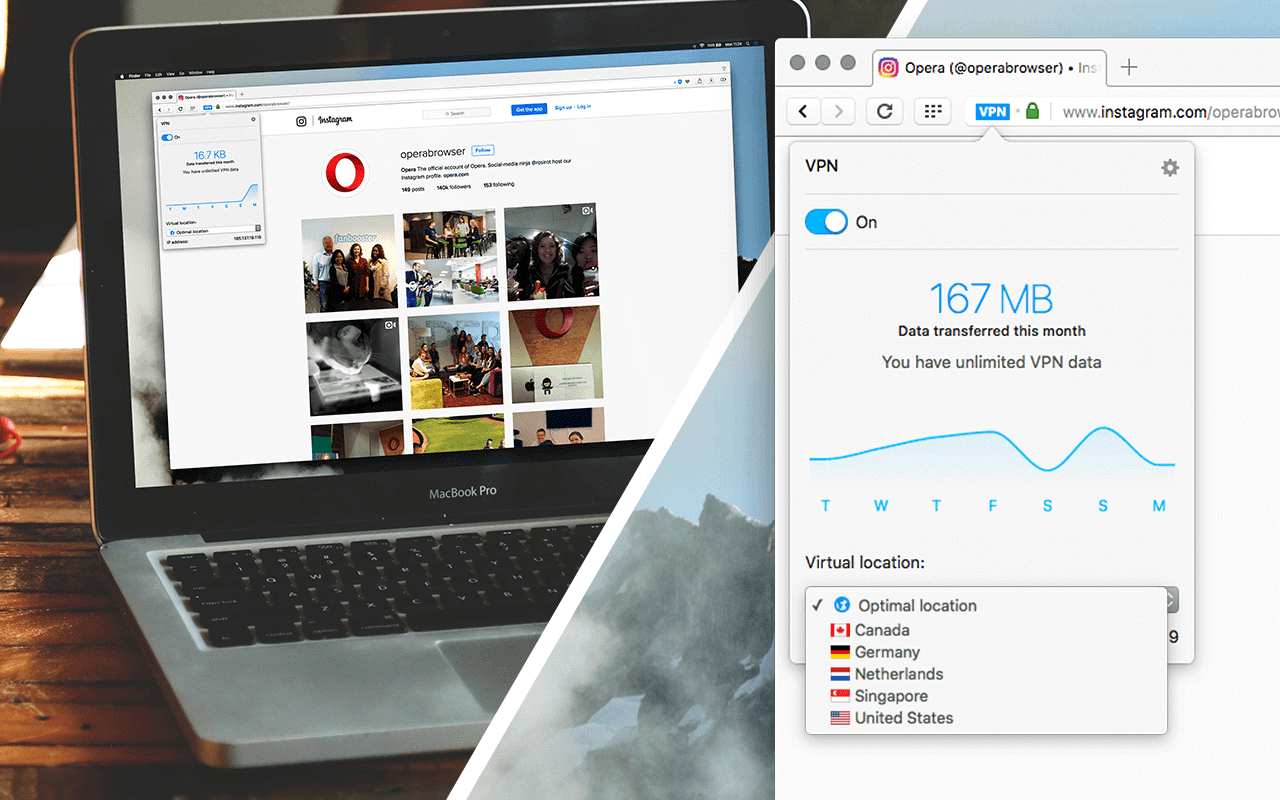
- Remote work
- Online banking
- Freelancing
- School projects
- Business communication
- Social media management
However, using public Wi-Fi networks or unsecured internet connections can expose users to risks such as:
- Data theft
- Account hacking
- Tracking of online activity
- Identity exposure
As a result, many professionals now use VPNs (Virtual Private Networks) to improve security and privacy.
Therefore, this guide explains how to set up a secure VPN on your laptop in Nigeria and how it helps protect your data in 2026.
What Is a VPN?
A VPN (Virtual Private Network) is a tool that creates a secure, encrypted connection between your laptop and the internet.
In simple terms, it:
- Hides your real location
- Encrypts your internet traffic
- Protects your personal data
- Improves online privacy
As a result, your online activity becomes harder for third parties to track.
Why Nigerians Need a VPN on Their Laptops
Many Nigerians use laptops in environments where internet security is not guaranteed.
For example:
- Public Wi-Fi in cafes
- Shared office networks
- School Wi-Fi systems
- Hotel internet connections
Therefore, VPNs help reduce risks when accessing sensitive information online.
Benefits of Using a VPN on Your Laptop
1. Improved Security
A VPN encrypts your data, making it harder for hackers to intercept information.
As a result, your passwords and personal files remain more secure.
2. Privacy Protection
VPNs hide your IP address.
Therefore, websites cannot easily track your exact location or browsing behavior.
3. Safe Public Wi-Fi Usage
Public Wi-Fi networks are often unsecured.
However, a VPN adds a layer of protection while you browse or work.
4. Access to Restricted Content
Some online services may be limited in certain regions.
A VPN can help users access content more freely depending on configuration.
How to Set Up a VPN on Your Laptop
Step 1: Choose a Reliable VPN Provider
First, select a trusted VPN service.
Popular options include:
- NordVPN
- ExpressVPN
- ProtonVPN
- Surfshark
You can learn more about ProtonVPN here:
https://protonvpn.com/
Step 2: Download and Install the VPN App
After selecting a provider, download the official application for your operating system (Windows or macOS).
Then install it on your laptop like any other software.
Step 3: Create an Account
Most VPN services require you to sign up with an email address.
After registration, log into the app using your credentials.
Step 4: Connect to a Server
Once logged in, select a server location.
Then click “Connect.”
As a result, your internet traffic becomes encrypted immediately.
Step 5: Verify Connection
You can confirm your VPN is active by checking your IP address online.
If it changes, your VPN is working correctly.
Best VPN Features to Look For
When choosing a VPN, prioritize:
- Strong encryption
- Fast connection speeds
- No-log policy
- Reliable server network
- Ease of use
Therefore, users should avoid unknown or untrusted VPN apps.
Do VPNs Slow Down Internet?
Sometimes, yes.
However, premium VPN services usually reduce speed loss significantly.
In addition, choosing nearby servers often improves performance.
Why SSD Laptops Improve VPN Performance
VPN applications run more smoothly on SSD-powered laptops because SSD storage improves:
- App loading speed
- System responsiveness
- Network handling performance
- Multitasking stability
As a result, users experience smoother browsing and better overall performance.
You can also browse SSD-powered business laptops on
Psero Nigeria.
Best Laptop Types for Secure Online Work
Business laptops are ideal for VPN usage because they offer:
- Strong security features
- Reliable performance
- SSD storage
- Long battery life
Popular business laptop series include:
- Dell Latitude
- Lenovo ThinkPad
- HP ProBook
Recommended Business Laptops in Nigeria
Dell Latitude 3320
The Dell Latitude 3320 offers reliable performance and smooth VPN usage for professionals.
Lenovo ThinkPad L13 Gen 3
The Lenovo ThinkPad L13 Gen 3 is highly secure and well-suited for remote work and business use.
HP ProBook 440 G8
The HP ProBook 440 G8 provides stable performance and dependable security features.
Common Mistakes Users Make With VPNs
Many users make avoidable mistakes such as:
- Using free untrusted VPNs
- Leaving VPN disconnected on public Wi-Fi
- Ignoring software updates
- Choosing slow servers
As a result, security may become weaker.
Can VPN Protect You Completely?
No.
A VPN improves privacy and security, but it does not replace basic safety habits such as:
- Using strong passwords
- Avoiding suspicious links
- Updating software regularly
Final Thoughts
Setting up a VPN on your laptop is one of the best ways to improve online security and privacy in Nigeria.
Therefore, users who work remotely, study online, or handle sensitive data should strongly consider using a trusted VPN service.
In addition, SSD-powered business laptops provide smoother performance and better reliability when running VPN applications.
Looking for Reliable SSD Laptops for Secure Work in Nigeria?
Explore trusted business laptops here:
Pay on delivery available in Lagos.
Call or WhatsApp: 08032592918