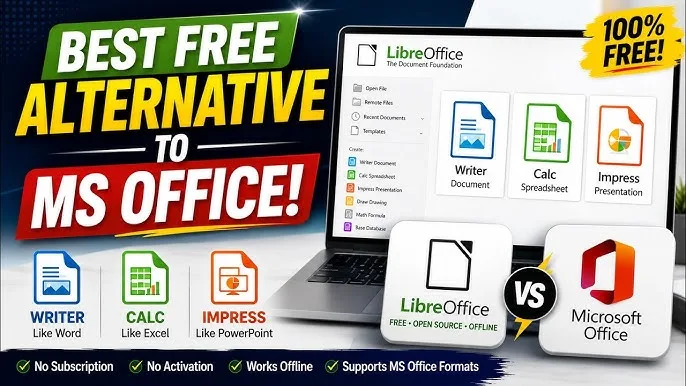
Microsoft Office remains one of the most widely used productivity suites in the world. However, not every Nigerian laptop user wants to pay for a subscription or purchase a license. Fortunately, several excellent free alternatives allow you to create documents, spreadsheets, and presentations without spending money.
Whether you’re a student, teacher, freelancer, entrepreneur, or office worker, these free office applications can help you stay productive while reducing software costs. Many of them are also compatible with Microsoft Word, Excel, and PowerPoint files.
This guide highlights the best free Microsoft Office alternatives available in 2026 and explains which option is best for different types of users.

Why Consider a Free Office Suite?
Free office software has improved significantly over the years. Today, many alternatives provide powerful features suitable for everyday work, education, and business.
Choosing a free solution can help you:
- Save money on software.
- Create and edit documents professionally.
- Open Microsoft Office file formats.
- Work offline in many cases.
- Reduce dependence on expensive subscriptions.
1. LibreOffice
LibreOffice is one of the most popular free office suites available today. It is open-source, regularly updated, and works on Windows, macOS, and Linux.
Key Features
- Word processing with Writer.
- Spreadsheet creation with Calc.
- Presentation design with Impress.
- Database management.
- Drawing and diagram tools.
- Offline functionality.
Because it supports many Microsoft Office file formats, LibreOffice is an excellent choice for students, teachers, and business users.
2. Google Docs, Sheets, and Slides
Google’s productivity tools are completely free for personal use. They run in a web browser and automatically save your work online.
Advantages
- Automatic cloud saving.
- Real-time collaboration.
- Easy sharing.
- Works across multiple devices.
- Supports offline editing when configured.
Consequently, Google Workspace tools are ideal for remote teams, students, and freelancers who collaborate with others.
3. WPS Office Free
WPS Office offers a familiar interface that closely resembles Microsoft Office, making it easy for new users to adapt.
Included Applications
- Writer
- Spreadsheets
- Presentation software
- PDF tools
Although the free version contains some advertisements, it provides many useful features for everyday productivity.
4. ONLYOFFICE Desktop Editors
ONLYOFFICE is another excellent free office suite that focuses on compatibility with Microsoft Office documents.
Its features include:
- Document editing.
- Spreadsheet management.
- Presentation creation.
- Modern user interface.
- Offline support.
Therefore, it is a strong option for professionals who regularly exchange Office documents.
5. FreeOffice
FreeOffice is lightweight, fast, and suitable for older laptops that may have limited hardware resources.
Its applications include:
- TextMaker for documents.
- PlanMaker for spreadsheets.
- Presentations for slides.
As a result, FreeOffice performs well even on entry-level laptops commonly used in Nigeria.
Comparison Table
| Office Suite | Offline Support | Microsoft Office Compatibility | Best For |
|---|---|---|---|
| LibreOffice | Yes | Excellent | Students and professionals |
| Google Docs | Yes (after setup) | Very Good | Collaboration and remote work |
| WPS Office | Yes | Excellent | General productivity |
| ONLYOFFICE | Yes | Excellent | Business users |
| FreeOffice | Yes | Very Good | Older laptops |
Which Office Alternative Is Best for Nigerian Students?
Students usually need software for assignments, presentations, research, and project work.
LibreOffice is an excellent choice because it works completely offline and supports Microsoft Office file formats. Additionally, Google Docs is ideal for students who collaborate on group assignments.
Best Choice for Freelancers
Freelancers often exchange documents with clients worldwide.
WPS Office and ONLYOFFICE offer excellent compatibility with Microsoft Office files, making communication with clients much easier.
Best Option for Small Business Owners
Business owners need reliable software for invoices, reports, budgets, and presentations.
LibreOffice and ONLYOFFICE provide professional features without requiring paid subscriptions, helping businesses reduce operating costs.
Tips for Choosing the Right Office Suite
- Consider whether you need offline access.
- Check compatibility with Microsoft Office files.
- Evaluate collaboration features.
- Ensure your laptop meets the software requirements.
- Download only from official websites.
Common Mistakes to Avoid
- Downloading office software from untrusted websites.
- Using pirated Microsoft Office versions.
- Ignoring software updates.
- Failing to back up important documents.
- Using outdated office applications with security vulnerabilities.
Related Psero Guides
- How to Use Google Docs Offline on Your Laptop
- How to Use ChatGPT on Your Laptop to Work Faster and Smarter
- How to Use Excel to Manage Your Business Accounts
- How to Back Up Your Laptop Files Automatically
- Best Laptops for Nigerian University Students
- Best Free Software Every Nigerian Student Should Install
Final Thoughts
You don’t need to spend money on expensive office software to stay productive. Several free Microsoft Office alternatives provide powerful features for writing documents, creating spreadsheets, designing presentations, and collaborating with others.
LibreOffice is an excellent all-round choice for offline users, while Google Docs stands out for online collaboration. WPS Office, ONLYOFFICE, and FreeOffice also offer dependable solutions for different needs and budgets.
Whichever application you choose, always download it from the official developer’s website, keep it updated, and back up your important files regularly. Doing so will help you work efficiently and securely throughout 2026 and beyond.