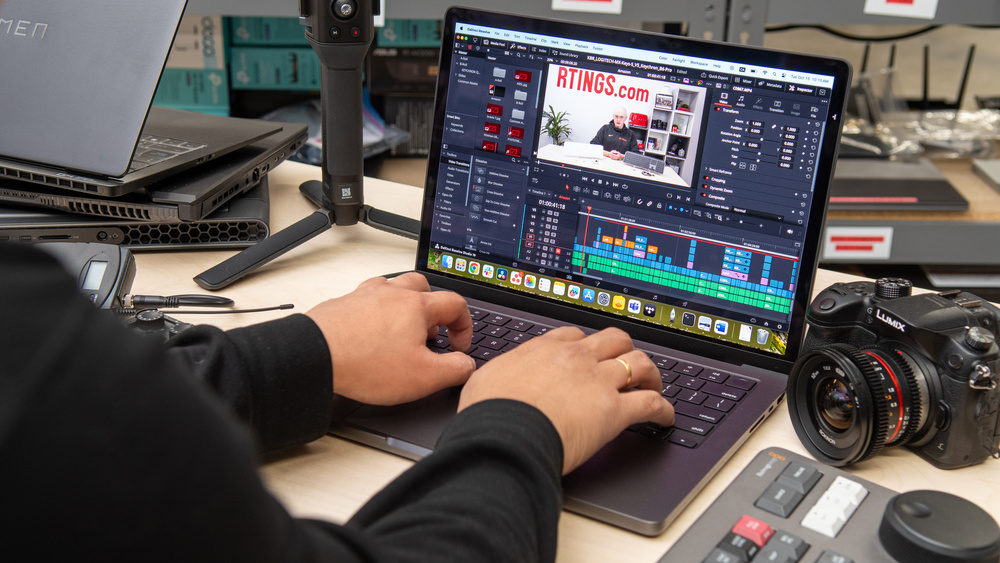
Video editing is one of the most demanding tasks you can perform on a laptop. Editing high-resolution videos requires a powerful processor, plenty of RAM, fast SSD storage, and, in many cases, a dedicated graphics card. Choosing the right laptop can significantly reduce rendering times and improve your workflow.
This guide explains the best laptop specifications for video editing and recommends suitable models for creators in Nigeria.
Recommended Specifications
| Component | Recommended Specification |
|---|---|
| Processor | Intel Core i7/i9 (11th Gen or newer) or AMD Ryzen 7/9 |
| RAM | 16GB minimum, 32GB recommended for 4K editing |
| Storage | 512GB SSD or larger |
| Graphics | Dedicated NVIDIA GeForce RTX or AMD Radeon GPU recommended |
| Display | 15.6-inch Full HD or 4K IPS display with accurate colours |
Why Video Editing Requires Powerful Hardware
Applications such as Adobe Premiere Pro, DaVinci Resolve, Final Cut Pro, Filmora, and CapCut process large video files and complex effects. A modern processor, fast SSD, and sufficient RAM allow smoother playback, quicker exports, and better multitasking.
Best Laptop Choices for Video Editing
1. Dell XPS 15
The Dell XPS 15 combines premium build quality, powerful processors, dedicated graphics, and an excellent display, making it one of the best Windows laptops for creators.
2. HP ZBook
HP ZBook mobile workstations deliver workstation-class performance and are suitable for professional video editors handling demanding projects.
3. Lenovo ThinkPad P Series
ThinkPad P Series laptops offer reliable performance, powerful hardware, and durable construction for professional editing work.
4. Apple MacBook Pro
The MacBook Pro with Apple Silicon processors provides outstanding video editing performance, excellent battery life, and optimisation for Final Cut Pro and other creative applications.
Why SSD Storage Matters
Video files consume large amounts of storage. SSDs allow faster file transfers, quicker software launches, and shorter rendering times than traditional hard drives.
Learn more in our guide on why SSD laptops outperform HDD laptops.
How Much RAM Do Video Editors Need?
For editing 1080p videos, 16GB RAM is usually sufficient. If you edit 4K videos, work with multiple timelines, or use advanced effects, 32GB RAM provides a smoother experience.
Read our guide on how much RAM you really need in a laptop to understand how memory affects performance.
Can You Buy a UK Used Laptop for Video Editing?
Yes. Many UK-used workstation laptops offer excellent value for video editors. Business workstations often include powerful processors and dedicated graphics at a lower price than comparable new models.
Before buying, inspect the battery, display, SSD, keyboard, cooling system, charging port, hinges, and overall condition. Our guide on how to inspect a UK-used laptop before buying explains what to check.
Essential Software for Video Editors
- Adobe Premiere Pro
- DaVinci Resolve
- Final Cut Pro
- Filmora
- CapCut Desktop
- Adobe After Effects
- HandBrake
- OBS Studio
Useful Official Resources
Adobe provides training and software information on the official Adobe Premiere Pro website. DaVinci Resolve users can also access official resources from Blackmagic Design.
Final Verdict
The best laptop for video editing combines a powerful processor, at least 16GB RAM, fast SSD storage, and dedicated graphics. Dell XPS, HP ZBook, Lenovo ThinkPad P Series, and Apple MacBook Pro remain excellent choices for both beginner and professional editors.
Before buying, compare the processor generation, RAM, SSD capacity, graphics card, display quality, and battery condition. Choosing the right laptop will make editing faster, smoother, and more enjoyable.