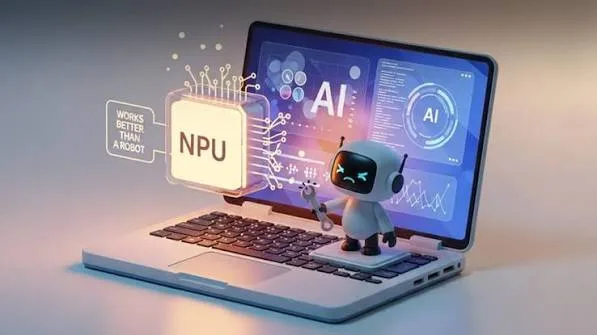
If you have been shopping for a new laptop recently, you may have noticed a specification that was rarely mentioned a few years ago: the NPU. New laptops are increasingly advertised as AI PCs, AI-powered computers or Copilot+ PCs, making it easy to wonder whether this is simply another marketing term or a genuinely useful technology.
An NPU is actually a new type of processing hardware designed specifically for artificial-intelligence workloads. Instead of replacing the processor or graphics chip, it works alongside them. Intel, for example, describes an AI PC as a system combining a CPU, GPU and NPU to handle different types of workloads locally. :contentReference[oaicite:0]{index=0}
For Nigerian buyers deciding between several laptops, understanding this technology can help you determine whether an AI laptop is worth paying more for or whether your money would be better spent on RAM, storage, processor performance or a better display.
What Does NPU Mean?
NPU stands for Neural Processing Unit. It is a specialised processor designed to efficiently perform certain artificial-intelligence and machine-learning operations.
A traditional CPU is designed to handle a huge variety of computing tasks. A GPU is particularly good at highly parallel workloads such as graphics processing. An NPU, meanwhile, is designed to accelerate supported AI workloads efficiently, particularly workloads that can run continuously without consuming as much power as they might on other processors.
Intel explains that its AI PC architecture uses the CPU for general-purpose and fast-response workloads, the GPU for high-throughput workloads and the NPU for sustained AI tasks where power efficiency is important. :contentReference[oaicite:1]{index=1}
Why Are NPUs Being Added to Laptops?
Artificial intelligence is becoming part of ordinary computer applications. Features such as background removal, noise suppression, image enhancement, speech processing, translation and other AI-assisted functions can require significant computing resources.
Instead of sending every AI operation to the cloud or making the CPU handle everything, compatible software can use specialised hardware inside the laptop.
This is one reason manufacturers are increasingly including NPUs in newer processors.
CPU vs GPU vs NPU: What Is the Difference?
The easiest way to understand the three processors is to think of them as specialists working together.
| Component | Main Role |
|---|---|
| CPU | General computing, Windows and everyday applications |
| GPU | Graphics, gaming, rendering and highly parallel workloads |
| NPU | Supported AI and machine-learning workloads |
Therefore, an NPU is not a replacement for either the CPU or GPU. A laptop can use all three depending on what you are doing.
Does an NPU Make a Laptop Faster?
Not automatically.
An NPU is not designed simply to make Windows open faster or make every application run faster. Its main purpose is to accelerate supported AI workloads.
For ordinary tasks such as browsing websites, typing documents and watching videos, the CPU, RAM and SSD may have a much more noticeable effect on performance.
This is why you should still understand which laptop specifications matter most before choosing an AI PC.
What Can an NPU Actually Do?
The exact capabilities depend on the processor, operating system and software. However, supported AI applications can use an NPU for tasks such as:
- AI-powered camera effects
- Background blur
- Noise suppression
- Voice processing
- Image enhancement
- Real-time translation
- Some local generative AI functions
- Other machine-learning workloads
Microsoft’s documentation for Copilot+ PCs specifically describes local AI capabilities such as real-time translation and image generation as examples of workloads that can use the NPU. :contentReference[oaicite:2]{index=2}
What Is an AI PC?
An AI PC is a computer designed with hardware specifically intended to accelerate AI workloads. Modern AI PCs generally combine CPU, GPU and NPU resources so that different parts of an AI workload can be handled by the most appropriate processor.
This means the phrase “AI laptop” does not simply mean that the computer has access to ChatGPT or another online AI service. The important distinction is the presence of dedicated hardware capable of handling supported AI workloads locally.
Intel similarly describes AI PCs as systems with a CPU, GPU and integrated NPU designed for AI applications and local processing. :contentReference[oaicite:3]{index=3}
What Is a Copilot+ PC?
Copilot+ PC is a specific category of Windows 11 computers rather than simply another name for every laptop containing an NPU.
Microsoft currently describes Copilot+ PCs as Windows 11 systems with dedicated AI hardware and an NPU capable of more than 40 trillion operations per second, or TOPS. Microsoft’s current documentation also lists minimum requirements including 16GB RAM and 256GB SSD storage for the category. :contentReference[oaicite:4]{index=4}
Therefore, a laptop can have an NPU without necessarily meeting every requirement associated with the Copilot+ PC category.
What Does TOPS Mean?
TOPS means trillions of operations per second.
It is one measurement used to describe AI processing capability. For example, Microsoft’s Copilot+ PC requirements use an NPU performance threshold of more than 40 TOPS. :contentReference[oaicite:5]{index=5}
However, TOPS should not be treated as a measurement of overall laptop speed. A laptop with a higher TOPS figure is not automatically faster at gaming, web browsing, video editing or every other task.
Is 40 TOPS Enough for an AI Laptop?
Forty TOPS is particularly significant because it has been used as a threshold for Copilot+ PC capabilities. Microsoft states that many of its newer Windows AI features require an NPU capable of 40 or more TOPS. :contentReference[oaicite:6]{index=6}
However, AI hardware is continuing to evolve. Some newer platforms now advertise substantially higher NPU performance.
For example, Qualcomm says its Snapdragon X Series can provide up to 85 TOPS of NPU performance on certain platforms. :contentReference[oaicite:7]{index=7}
Does an NPU Replace a Dedicated Graphics Card?
No.
If you want a laptop for demanding gaming, 3D rendering or GPU-intensive video production, you still need to pay close attention to the graphics processor.
An NPU is designed for specialised AI workloads. It is not a substitute for a powerful dedicated GPU.
For that reason, a laptop with an impressive NPU specification can still be a poor choice for someone who needs a powerful gaming GPU.
Can an NPU Improve Battery Efficiency?
One potential advantage of an NPU is that supported AI workloads can be handled more efficiently than running everything on the CPU or GPU.
Intel specifically describes the NPU as being intended for power-efficient sustained AI workloads. :contentReference[oaicite:8]{index=8}
Nevertheless, do not assume that every laptop with an NPU automatically has better battery life. Display type, screen brightness, processor efficiency, battery capacity, cooling and workload all influence actual battery runtime.
If battery life is important to you, compare the complete laptop specifications rather than choosing a computer based only on its AI hardware.
Can AI Run on a Laptop Without an NPU?
Yes.
AI applications existed long before NPUs became common in laptops. CPUs and GPUs can still perform many AI workloads, while cloud-based services can perform demanding processing on remote servers.
The advantage of an NPU is that supported AI workloads can be accelerated locally and efficiently.
Does ChatGPT Require an NPU?
No. You do not need an NPU to use ChatGPT through a web browser.
The same applies to many other cloud-based AI services. The demanding model processing can occur on remote servers rather than entirely on your laptop.
An NPU becomes more relevant when software supports local AI processing on the computer.
Why Is Local AI Processing Important?
Local processing can reduce the amount of information that needs to be sent to a remote server for certain tasks. It can also allow some features to work without relying entirely on an internet connection.
Intel highlights local AI processing as one of the advantages of AI PCs, while Microsoft describes Copilot+ features as being powered by dedicated hardware for on-device AI experiences. :contentReference[oaicite:9]{index=9}
However, not every AI application works locally. Some services will continue to rely heavily on cloud computing.
Are AI Laptops Good for Students?
They can be, but students should not automatically prioritise the NPU above everything else.
A student using a laptop mainly for Microsoft Word, research, presentations, browsing and online classes may benefit more from adequate RAM, a fast SSD, a comfortable display and good battery life.
Students studying computer science, artificial intelligence, multimedia or other technology-related subjects may have more reason to choose newer AI-capable hardware.
Are AI Laptops Good for Business Users?
AI-capable laptops can be useful for professionals who regularly participate in video calls, use AI-enhanced productivity software or work with applications that support local AI acceleration.
For example, AI-assisted camera and audio features can be useful during meetings.
Still, businesses should check software compatibility before paying extra for AI hardware. Buying a feature that your employees rarely use does not necessarily provide good value.
Are AI Laptops Good for Programmers?
Developers may benefit from local AI acceleration as AI-assisted programming tools and local models continue to develop.
However, programmers should also prioritise RAM, CPU performance and storage. Developers working with virtual machines, containers or large projects can quickly consume system memory.
Intel’s own AI development recommendations also emphasise memory configuration alongside CPU, GPU and NPU capabilities for AI development workloads. :contentReference[oaicite:10]{index=10}
What About Snapdragon AI Laptops?
Qualcomm’s Snapdragon X family has become one of the major platforms behind Windows AI laptops.
Qualcomm says its Snapdragon X platform combines an Oryon CPU, integrated GPU and Hexagon NPU, with some Snapdragon X configurations offering 45 TOPS of NPU performance. :contentReference[oaicite:11]{index=11}
This makes Snapdragon-powered Windows laptops an important part of the growing AI PC market.
What About Intel Core Ultra?
Intel Core Ultra processors are another major platform for AI PCs. Intel integrates CPU, GPU and NPU capabilities into the platform so that different workloads can be directed to different processing resources.
Intel’s current AI PC documentation explains that the NPU is designed for power-efficient AI acceleration while the CPU and GPU handle other types of workloads. :contentReference[oaicite:12]{index=12}
Should You Buy an AI Laptop in 2026?
If you are buying a new laptop and the price difference is reasonable, an AI-capable model can be a sensible long-term choice. Software is increasingly incorporating AI features, so having dedicated AI hardware may become more useful as applications evolve.
However, do not sacrifice important specifications just to get an NPU. If choosing between a laptop with a weak processor and more AI hardware and another with a stronger processor, more RAM and better storage, the second machine may be the better everyday computer.
What Should You Check Before Buying an AI Laptop?
- CPU generation and performance
- NPU performance
- GPU capability
- RAM capacity
- SSD capacity
- Display quality
- Battery capacity
- Operating-system compatibility
- AI software compatibility
- Warranty and support
Before paying for any laptop, it is also worth verifying the advertised specifications rather than relying solely on a seller’s description.
What About a Used AI Laptop?
AI-capable laptops are increasingly appearing on the used market. If you find one advertised as an AI PC, check the exact processor model and confirm that the machine actually contains the NPU claimed by the seller.
Do not rely only on labels such as “AI laptop” or “Copilot laptop”. The exact processor and model determine what hardware and features you actually receive.
It is also important to inspect the physical machine, battery, keyboard, screen, ports and storage before buying. Our complete used-laptop inspection checklist can help you examine the machine before completing the purchase.
Is an NPU Worth Paying More For?
For someone who wants a modern laptop that will support emerging local AI features, an NPU can be a worthwhile addition.
For a buyer whose main activities are browsing, office work, schoolwork and entertainment, however, it should not be the deciding factor.
Instead, compare the entire configuration. A useful laptop comparison checklist can help you decide which machine provides the better overall value.
Final Verdict
The NPU is becoming an important part of the modern laptop because artificial intelligence is moving from cloud-only services into everyday computer applications. Unlike the CPU and GPU, the NPU is specifically designed to accelerate supported AI workloads efficiently.
That does not mean every laptop buyer needs one immediately. For ordinary computing, processor performance, RAM, SSD storage, display quality and battery life remain extremely important.
Nevertheless, if you are buying a laptop in 2026 and want a machine designed for the next generation of Windows and AI applications, an NPU-equipped laptop is worth considering. The smartest approach is to understand what the hardware actually does and then decide whether those capabilities match the way you use your computer.