Therefore, this guide will walk you through the causes, warning signs, repair options, and prevention strategies in a clear and practical way.
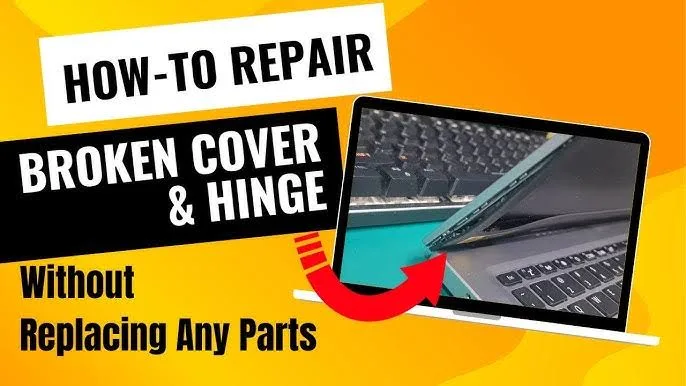
What Exactly Is a Laptop Hinge and Why Does It Matter?
The hinge is the mechanical part that connects your laptop screen to the base. It allows smooth opening and closing while holding the screen in position.
Although it looks small, it plays a very important role. Without a strong hinge, your laptop cannot function properly.
As a result, once the hinge starts failing, it can affect:
- Screen stability
- Internal cables connected to the display
- The outer body of the laptop
Therefore, early attention is very important.
Common Causes of Laptop Hinge Damage
There are several reasons why laptop hinges fail. In Nigeria, these issues are even more common due to environmental conditions and usage habits.
For example:
- Opening the laptop with one hand instead of two
- Dust entering the hinge area over time
- Frequent transportation without proper protection
- Heat weakening plastic components inside the casing
In addition, low-quality laptop builds tend to develop hinge issues faster. Therefore, build quality plays a major role in durability.
Early Warning Signs You Should Never Ignore
Before a hinge completely breaks, your laptop will usually give warning signs. Recognizing these signs early can save you from expensive repairs later.
Some common indicators include:
- A cracking or clicking sound when opening the lid
- Uneven or stiff screen movement
- Visible gaps forming near the hinge area
- Screen wobbling during use
At this stage, the damage is still manageable. However, ignoring it can lead to complete failure.
Repair Option 1: Tightening Loose Internal Screws
In some situations, the hinge itself is not broken. Instead, the screws holding it in place have become loose.
Therefore, a simple fix may be enough.
Steps involved:
- Turn off the laptop completely
- Carefully open the back panel
- Locate the hinge area
- Tighten any loose screws gently
As a result, the hinge may regain stability without needing replacement.
Repair Option 2: Reinforcing the Hinge Area
However, if the plastic around the hinge is weak or cracked, tightening screws alone may not solve the problem.
In such cases, reinforcement is a better option.
Technicians often use:
- Industrial adhesive materials
- Metal brackets for support
This method strengthens the structure. Therefore, it helps extend the life of the laptop without replacing the entire casing.
Repair Option 3: Replacing Only the Hinge
If the hinge itself is damaged, then replacement becomes necessary. However, this does not mean you need a full body replacement.
Instead, only the hinge component can be changed.
This process usually involves:
- Removing the screen panel carefully
- Disconnecting internal cables
- Installing a new hinge
Although this requires technical skill, it is still cheaper than replacing the full laptop body.
When Full Body Replacement Becomes Necessary
On the other hand, there are situations where repair may not be enough.
For example:
- Severe cracks across the laptop casing
- Broken internal mounting points
- Multiple hinge failures at once
In such cases, replacing the body may be the only long-term solution. Therefore, proper diagnosis is very important.
Why Hinge Problems Are More Common in Nigeria
Interestingly, hinge damage tends to occur more frequently in Nigeria compared to some other regions.
This is mainly due to:
- Dust accumulation during Harmattan
- High temperatures weakening materials
- Frequent movement of laptops between locations
As a result, users need to be more careful with handling and maintenance.
How to Prevent Laptop Hinge Damage
Prevention is always better than repair. Therefore, adopting good habits can save you both money and stress.
Here are some effective practices:
- Always open your laptop with two hands
- Avoid forcing the screen beyond its natural angle
- Keep hinge areas clean and dust-free
- Use a protective laptop bag when traveling
In addition, regular inspection can help detect issues early.
Choosing Laptops with Strong Hinge Design
Not all laptops are built the same. Therefore, choosing the right model can reduce the risk of hinge problems.
Look for:
- Metal hinge construction
- Business-grade laptop design
- Reinforced chassis structure
These features improve durability significantly.
Recommended Durable Laptop Options
If you are considering an upgrade, these models are known for strong build quality:
Final Thoughts
A broken laptop hinge can seem like a serious issue; however, in many cases, it can be fixed without replacing the entire body.
By understanding the problem, choosing the right repair method, and applying preventive measures, you can extend the lifespan of your laptop significantly.
Therefore, always act early and avoid ignoring small warning signs.
Need a Durable Laptop That Lasts Longer?
Explore trusted options here:
Pay on delivery available in Lagos
Call or WhatsApp: 08032592918