In Nigeria, many business owners, freelancers, and students rely on road transport for daily movement. As a result, laptops often travel long distances in buses, which exposes them to different risks.
However, with the right precautions, you can protect your laptop from theft, damage, and data loss. Therefore, understanding how to secure your device while traveling is essential.
This guide explains practical steps you can take to keep your laptop safe when traveling by bus in Nigeria.

Why Bus Travel Poses a Risk to Your Laptop
Bus travel in Nigeria can be unpredictable. For example, crowded vehicles, rough roads, and frequent stops increase the chances of accidents or theft.
In addition, luggage is often handled roughly, which can damage sensitive devices like laptops.
Therefore, you must take extra care when traveling with your device.
Common Risks You Should Know
Before discussing solutions, it is important to understand the risks involved.
- Theft during loading or unloading
- Pressure damage from heavy luggage
- Dust and heat exposure
- Data theft from unsecured networks
Once you understand these risks, you can prepare better.
How to Physically Protect Your Laptop
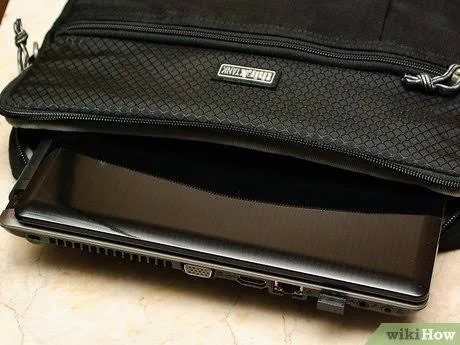
1. Use a Padded Laptop Bag
A high-quality padded bag absorbs shock and prevents damage during movement.
2. Keep Your Laptop with You
Whenever possible, avoid placing your laptop in the bus boot. Instead, keep it in your carry-on bag.
3. Avoid Overpacking Your Bag
Too many items can put pressure on your laptop and damage the screen or keyboard.
Digital Security While Traveling
Physical safety is important, but digital protection is equally necessary.
1. Use Strong Password Protection
Always lock your laptop with a secure password.
2. Enable Tracking Features
You can activate
Find My Device
to locate your laptop if lost.
3. Avoid Public Wi-Fi Without Protection
Public networks can expose your data to hackers. Therefore, use a VPN when necessary.
Best Laptops for Frequent Travelers
If you travel regularly, choosing the right laptop makes a big difference.
For example:
These laptops are lightweight, durable, and suitable for travel.
How to Protect Your Laptop from Heat and Dust
Nigeria’s weather conditions can affect your device.
For instance, excessive heat can reduce battery life, while dust can damage internal components.
To reduce these risks:
- Keep your laptop inside a protective sleeve
- Avoid exposing it to direct sunlight
- Clean it regularly after travel
Backup Your Files Before Every Trip
Backing up your data ensures that you do not lose important files.
You can use cloud storage platforms such as:
In addition, external hard drives provide extra protection.
Common Mistakes to Avoid
Many travelers make simple mistakes that put their laptops at risk.
For example:
- Leaving laptops unattended
- Using weak or damaged bags
- Connecting to unsecured networks
Avoiding these mistakes improves your safety significantly.
Why Your Laptop Choice Matters
Not all laptops are suitable for travel.
Therefore, you should choose devices that offer durability and portability.
For more insights, visit:
Laptop Travel and Work Guide.
Final Thoughts
Traveling with a laptop in Nigeria requires planning and awareness.
However, by combining physical protection, digital security, and smart habits, you can keep your device safe at all times.
Ultimately, protecting your laptop means protecting your work, data, and income.
Get a Travel-Friendly Laptop Today
Explore reliable options here:
Pay on delivery available in Lagos
Call or WhatsApp: 08032592918