
In Nigeria, unstable electricity supply is a daily reality. Whether you call it NEPA, PHCN, or use generators as backup, power fluctuations are something every laptop user must deal with.
Unfortunately, many people do not realize that these constant voltage changes can silently damage laptop chargers, reduce battery lifespan, and even affect the motherboard over time.
In this guide, you will understand how voltage fluctuation works, how it destroys laptop chargers, warning signs to watch for, and most importantly, how to protect your laptop in 2026.
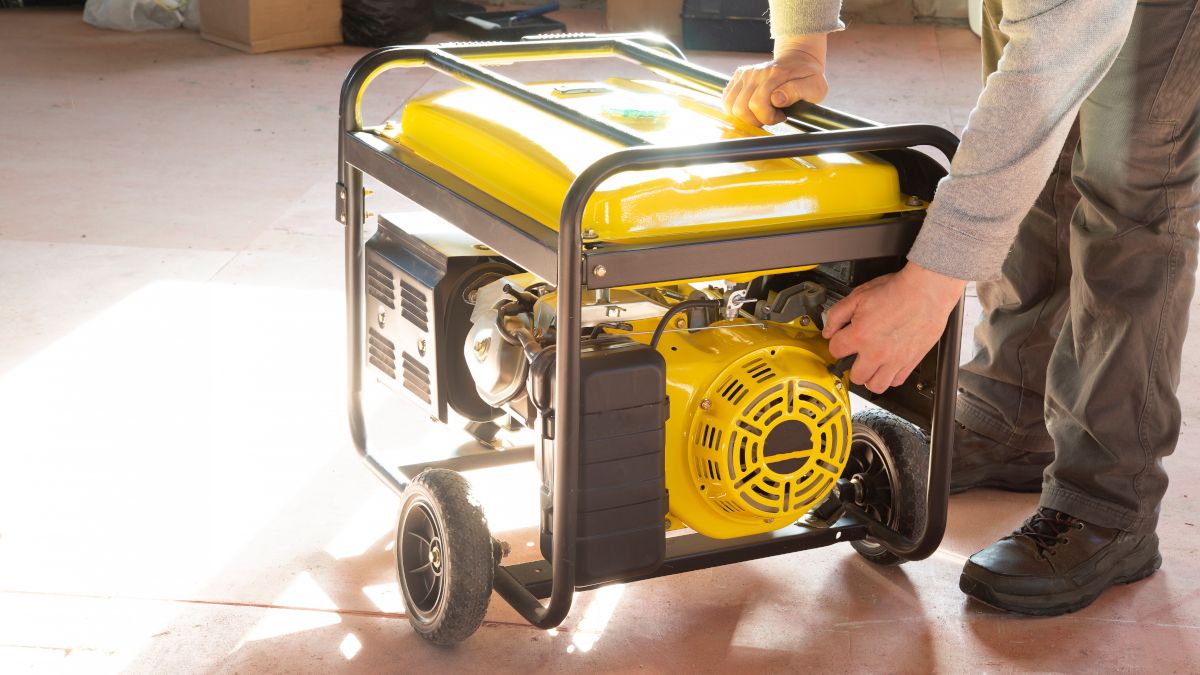
What Is Voltage Fluctuation?
Voltage fluctuation refers to sudden rises and drops in electrical power supply.
For example, your home electricity may jump from low voltage to high voltage within seconds due to unstable grid supply or generator switching.
These unpredictable changes are harmful because laptop chargers are designed to work within a stable voltage range.
Why Nigeria Is Affected More Than Other Countries
Nigeria experiences voltage issues more frequently due to:
- Unstable national grid supply (NEPA/PHCN)
- Frequent generator usage
- Poor transformer distribution in some areas
- Sudden power outages and restorations
As a result, laptop users in Nigeria face higher risks of charger and battery damage compared to more stable power environments.
How Voltage Fluctuation Destroys Laptop Chargers
Laptop chargers are built with internal components that regulate power flow. However, they have limits.
When voltage becomes unstable, several things happen:
1. Overheating of Charger Components
Sudden power surges force the charger to work harder, producing excess heat that damages internal circuits.
2. Burnt Charging Circuits
High voltage spikes can permanently damage resistors and capacitors inside the adapter.
3. Reduced Charger Lifespan
Even if the charger does not fail immediately, repeated exposure weakens it over time.
4. Battery Stress and Degradation
Unstable power supply also affects the laptop battery, causing faster wear and reduced capacity.
Signs Your Laptop Charger Is Being Damaged
If you notice any of the following, your charger may already be affected:
- Charger becomes very hot during use
- Charging is inconsistent or stops randomly
- Laptop only charges at certain angles
- Burning smell from adapter
- Charging light flickers
Ignoring these signs can lead to complete charger failure or laptop damage.
Step 1: Use a Surge Protector
One of the most effective ways to protect your laptop is using a surge protector.
A surge protector absorbs excess voltage and prevents it from reaching your device.
You can get reliable options through trusted electronics stores or explore accessories at Psero Laptop Accessories.
Benefits include:
- Protection from power surges
- Extended charger lifespan
- Reduced risk of laptop motherboard damage
Step 2: Avoid Frequent Plugging and Unplugging
Many Nigerians switch between generator and NEPA power frequently. This constant plugging and unplugging increases the risk of power spikes.
Instead, always:
- Turn off devices before switching power sources
- Wait a few seconds before reconnecting charger
This reduces sudden electrical stress on your charger.
Step 3: Use a UPS or Inverter System
A UPS (Uninterruptible Power Supply) or inverter provides stable electricity flow.
It helps regulate voltage and prevents sudden shutdowns during power cuts.
This is especially useful for:
- Freelancers working from home
- Students attending online classes
- Business owners running systems
Step 4: Avoid Cheap or Fake Chargers
Using counterfeit chargers increases the risk of failure during voltage fluctuations.
Always buy original chargers compatible with your laptop brand.
Trusted brands include:
- HP Original Adapters
- Dell OEM Chargers
- Lenovo Certified Power Adapters
Step 5: Unplug During Thunderstorms or Severe Fluctuations
During heavy storms or unstable power conditions, it is safer to unplug your laptop charger completely.
Lightning strikes or extreme voltage spikes can damage electronics instantly.
Step 6: Maintain Proper Ventilation for Charger
Overheating is worsened when chargers are placed in tight or covered spaces.
Always:
- Place charger on open surfaces
- Avoid covering it with clothes or bags
- Keep it away from direct heat sources
How Much Charger Replacement Costs in Nigeria (2026)
- Original laptop chargers: ₦15,000 – ₦60,000
- High-end business chargers: ₦50,000 – ₦120,000+
- Fake chargers: ₦5,000 – ₦15,000 (not recommended)
Although fake chargers are cheaper, they often damage laptops in the long run.
Common Mistakes Nigerian Users Make
- Using generators without surge protection
- Leaving laptop plugged in 24/7
- Buying cheap replacement chargers
- Ignoring overheating signs
- Plugging into unstable sockets
Internal Psero Resources
- How to Add SSD to Your Laptop
- How to Upgrade Laptop RAM
- How to Fix Laptop Overheating
- How to Replace Laptop Battery
Conclusion
Voltage fluctuations from NEPA and generators are one of the hidden causes of laptop damage in Nigeria. While they may seem harmless, they gradually destroy chargers and reduce laptop lifespan.
However, with the right protection methods such as surge protectors, UPS systems, and original chargers, you can significantly reduce the risk.
Ultimately, protecting your laptop from unstable power is not optional in Nigeria—it is essential for long-term performance in 2026 and beyond.