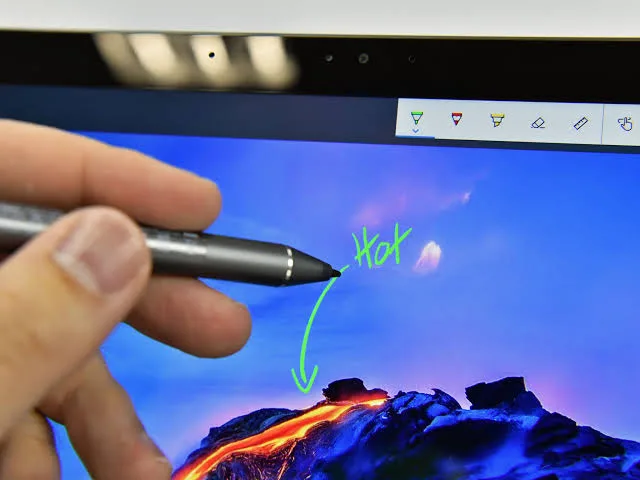
Touchscreen laptops have become increasingly popular over the past few years. Many modern Windows laptops now allow users to tap, swipe, pinch, and draw directly on the display, just like using a smartphone or tablet.
However, not everyone benefits from a touchscreen. Before paying extra for this feature, it is important to understand its advantages, limitations, and the types of users who will gain the most value from it.
What Is a Touchscreen Laptop?
A touchscreen laptop is a computer with a display that responds to finger touches or a compatible digital pen. Instead of relying only on a keyboard and touchpad, you can interact directly with the screen.
Some touchscreen laptops also feature 2-in-1 designs, allowing the screen to rotate or detach for tablet use.
Advantages of Touchscreen Laptops
- Easy navigation using touch gestures.
- Excellent for note-taking with a stylus.
- Ideal for drawing and graphic design.
- Convenient for presentations.
- Improves productivity for some users.
- Useful in tablet mode on convertible laptops.
Disadvantages of Touchscreen Laptops
- Usually more expensive.
- Battery may drain faster.
- Displays collect fingerprints easily.
- Slightly heavier than similar non-touch models.
- Not every user needs the feature.
Who Should Buy a Touchscreen Laptop?
| User | Recommendation |
|---|---|
| Students | Recommended for note-taking |
| Teachers | Highly Recommended |
| Graphic Designers | Excellent Choice |
| Architects | Very Useful |
| Business Professionals | Useful for presentations |
| Casual Users | Optional |
Is a Touchscreen Better for Students?
Many students appreciate touchscreen laptops because they can write notes, highlight documents, and annotate lecture materials with a compatible stylus.
Even so, students who mainly type assignments may not need this feature and can save money by choosing a traditional laptop.
Are Touchscreen Laptops Good for Business?
Business users often benefit from touchscreens during meetings and presentations. The ability to navigate quickly and interact directly with documents can improve productivity.
Convertible touchscreen laptops also make travelling easier because they can function as both laptops and tablets.
Does a Touchscreen Affect Performance?
No. A touchscreen does not make the processor or RAM faster. Instead, it simply provides another way to interact with the operating system.
Performance still depends primarily on the processor, RAM, SSD, and graphics hardware.
Should You Pay Extra for a Touchscreen?
If you regularly draw, take handwritten notes, or present information to clients, paying extra for a touchscreen can be worthwhile.
On the other hand, users who mainly browse the web, watch videos, or use Microsoft Office may not notice enough benefits to justify the additional cost.
Things to Consider Before Buying
- Processor generation.
- RAM capacity.
- SSD storage.
- Battery life.
- Stylus compatibility.
- Display resolution.
- Build quality.
Related PSERO Guides
- Should You Buy a 2-in-1 Convertible Laptop?
- Business Laptop vs Consumer Laptop
- What Laptop Specifications Matter Most?
- How to Choose the Right Laptop for Your Budget
- How Long Should a Good Laptop Last?
Recommended PSERO Touchscreen Laptops
Useful Official Resources
Learn more about Windows touchscreen features from Microsoft Support. You can also compare touchscreen business laptops on the official websites of HP, Dell, and Lenovo.
Final Verdict
A touchscreen laptop offers greater flexibility and convenience, especially for students, designers, educators, and business professionals. It enhances the user experience without changing the laptop’s actual processing power.
Before paying extra, consider how you plan to use your laptop. If touch input will improve your daily workflow, it can be a worthwhile investment. Otherwise, a traditional laptop with strong specifications may provide better overall value.