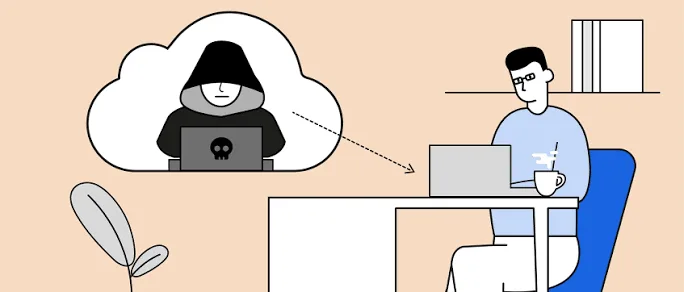
Your laptop contains some of your most valuable information. From banking details and passwords to business documents, school projects, and personal photos, a single security breach can expose sensitive data to cybercriminals. In this blog post, I will answer the question everyone ask about hacking Is Your Laptop Being Spied On? Signs of Hacking and How to Protect Yourself in Nigeria.
Although many Nigerians worry about hackers, not every slow laptop has been compromised. However, certain warning signs should never be ignored. Recognizing these signs early can help you secure your device before serious damage occurs.
This guide explains the common signs of hacking, how attackers gain access to laptops, and the practical steps you can take to protect yourself in 2026.
Can Someone Really Spy on Your Laptop?
Yes. Cybercriminals can gain unauthorized access to laptops through malware, phishing emails, fake software downloads, weak passwords, and unsecured Wi-Fi networks.
Once access is gained, attackers may attempt to:
- Steal passwords.
- Monitor your online activities.
- Access personal files.
- Record keystrokes.
- Control your webcam or microphone.
- Collect banking information.
Fortunately, most attacks can be prevented by following good security practices.
Sign 1: Your Laptop Suddenly Becomes Very Slow
A slow laptop does not always mean it has been hacked. Nevertheless, if performance drops dramatically without any obvious reason, malware may be running in the background.
Additionally, you may notice programs taking longer to open or your cooling fan running constantly.
Sign 2: Frequent Pop-Up Messages
If unwanted advertisements or security warnings suddenly appear even when you are not browsing the internet, your laptop could be infected with adware or other malicious software.
Legitimate security software rarely displays constant pop-up advertisements asking you to download unknown applications.
Sign 3: Unknown Programs Appear
Check your installed applications regularly.
If you discover software that you never installed, it may have been added without your knowledge. Some malware installs additional programs automatically after infecting a system.
Sign 4: Your Webcam or Microphone Activates Unexpectedly
If your webcam indicator light turns on unexpectedly or your microphone seems active without your permission, investigate immediately.
Although this does not automatically mean someone is spying on you, it is a warning sign that should be taken seriously.
Sign 5: Passwords Stop Working
If your passwords suddenly change or you receive notifications about login attempts you did not make, someone may be trying to access your accounts.
In such cases, change your passwords immediately using another trusted device if possible.
Sign 6: Unusual Internet Activity
Malware often communicates with remote servers.
As a result, you may notice:
- Unexpectedly high data usage.
- Continuous network activity.
- Slow internet even when you are not using the laptop.
Sign 7: Browser Settings Change Automatically
Hackers sometimes modify browser settings to redirect users to unsafe websites.
Watch for:
- Unknown homepages.
- Unexpected search engines.
- Unwanted browser extensions.
- Frequent redirects to unfamiliar websites.
How Hackers Commonly Gain Access
- Downloading pirated software.
- Opening fake email attachments.
- Clicking phishing links.
- Using weak passwords.
- Connecting to unsecured public Wi-Fi.
- Ignoring security updates.
Understanding these methods helps you avoid many common attacks.
How to Protect Your Laptop
Keep Windows Updated
Security updates fix vulnerabilities that hackers often exploit.
Install updates regularly to keep your system protected.
Use Microsoft Defender
Windows includes Microsoft Defender, which provides built-in protection against many common threats.
Run full system scans regularly to detect suspicious files.
Use Strong Passwords
Create unique passwords that combine:
- Uppercase letters.
- Lowercase letters.
- Numbers.
- Special characters.
Avoid using names, birthdays, or simple number combinations.
Enable Two-Factor Authentication
Whenever possible, activate two-factor authentication for your important accounts.
Even if someone discovers your password, the additional verification step makes unauthorized access much more difficult.
Download Software Only From Trusted Sources
Always download applications from official websites or trusted software providers.
Avoid cracked or pirated software because it frequently contains hidden malware.
Be Careful With Public Wi-Fi
Public Wi-Fi networks can expose users to unnecessary risks.
If you must use public Wi-Fi:
- Avoid online banking.
- Do not access sensitive business accounts.
- Log out when finished.
- Use trusted websites with secure connections.
Back Up Your Important Files
Regular backups protect your information if malware damages or encrypts your files.
You can back up data using:
- External hard drives.
- External SSDs.
- USB flash drives.
- Cloud storage services.
Common Security Mistakes
- Ignoring software updates.
- Reusing the same password everywhere.
- Installing unknown browser extensions.
- Clicking suspicious email links.
- Using pirated software.
- Disabling antivirus protection.
What Should You Do If You Suspect Hacking?
- Disconnect your laptop from the internet.
- Run a full antivirus scan.
- Remove suspicious software.
- Change your passwords.
- Enable two-factor authentication.
- Update Windows and installed applications.
- Monitor your important online accounts for unusual activity.
Taking these steps promptly can help limit further damage and secure your personal information.
Related Psero Guides
- How to Remove Viruses and Malware From Your Laptop
- How to Lock and Track Your Laptop Remotely If It Gets Stolen
- How to Password-Protect Your Files and Folders on a Windows Laptop
- How to Back Up Your Laptop Files Automatically
- Best Free Software Every Nigerian Student Should Install
- Where to Buy Genuine Laptops in Nigeria Without Getting Scammed
Final Thoughts
Cyber threats continue to evolve, but simple security habits can significantly reduce your risk. By keeping your laptop updated, using strong passwords, downloading software only from trusted sources, and staying alert to suspicious activity, you can better protect your personal information and online accounts.
Most importantly, never ignore unusual behavior on your laptop. Acting quickly when you notice warning signs can prevent small security issues from becoming major problems.