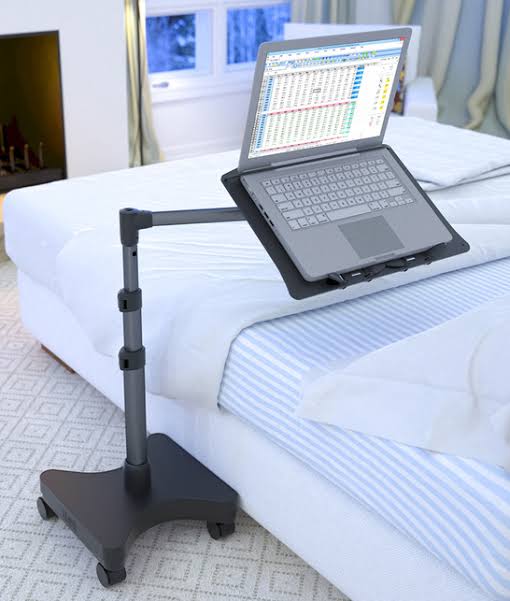
A well-designed laptop holder can significantly improve comfort, posture, and airflow, preventing overheating and reducing strain on your neck and wrists. Whether you’re looking for a DIY solution or a professional ergonomic design, this guide explores different laptop holder designs that enhance productivity and comfort.
➡️ “Discover laptops with advanced features you never knew you needed! Check out our latest collection here: Psero UK USED Laptops – Feature-Packed Models.”
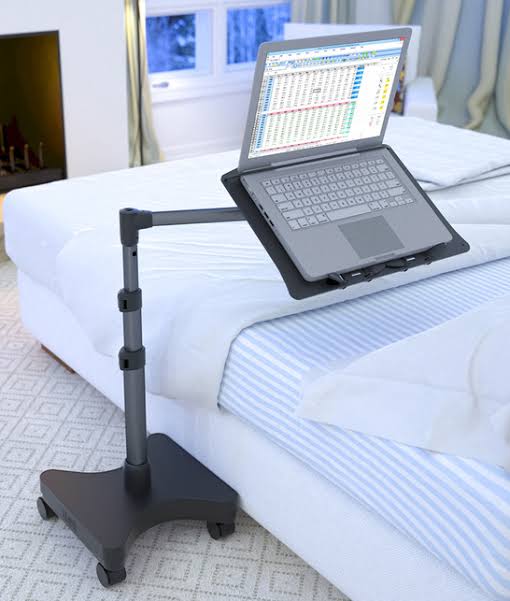
1. Key Features of a Good Laptop Holder
Before choosing or designing a laptop holder, consider the following essential features:
- Ergonomic Design: Keeps the laptop at an eye-level position to reduce neck strain.
- Ventilation: Allows proper airflow to prevent overheating.
- Adjustability: Enables height and angle modifications for better comfort.
- Portability: Lightweight and foldable for easy storage and travel.
- Material: Can be made from wood, aluminum, acrylic, or plastic for durability and aesthetics.
2. DIY Laptop Holder Designs
a) Wooden Laptop Stand
A wooden laptop stand is sturdy, eco-friendly, and easy to make. You can craft one using plywood or bamboo for a stylish and functional setup.
Materials Needed:
- A wooden board (plywood or bamboo)
- A saw for cutting
- Sandpaper for smoothing edges
- Screws or wood glue for assembly
Design Steps:
- Cut the wooden board into two angled pieces to act as side supports.
- Attach a flat surface on top for laptop placement.
- Sand and smooth the edges for a clean finish.
- Optionally, drill ventilation holes to improve airflow.
b) PVC Pipe Laptop Stand
For a budget-friendly alternative, you can make a laptop stand using PVC pipes.
Materials Needed:
- 1-inch PVC pipes (cut to desired lengths)
- PVC elbow joints
- PVC pipe glue
Design Steps:
- Cut the pipes to create a rectangular frame.
- Attach elbow joints to form an angled stand.
- Apply PVC glue for stability.
- Let it dry before placing your laptop.
➡️ “Discover laptops with advanced features you never knew you needed! Check out our latest collection here: Psero Brand New Laptops – Feature-Packed Models.”
c) Acrylic or Plexiglass Stand
If you prefer a modern and sleek design, an acrylic laptop stand is a great choice.
Materials Needed:
- A sheet of plexiglass (acrylic)
- A heat gun to bend the acrylic
- A cutting tool for shaping
Design Steps:
- Cut the acrylic sheet to a rectangular shape.
- Heat the bending points using a heat gun.
- Carefully bend the sheet at two angles to form a raised stand.
- Allow it to cool and harden into shape.
3. Adjustable and Foldable Laptop Holders
If you prefer a commercially available option, look for adjustable and foldable laptop holders. These designs allow for custom height and tilt adjustments, making them ideal for both work and gaming setups.
Popular Laptop Holder Designs:
- X-Frame Foldable Stands: Portable and lightweight, perfect for travel.
- Adjustable Aluminum Stands: Provide better heat dissipation and durability.
- Standing Desk Converters: Transform your desk into a standing workstation.
4. Wall-Mounted and Space-Saving Designs
For a minimalist workspace, a wall-mounted laptop holder can be a game-changer.
How It Works:
- Mounts your laptop on a wall or vertical surface.
- Saves desk space and improves posture.
- Often comes with cable management features for a clutter-free setup.
Final Thoughts
A well-designed laptop holder improves ergonomics, prevents overheating, and enhances productivity. Whether you build your own using wood, PVC, or acrylic, or opt for a commercially available adjustable stand, choosing the right design is crucial for comfort and efficiency.
Would you like a step-by-step guide for building a specific laptop holder? Let us know in the comments!