
Apple introduced macOS 14 Sonoma at its WWDC 2023 event, showcasing a range of new features designed to improve productivity, customization, and overall performance on Mac devices. This latest update focuses on delivering a seamless user experience while offering new tools that enhance both professional workflows and personal interactions.
Key Features of macOS 14 Sonoma
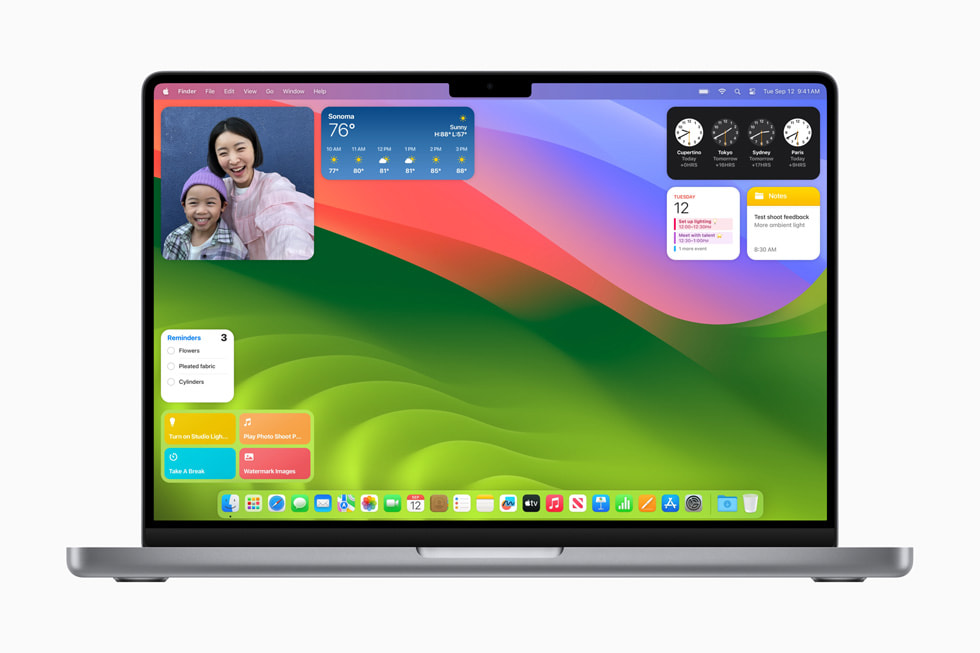
- Interactive Widgets on the Desktop One of the most noticeable changes in Sonoma is the introduction of interactive widgets directly on the desktop. These widgets were previously restricted to the Notification Center, but now users can place them anywhere on their screens, offering greater personalization and quick access to essential information.
- Gaming Enhancements macOS Sonoma introduces Game Mode, optimizing CPU and GPU performance to provide smoother frame rates during gameplay. This is part of Apple’s broader initiative to make Macs more attractive to gamers, particularly with the continued integration of Apple Silicon.
- Improved Video Conferencing Apple has added several upgrades to the video conferencing experience with features like Presenter Overlay, which keeps the presenter visible while sharing the screen, and Reactions, allowing users to express themselves with effects like confetti, hearts, and more during calls.
- Safari Updates Safari also sees improvements with the introduction of Profiles, allowing users to separate work and personal browsing. Additionally, Safari now supports web apps, making it easier to access frequently used websites directly from the dock as standalone applications.
- Screen Savers and Visual Customization macOS Sonoma brings stunning new slow-motion screensavers showcasing landscapes from around the world. Users can also customize their lock screen with different styles and backgrounds, further enhancing the visual appeal of their Mac.
- Performance and Security Enhancements As always, Sonoma brings performance optimizations that make macOS faster and more efficient, especially on M-series chips. Security has also been a priority, with enhanced measures to protect user privacy and data.
Conclusion
With macOS 14 Sonoma, Apple has introduced several features aimed at both casual users and professionals. The update enhances customization with interactive widgets, boosts gaming performance with Game Mode, and offers new video conferencing tools for an engaging communication experience. Whether you’re a gamer, professional, or just someone who enjoys a highly customizable desktop, macOS Sonoma delivers improvements across the board.
For more details on macOS Sonoma and other technology trends, visit psero.com.