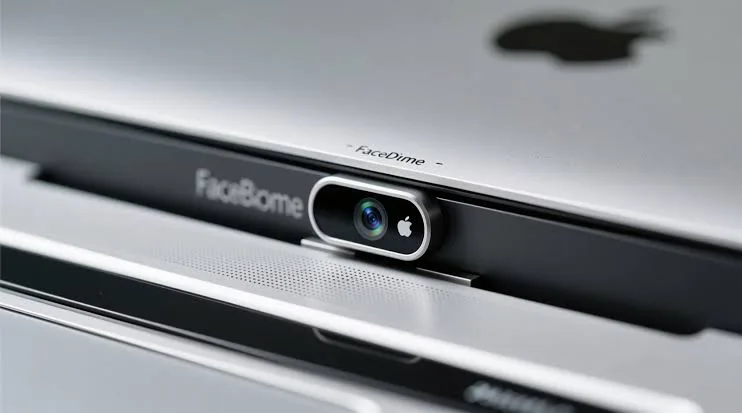
The webcam has become one of the most useful features on a modern laptop. Students use it for online classes, employees use it for virtual meetings, freelancers use it to communicate with clients, and families use it for video calls.
At the same time, the camera is one of the laptop components that can raise privacy concerns. If malicious software gains access to a webcam, the camera can potentially expose people and their surroundings without their knowledge.
This is why some laptops now include a small physical webcam privacy shutter. It may look like a simple sliding piece of plastic, but it provides an important layer of protection that software alone cannot provide.
What Is a Laptop Webcam Privacy Shutter?
A webcam privacy shutter is a physical cover built into or attached to the area around a laptop’s camera.
When the shutter is closed, it physically blocks the camera lens. When you want to use the webcam, you slide or move the shutter away from the lens.
Unlike software privacy settings, the physical shutter does not depend on Windows, an antivirus application or any other program to block the camera.
Why Do Laptops Have Webcam Shutters?
The main reason is privacy.
A laptop camera can capture images of your surroundings, your home, your workplace or other people nearby. If the camera is compromised by malicious software, there is a possibility that someone could access it without the owner’s knowledge.
A physical shutter provides a simple solution: when the lens is covered, the camera cannot capture a usable image through the blocked lens.
PSERO’s guide on webcam covers for privacy in Nigeria also explains why physical camera protection can be useful for students, professionals and other laptop users.
Can a Hacker Bypass a Physical Webcam Cover?
A hacker can potentially compromise a computer’s software, but a physical cover works differently.
If the shutter is physically covering the lens, software cannot simply command the cover to move away.
This is the major advantage of a physical privacy shutter. Even if someone manages to activate the webcam electronically, the covered lens prevents the camera from seeing through the obstruction.
However, a privacy shutter does not protect your microphone, files, screen or other parts of the computer. It should therefore be considered one privacy measure rather than complete cybersecurity protection.
Does Covering the Webcam Turn the Camera Off?
Not necessarily.
A physical shutter generally blocks the camera’s view rather than electrically disconnecting the webcam.
The operating system may still detect the camera, and applications may still attempt to access it. The important difference is that the lens is physically obstructed.
Some laptops may also provide electronic camera controls, but these should not be confused with a physical privacy shutter.
Physical Webcam Shutter vs Software Privacy
| Feature | Physical Shutter | Software Privacy Control |
|---|---|---|
| Physically blocks the lens | Yes | No |
| Can malware bypass the lens? | No | Potentially |
| Requires software | No | Yes |
| Protects against accidental camera activation | Yes | Yes |
| Protects microphone | No | Depends on software |
The strongest approach is to use both physical and software controls where available.
How Do You Know If a Laptop Has a Webcam Shutter?
Look closely at the webcam area above the display.
A laptop with a built-in shutter will usually have a tiny slider that can be moved horizontally or vertically over the camera.
Some manufacturers make the shutter extremely subtle, so it may not be obvious when looking at product photographs.
If you are buying a used laptop, physically inspect the camera area instead of assuming that a model has a shutter because another version of the same laptop does.
Which Laptops Commonly Have Webcam Privacy Shutters?
Physical webcam shutters are particularly common on business-oriented laptops.
Depending on the model and generation, privacy shutters can be found on systems from manufacturers such as Lenovo, HP and Dell.
Some business laptop families have made privacy features an important part of their design because these computers are commonly used for corporate meetings and handling sensitive information.
Do Dell Laptops Have Webcam Shutters?
Some Dell laptops include physical privacy shutters, while others do not.
The exact feature depends on the model, generation and configuration.
For example, a premium business laptop may include a camera privacy mechanism while a similarly sized consumer laptop may rely entirely on software controls.
Therefore, always check the exact model number before assuming that a Dell laptop has a physical shutter.
Do HP Laptops Have Webcam Shutters?
Some HP laptops include physical webcam privacy features, particularly within business-oriented product lines.
However, the feature is not universal across every HP laptop.
If webcam privacy is important to you, check the manufacturer’s specifications for the exact model rather than relying on the brand name alone.
Do Lenovo ThinkPads Have Webcam Shutters?
Many ThinkPad models have offered physical webcam privacy shutters on compatible configurations.
This has become one of the features that business users often appreciate because ThinkPads are commonly used for remote work, corporate meetings and professional communication.
Again, however, the exact feature varies by model and generation.
Are Webcam Shutters Useful for Students?
Yes.
Students increasingly use laptops for online lectures, examinations, group projects and video calls. A physical webcam cover can provide peace of mind when the camera is not being used.
It can also prevent accidental exposure if an application unexpectedly activates the webcam.
For students shopping on a limited budget, though, a built-in privacy shutter should not be more important than essential specifications such as RAM, SSD storage and processor performance.
For example, PSERO’s current UK-used laptop guide for students in Lagos focuses on balancing affordability, performance and durability rather than choosing a laptop based on one feature.
Are Webcam Shutters Important for Remote Workers?
They can be especially useful for people who regularly work from home.
A remote worker may participate in several video meetings each day while working in a bedroom, living room or shared workspace.
Closing the physical shutter whenever the camera is not needed provides an easy way to prevent the lens from seeing the room.
Nevertheless, users should still review which applications have permission to access their cameras.
Can You Add a Webcam Cover to a Laptop That Does Not Have One?
Yes.
Aftermarket webcam covers are widely available. They are usually small sliding covers or adhesive covers designed to sit over the camera.
A simple physical cover can provide similar lens-blocking protection to a built-in shutter.
However, thickness matters. A cover that is too thick can interfere with the laptop closing properly and may put pressure on the display.
PSERO’s webcam cover guide discusses different types, including sliding covers, adhesive covers and built-in privacy shutters.
Can a Webcam Cover Damage a Laptop Screen?
A very thin, properly designed webcam cover is unlikely to cause a problem when used correctly.
However, users should be careful with thick covers, particularly on laptops designed with very small gaps between the display and keyboard deck.
If the laptop requires significant force to close after installing the cover, remove it.
Never force the screen shut around a thick accessory because repeated pressure can potentially damage the display or hinges.
Should You Use Tape Over Your Webcam?
You can physically cover a webcam with tape, but it is not necessarily the best long-term solution.
Some tapes can leave adhesive residue on the camera area or display bezel. In addition, repeatedly removing and replacing tape can become inconvenient.
A thin reusable webcam shutter is generally a cleaner and more convenient option.
Does a Webcam Shutter Affect Video Quality?
The shutter itself should not affect image quality when it is completely open and positioned away from the lens.
However, if part of the cover remains over the lens, it can obstruct the image.
Similarly, an improperly installed aftermarket cover can interfere with the camera’s field of view.
Can a Webcam Privacy Shutter Improve Security?
It can improve physical privacy, but it should not be confused with complete computer security.
A privacy shutter cannot prevent malware from stealing passwords, accessing files, recording your microphone or monitoring other activity.
For broader protection, keep Windows updated, use reputable security software, avoid suspicious downloads and review application permissions.
Microsoft provides guidance on managing camera privacy and application permissions in Windows, which is useful alongside a physical shutter. (Microsoft camera privacy settings)
What About the Laptop Microphone?
This is an important limitation.
A webcam shutter only covers the camera lens. It does not normally disconnect or block the laptop microphone.
If you are concerned about audio privacy, use the operating system’s microphone permissions and consider a laptop with a dedicated microphone mute control.
Some business laptops provide hardware controls that make it easier to disable the camera or microphone.
Can a Webcam Be Hacked Even When the Indicator Light Is Off?
Modern laptops use different hardware and software designs, so you should not rely exclusively on the camera indicator as your only privacy measure.
A physical cover provides an additional layer because it does not depend on whether the camera indicator behaves as expected.
That does not mean every laptop with a dark camera light has been hacked. It simply means physical privacy controls can reduce the consequences of unwanted camera access.
Should You Buy a Laptop With a Built-In Webcam Shutter?
If the feature is available at no significant additional cost, it is a useful addition.
However, it should not be the main reason you choose one laptop over another.
A laptop with a better processor, more RAM, larger SSD and stronger battery can be a much better purchase even if it lacks a built-in shutter.
When comparing machines, look at the entire specification rather than focusing on one privacy feature. PSERO’s UK-used laptop buying checklist is useful for checking the wider condition and specifications of a used system.
What Should You Check When Buying a Laptop With a Webcam Shutter?
- Confirm that the laptop actually has a physical shutter.
- Check that the shutter moves smoothly.
- Make sure it completely covers the lens.
- Test the webcam with the shutter open.
- Test the microphone separately.
- Check for cracks around the camera area.
- Make sure the screen closes normally.
- Check Windows camera permissions.
- Confirm that the webcam works correctly with video-call applications.
What If You Are Buying a Used Laptop?
Used laptop buyers should pay particular attention to the webcam area.
Check whether the shutter is missing, damaged or stuck. Also test the camera itself because some used machines may have damaged webcams even when the rest of the laptop appears to work normally.
Do not forget to test the keyboard, display, battery, speakers, ports and Wi-Fi as well. A physical privacy feature is useful, but it should not distract you from the rest of the inspection.
If you are shopping in Nigeria, it is also worth learning how to avoid laptop scams in Lagos, especially when buying a used or refurbished machine.
Built-In Shutter vs External Webcam Cover
| Feature | Built-In Shutter | External Cover |
|---|---|---|
| Physical lens protection | Yes | Yes |
| Already included | Yes | No |
| Usually cleaner appearance | Yes | Depends on design |
| Can be added later | No | Yes |
| Potential screen-closing issue | Low | Depends on thickness |
Final Verdict
A laptop webcam privacy shutter is a simple feature, but it can provide meaningful physical privacy. When the shutter is closed, the camera lens is blocked regardless of what software is attempting to access the webcam.
However, it is only one part of laptop security. You should still keep Windows updated, control camera and microphone permissions, avoid suspicious software and use appropriate security measures.
For buyers choosing a laptop in 2026, a built-in webcam shutter is a useful bonus, particularly for students, remote workers and business users. Nevertheless, it should not outweigh the fundamentals: a good processor, enough RAM, SSD storage, a healthy battery and a laptop that fits your actual needs.