
However, many buyers later discover a frustrating problem:
Some cheap laptops cannot be upgraded at all.
In many cases, users realize too late that the RAM is permanently attached, the storage cannot be replaced easily, or the processor is impossible to upgrade.
As a result, performance problems become difficult or expensive to solve.
Therefore, understanding upgradeability before buying a laptop is extremely important in Nigeria, especially for students, business owners, remote workers, and content creators who want long-term value.
In this guide, we explain why some cheap laptops are difficult to upgrade, the parts that matter most, and how Nigerians can avoid buying systems with limited future potential.
Why Upgradeability Matters
Software requirements continue increasing every year.
Applications like:
- Google Chrome
- Zoom
- Canva
- Adobe software
- Programming tools
now consume more memory and processing power than older applications.
As a result, laptops that seem “fast enough” today may become slow within a short period.
Therefore, the ability to upgrade RAM or storage becomes extremely valuable.
What Parts Are Usually Upgradable?
Most laptop upgrades involve:
- RAM (memory)
- SSD or hard drive storage
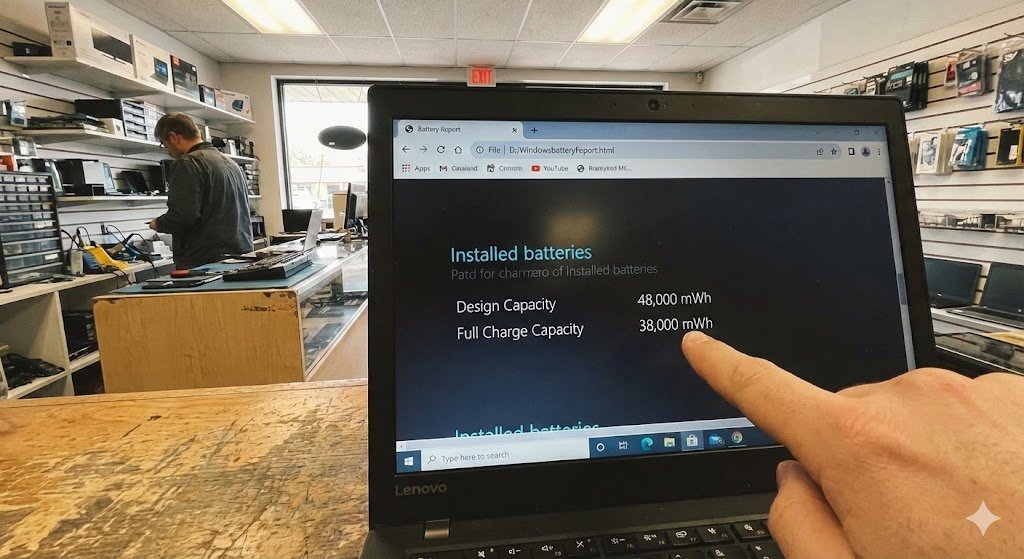
- Battery replacement
These upgrades can significantly improve performance and extend laptop lifespan.
Why Some Cheap Laptops Cannot Be Upgraded
Manufacturers reduce costs in different ways.
Unfortunately, one common method is limiting hardware upgradeability.
1. Soldered RAM
Many budget laptops now use soldered RAM.
This means the memory chips are permanently attached to the motherboard.
As a result:
- You cannot increase RAM later
- Performance upgrades become impossible
- Multitasking limitations remain permanent
Therefore, laptops with only 4GB soldered RAM may become outdated quickly.
You can also learn more about RAM technology from Crucial:
https://www.crucial.com/articles/about-memory/how-much-ram-does-my-computer-need
2. Limited Storage Expansion
Some low-cost laptops use storage systems that cannot easily be replaced.
Examples include:
- Embedded eMMC storage
- Non-standard SSD formats
As a result, upgrading storage becomes difficult or impossible.
Therefore, buyers should confirm whether the laptop supports SSD upgrades before purchasing.
3. Ultra-Thin Designs
Many cheap ultra-slim laptops prioritize portability over repairability.
To reduce thickness, manufacturers remove:
- Extra RAM slots
- Storage bays
- Removable batteries
As a result, internal upgrades become extremely limited.
4. Weak Motherboards
Some cheap laptops use low-end motherboards designed only for basic tasks.
Therefore, they may not support:
- Higher RAM capacity
- Advanced SSD upgrades
- Powerful processors
As a result, performance improvement options become restricted.
Common Cheap Laptop Mistakes Nigerians Make
Many buyers focus only on price without considering long-term usability.
Common mistakes include:
- Buying 4GB RAM systems in 2026
- Ignoring SSD support
- Choosing very weak processors
- Buying unknown brands with no spare parts
As a result, users often regret their purchases later.
Why SSD Upgradeability Is Extremely Important
SSD upgrades provide one of the biggest laptop performance improvements.
Benefits include:
- Faster startup speed
- Reduced freezing
- Quicker software loading
- Better multitasking
Therefore, buying laptops with upgradeable SSD storage is highly recommended.
You can also browse SSD-powered business laptops on
Psero Nigeria.
How to Check If a Laptop Is Upgradeable
Before buying any laptop, always ask sellers important questions.
For example:
- Can the RAM be upgraded?
- Is the SSD removable?
- How many RAM slots are available?
- What is the maximum supported RAM?
As a result, you avoid buying systems with hidden limitations.
Best Types of Upgradeable Laptops
Business laptops are usually easier to upgrade compared to cheap consumer systems.
Popular upgrade-friendly laptop series include:
- Lenovo ThinkPad
- Dell Latitude
- HP ProBook
These laptops are designed for professional environments where long-term maintenance matters.
Recommended Upgrade-Friendly Laptops in Nigeria
Dell Latitude 3320
The Dell Latitude 3320 offers SSD performance and solid upgrade flexibility.
Lenovo ThinkPad L13 Gen 3
The Lenovo ThinkPad L13 Gen 3 is respected for durability and business reliability.
HP ProBook 440 G8
The HP ProBook 440 G8 combines SSD speed with professional-grade stability.
Should Students Avoid Very Cheap Laptops?
Students often buy low-cost laptops to save money.
However, very cheap systems may struggle with:
- Zoom classes
- Multitasking
- Programming tools
- Heavy browser usage
As a result, students may eventually spend more on repairs or replacements.
Therefore, buying slightly better upgradeable laptops usually offers better long-term value.
Why Repairability Matters in Nigeria
Because of Nigeria’s economy, many people rely on laptops for several years.
Therefore, repairability and upgradeability are extremely important.
Laptops with replaceable components are easier to:
- Maintain
- Upgrade
- Repair locally
As a result, ownership costs become lower over time.
Should You Buy Chromebooks or Entry-Level Mini Laptops?
Some cheap systems are designed mainly for light internet browsing.
Examples include:
- Entry-level Chromebooks
- Mini laptops with eMMC storage
Although they may look affordable, they often have:
- Weak processors
- Limited upgradeability
- Storage restrictions
Therefore, they may not be ideal for long-term professional use.
Final Thoughts
Many cheap laptops in Nigeria cannot be upgraded because manufacturers reduce costs by limiting RAM slots, storage expansion, and repairability.
Therefore, buyers should focus not only on current specifications but also on future upgrade potential.
In addition, investing in durable SSD-powered business laptops often provides better long-term value, better performance, and lower maintenance costs.
Looking for Reliable Upgradeable Business Laptops in Nigeria?
Explore trusted laptop options here:
Pay on delivery available in Lagos.
Call or WhatsApp: 08032592918