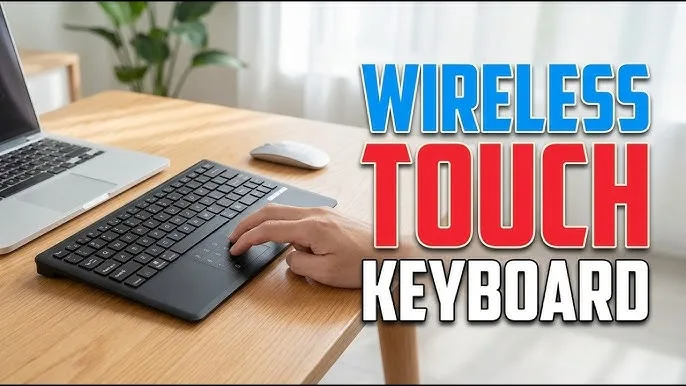
Modern laptops can connect to much more than Wi-Fi networks. Bluetooth allows you to connect wireless keyboards, mice, headphones, speakers, phones and other compatible accessories without filling your laptop bag with cables.
For Nigerian students, professionals, remote workers and business owners, Bluetooth can make a laptop setup cleaner and more convenient. Nevertheless, the laptop and accessory must support compatible Bluetooth features for everything to work properly.
What Is Bluetooth?
Bluetooth is a short-range wireless communication technology that allows compatible electronic devices to exchange data without a physical cable.
Unlike Wi-Fi, which is commonly used for internet and network connections, Bluetooth is frequently used for connecting personal accessories and nearby devices.
What Can You Connect to a Laptop With Bluetooth?
A Bluetooth-equipped laptop can connect to many types of compatible devices.
- Wireless keyboards
- Wireless mice
- Headphones
- Earbuds
- Bluetooth speakers
- Game controllers
- Smartphones
- Some printers
- Some wireless presentation devices
How to Turn On Bluetooth in Windows
On a compatible Windows laptop, open the Windows settings and look for the Bluetooth controls. You can also access Bluetooth controls through the Windows quick settings area on supported versions.
Turn Bluetooth on before attempting to pair your accessory.
How to Connect a Bluetooth Mouse
- Turn on the Bluetooth mouse.
- Put the mouse into pairing mode.
- Open Bluetooth settings on the laptop.
- Look for the mouse in the available devices.
- Select the mouse.
- Complete the pairing process if Windows requests confirmation.
Once paired, move the mouse and confirm that the pointer responds correctly.
How to Connect a Bluetooth Keyboard
The process is similar for a wireless keyboard. Turn on the keyboard, activate pairing mode and select it from the laptop’s Bluetooth device list.
After pairing, open a text document and test several keys. This is especially important if you are using a second-hand keyboard.
How to Connect Bluetooth Headphones
Put the headphones into pairing mode and then search for them through Windows Bluetooth settings.
After pairing, make sure Windows has selected the headphones as the audio output device. If the laptop continues playing sound through its built-in speakers, check the Windows sound output settings.
Bluetooth vs USB Wireless Accessories
Not every wireless keyboard or mouse uses Bluetooth. Some devices use a dedicated USB receiver.
| Feature | Bluetooth | USB Receiver |
|---|---|---|
| USB Receiver Required | No | Yes |
| USB Port Used | Normally none | One port |
| Easy to Move Between Devices | Often convenient | Depends on receiver |
| Compatibility | Requires Bluetooth support | Requires compatible USB port |
Does Every Laptop Have Bluetooth?
No. Most modern laptops include Bluetooth, but some older computers may not.
If your laptop does not have Bluetooth, a compatible USB Bluetooth adapter can add the functionality.
How to Check Whether Your Laptop Has Bluetooth
Open Windows settings and look for Bluetooth options. You can also check the laptop’s device information for a Bluetooth adapter.
If Bluetooth is missing entirely, check the manufacturer’s specifications for the exact model.
What If Bluetooth Is Not Working?
Bluetooth problems can have several causes. Start with the simplest checks.
- Make sure Bluetooth is switched on.
- Make sure the accessory has enough battery.
- Put the accessory back into pairing mode.
- Move the device closer to the laptop.
- Remove an old pairing and try again.
- Restart Bluetooth on the laptop.
- Restart the accessory.
If the problem remains, check Windows drivers and the manufacturer’s support information.
Why Does Bluetooth Keep Disconnecting?
Repeated disconnections can be caused by low battery, interference, outdated drivers, excessive distance or hardware problems.
Try moving the accessory closer to the laptop and replacing or charging its battery. If multiple Bluetooth devices experience the same problem, investigate the laptop’s Bluetooth adapter or drivers.
Does Bluetooth Work Without Internet?
Yes. Bluetooth does not require an internet connection for basic device-to-device connections.
For example, you can use a Bluetooth keyboard or mouse while your laptop is completely offline.
Does Bluetooth Consume a Lot of Battery?
Bluetooth uses power, but modern Bluetooth technology is designed to operate efficiently. The actual battery impact depends on the device and how it is being used.
If battery life is extremely important, disconnect unused Bluetooth accessories and switch Bluetooth off when you do not need it.
Can You Connect Multiple Bluetooth Devices?
Many laptops can maintain connections with multiple Bluetooth devices. However, the practical experience depends on the laptop’s Bluetooth hardware, Windows configuration and the devices being connected.
For example, you might use a Bluetooth mouse, keyboard and headphones simultaneously.
Bluetooth Problems on UK Used Laptops
If you are buying a UK used laptop, test Bluetooth before completing the purchase. Pair a compatible accessory and confirm that the connection remains stable.
Also check Wi-Fi because Bluetooth and Wi-Fi hardware are often integrated into the same wireless module on many laptops.
Should You Buy a Laptop Without Bluetooth?
For most buyers in 2026, built-in Bluetooth is a useful feature. It eliminates the need for additional USB receivers for many accessories and makes connecting wireless devices easier.
If you are considering an older laptop without Bluetooth, an inexpensive USB adapter can sometimes solve the problem. However, you should still consider the laptop’s age and other specifications before buying it.
Bluetooth for Remote Workers
Bluetooth can make a home-office setup cleaner. A wireless keyboard and mouse can reduce cable clutter, while Bluetooth headphones can provide a convenient way to attend meetings.
However, keep a wired alternative available if reliable communication is essential and your wireless accessories occasionally run out of battery.
Bluetooth for Students
Students can use Bluetooth accessories for typing, listening to lectures, attending online classes and connecting other compatible devices.
Because Bluetooth accessories are wireless, they can also make a small study area less cluttered.
How to Protect Your Bluetooth Accessories
- Keep accessories charged.
- Store small devices safely.
- Keep headphones and keyboards clean.
- Do not expose electronics to moisture.
- Remove unnecessary Bluetooth pairings when appropriate.
Related PSERO Guides
- How to Check Laptop Ports Before Buying
- How to Use a Laptop With Two Monitors
- How to Use a Laptop Docking Station
- How to Connect a Laptop to a TV
- How to Test a Used Laptop Before Buying
Shop Laptops at PSERO
Useful Official Resources
For Windows Bluetooth troubleshooting and device-connection guidance, visit Microsoft Support. You can also check the wireless specifications of laptops from HP, Dell and Lenovo.
Final Verdict
Bluetooth is one of the most useful wireless features on a modern laptop. It allows you to connect keyboards, mice, headphones, speakers and other accessories without occupying valuable USB ports.
Before buying a laptop, check whether Bluetooth is included and confirm that the wireless hardware works properly, especially when buying a UK used machine. With a compatible laptop and accessories, Bluetooth can make your workspace cleaner, more flexible and easier to use.