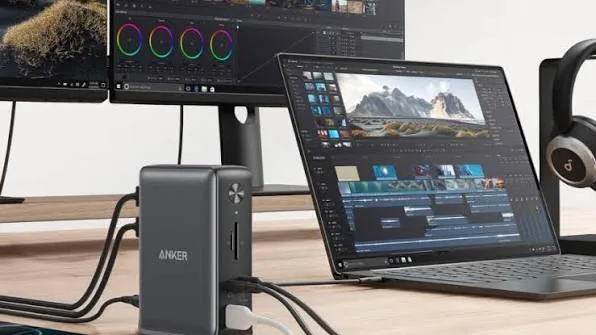
A laptop gives you portability, but connecting several accessories can quickly become inconvenient. You may need a monitor, keyboard, mouse, printer, external drive, network cable, and other devices at the same time.
A docking station can solve this problem by allowing you to connect multiple peripherals through a single connection to your laptop.
What Is a Laptop Docking Station?
A docking station is a device that expands the connectivity of a compatible laptop. Instead of connecting several accessories directly to the laptop, you can plug many of them into the dock.
You then connect the docking station to the laptop through a compatible port, often USB-C or another supported connection.
What Can You Connect to a Dock?
Depending on the model, a docking station can provide several types of ports.
- HDMI
- DisplayPort
- USB-A
- USB-C
- Ethernet
- SD card reader
- Headphone and microphone connections
Who Needs a Docking Station?
A docking station can be particularly useful for people who regularly work from a fixed location.
- Remote workers
- Programmers
- Graphic designers
- Video editors
- Business owners
- Students with desk setups
- Professionals using multiple monitors
How a Docking Station Simplifies Your Desk
Without a dock, you might connect your monitor, mouse, keyboard, printer, storage drive, and network cable separately.
With a suitable docking station, many of these devices remain connected to the dock. When you arrive at your desk, you can connect your laptop to the dock and start working.
Docking Station vs USB Hub
USB hubs and docking stations are similar, but they are not necessarily designed for the same purpose.
| Feature | USB Hub | Docking Station |
|---|---|---|
| Extra USB Ports | ✔ | ✔ |
| External Display Support | Some models | Common |
| Ethernet | Some models | Common |
| Multiple Peripherals | Limited | Designed for this |
| Desktop Workstation Setup | Basic | Better suited |
Check Your Laptop Before Buying a Dock
Not every docking station works with every laptop. Before buying one, check the ports and display capabilities of your laptop.
A USB-C port does not automatically mean that the laptop supports every feature offered by a USB-C docking station.
Check whether the laptop supports video output, data transfer, and charging through the relevant port.
Can a Dock Charge Your Laptop?
Some docking stations support power delivery. When paired with a compatible laptop and charger, they can deliver power while also handling connected peripherals.
However, the dock must provide enough power for the laptop. High-performance laptops may require more power than a basic dock can supply.
Can You Connect Two Monitors?
Some docking stations support two or more external displays. The actual number of screens and maximum resolutions depend on the dock, laptop, graphics hardware, and connection technology.
Therefore, check the specifications of both the laptop and docking station before purchasing a multi-monitor setup.
What to Look for in a Docking Station
- Compatible laptop connection
- Required display outputs
- Enough USB ports
- Ethernet support if needed
- Power delivery capability
- Supported display resolution
- Reliable build quality
Is a Docking Station Worth Buying?
If you regularly connect several devices to your laptop, a docking station can make your workspace much easier to manage.
For someone who mainly browses the internet and uses a laptop away from a desk, however, a docking station may not provide enough benefit to justify the extra cost.
Related PSERO Guides
- How to Connect Your Laptop to a TV or External Monitor
- Best Laptop Accessories Under ₦10,000
- What Laptop Specifications Matter Most?
- How to Compare Two Laptops Before Buying
- How to Test a Used Laptop Before Buying
Shop Laptops at PSERO
Useful Official Resources
For more information about connecting devices and accessories to Windows laptops, visit Microsoft Support. You can also check the port specifications of individual laptops through HP, Dell, and Lenovo.
Final Verdict
A docking station can turn a portable laptop into the centre of a convenient desktop workspace. It is particularly useful if you regularly use an external monitor, keyboard, mouse, storage devices, or wired internet.
Before buying, check compatibility carefully. The right docking station should support your laptop’s ports, displays, peripherals, and power requirements without forcing you to buy unnecessary features.