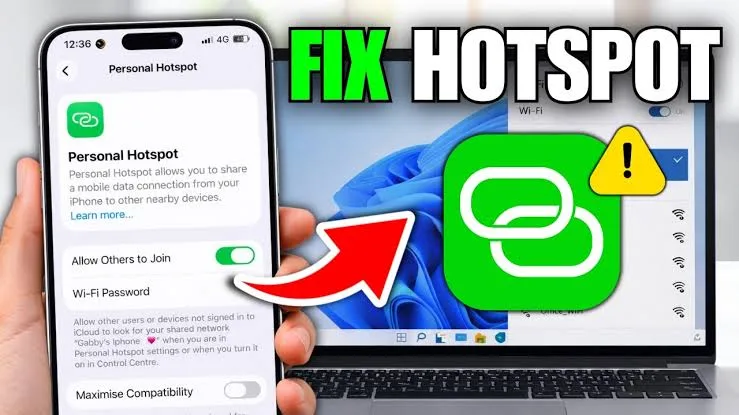

This guide explains why it happens and how to fix it step by step.
Why Your Laptop Keeps Disconnecting from Mobile Hotspots
This issue is usually not caused by one single problem. Instead, it is a combination of system settings, network strength, and power management features.
Common causes include:
- Weak mobile signal strength
- Power-saving settings on the laptop
- Outdated network drivers
- Overloaded hotspot connection
Understanding the cause helps you apply the correct solution.
Step 1: Check Your Mobile Network Strength
The first thing to verify is your mobile signal.
If your phone signal is weak, your hotspot connection will also be unstable.
Try the following:
- Move closer to a window or open area
- Switch between 4G and 3G manually
- Restart your mobile data connection
Stable signal is the foundation of a stable hotspot.
Step 2: Disable Power Saving Mode on Your Laptop
Windows laptops often disconnect Wi-Fi to save power.
To fix this:
- Go to Control Panel
- Select Power Options
- Choose High Performance Mode
This prevents the system from turning off wireless adapters automatically.
Step 3: Forget and Reconnect to the Hotspot
Sometimes saved network settings become unstable.
To refresh the connection:
- Go to Wi-Fi settings
- Select your hotspot network
- Click “Forget”
- Reconnect with password
This clears outdated configuration issues.
Step 4: Update Your Wireless Drivers
Outdated drivers are a common cause of disconnection issues.
To update:
- Open Device Manager
- Go to Network Adapters
- Right-click your Wi-Fi driver
- Select “Update Driver”
This ensures compatibility with modern mobile networks.
Step 5: Limit the Number of Connected Devices
Mobile hotspots have limited capacity.
If too many devices are connected, performance drops.
To improve stability:
- Disconnect unused devices
- Limit hotspot usage to essential devices only
This reduces network overload.
Step 6: Adjust Hotspot Frequency Band
Some laptops perform better on specific Wi-Fi bands.
If your phone supports it, switch between:
- 2.4GHz (longer range, slower speed)
- 5GHz (faster speed, shorter range)
Choose the one that gives more stability in your environment.
Step 7: Restart Both Devices
A simple restart can solve many hidden connection issues.
Turn off both:
- Your laptop
- Your mobile hotspot
Then turn them back on and reconnect.
How Nigerian Conditions Affect Hotspot Stability
In Nigeria, several environmental factors can affect connection quality.
For example:
- Network congestion during peak hours
- Power instability affecting phone performance
- Weak coverage in certain areas
These issues make troubleshooting even more important.
Best Laptop Settings for Stable Mobile Internet
To improve performance on mobile hotspots, your laptop should have:
- Updated Windows version
- Stable Wi-Fi adapter drivers
- Balanced power settings
Business-grade laptops handle connectivity better than low-end models.
Recommended Reliable Laptops for Stable Connectivity
These laptops are known for strong network performance and reliability:
Final Thoughts
Hotspot disconnection issues are common in Nigeria, but they are usually fixable without advanced tools.
By checking your network, adjusting power settings, and updating drivers, you can significantly improve stability.
A reliable laptop combined with good network habits ensures smoother online work and better productivity.
Need a Laptop That Handles Work Anywhere?
Explore trusted options here:
Pay on delivery available in Lagos
Call or WhatsApp: 08032592918