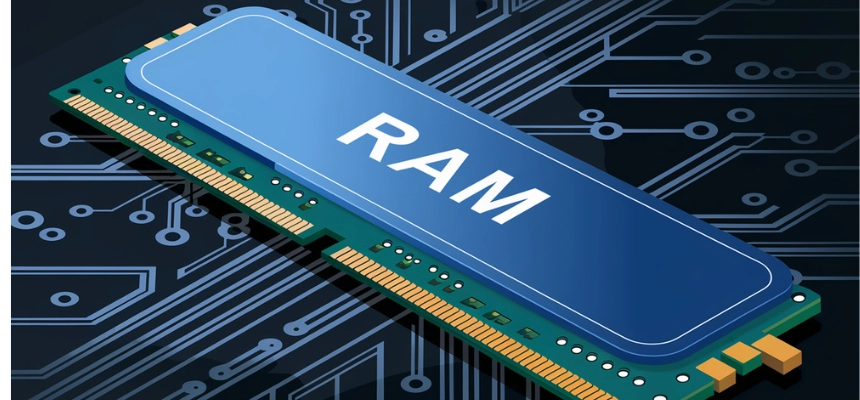
However, while upgrading RAM can boost speed, doing it incorrectly can damage your device. Therefore, if you plan to use a local repair shop, you need to take certain precautions.
This guide explains how to upgrade your laptop RAM safely in Nigeria without risking your system.
What Is RAM and Why Does It Matter?

RAM (Random Access Memory) is the component that allows your laptop to handle multiple tasks at once.
For example, when you open several browser tabs or run applications like Microsoft Word and Chrome together, your RAM handles the workload.
Therefore, low RAM leads to:
- Slow performance
- System freezing
- Difficulty multitasking
Upgrading RAM can solve these issues immediately.
Signs Your Laptop Needs a RAM Upgrade
Before visiting a repair shop, confirm that your laptop actually needs more RAM.
Common signs include:
- Your laptop hangs when opening multiple apps
- Browser tabs reload frequently
- Programs crash unexpectedly
- Boot time is very slow
If you notice these issues, a RAM upgrade is likely necessary.
Step 1: Check Your Laptop Compatibility
Not all laptops support RAM upgrades.
Therefore, you should first confirm:
- Maximum RAM capacity
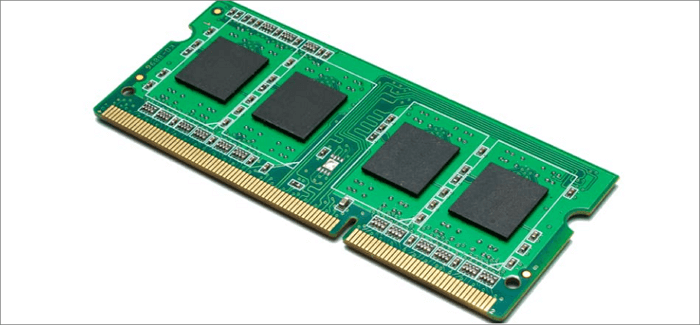
- Type of RAM (DDR3, DDR4, etc.)
- Number of RAM slots available
You can use tools like
Crucial System Scanner
to check compatibility.
Step 2: Choose the Right RAM Size
Choosing the correct RAM size depends on your usage.
- 4GB – Basic tasks only
- 8GB – Standard student use
- 16GB – Multitasking and professional work
For example, laptops like the
Lenovo IdeaPad 3
can often be upgraded for better performance.
Step 3: Find a Trusted Repair Shop
In Nigeria, many repairs are done in local markets such as Computer Village.
However, not all technicians are reliable.
To stay safe:
- Choose shops with good reputation
- Ask for recommendations
- Avoid roadside technicians
This reduces the risk of damage or fraud.
Step 4: Stay Present During the Upgrade
Never leave your laptop unattended during repair.
Instead:
- Watch the installation process
- Confirm the RAM being installed
- Ensure your original parts are not swapped
This protects your device and prevents tampering.
Step 5: Verify the Installed RAM
After installation, check that the RAM is working correctly.
You can do this by:
- Opening “System Information” on Windows
- Confirming the total RAM size
- Testing performance improvements
This step ensures you received what you paid for.
Best Laptops That Benefit from RAM Upgrades
Some laptops show significant improvement after RAM upgrades.
Examples include:
These laptops are popular in Nigeria and easy to upgrade.
Common Mistakes to Avoid
Many users make mistakes during RAM upgrades.
For example:
- Installing incompatible RAM
- Buying fake or low-quality memory
- Allowing unverified technicians to handle the device
Avoiding these mistakes will protect your laptop.
How Much Does RAM Upgrade Cost in Nigeria?
The cost depends on the RAM type and size.
On average:
- 8GB RAM: Moderate cost
- 16GB RAM: Higher cost but better performance
Prices may vary depending on location and availability.
Benefits of Upgrading Your RAM
Once upgraded, you will notice:
- Faster system performance
- Smoother multitasking
- Improved productivity
Therefore, it is one of the best upgrades you can make.
You can learn more about improving laptop performance here:
Laptop Productivity Guide.
Final Thoughts
Upgrading your laptop RAM is a smart way to improve performance without buying a new device. However, safety should always come first.
By choosing the right RAM, working with trusted technicians, and verifying the upgrade, you can avoid costly mistakes.
Ultimately, a well-upgraded laptop can serve you efficiently for years.
Need a Laptop That Supports Upgrades?
Explore reliable options here:
Pay on delivery available in Lagos
Call or WhatsApp: 08032592918