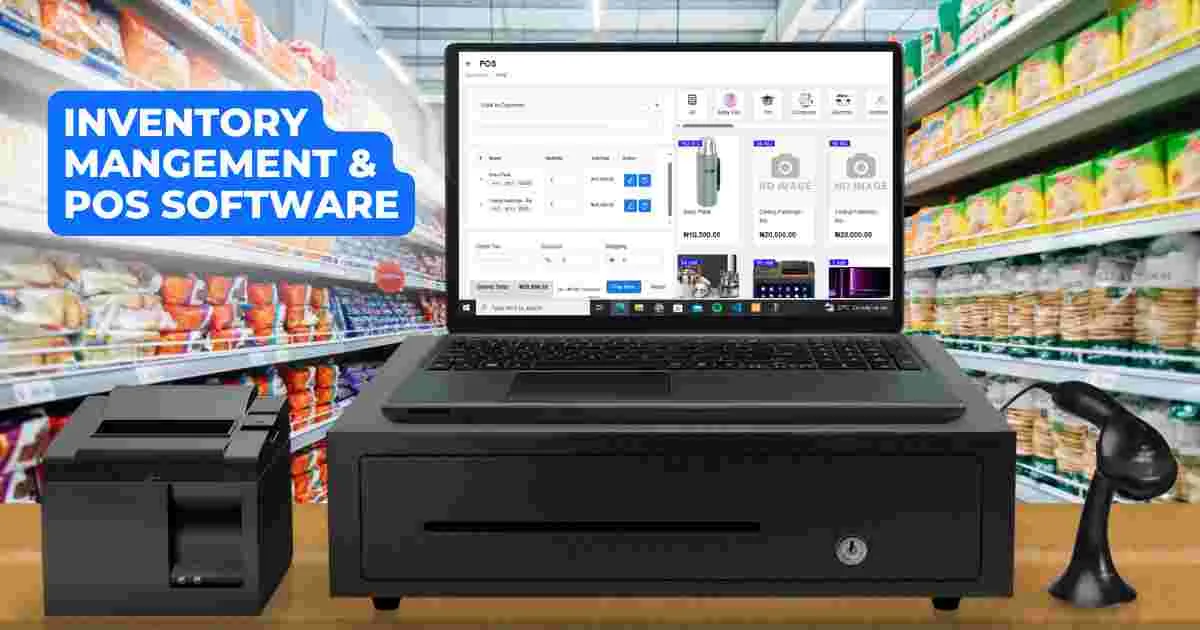
However, many business owners assume they need expensive equipment to run a Point of Sale (POS) system. The truth is different.
With the right setup, your laptop can function as a complete POS management system.
Therefore, instead of investing heavily in complex hardware, you can start with a reliable laptop and scale gradually.
What Is a POS Management System?
A POS (Point of Sale) system is a tool that helps businesses manage transactions, track sales, and monitor inventory.
Instead of writing sales in notebooks, a POS system allows you to:
- Record every transaction instantly
- Track inventory in real time
- Generate sales reports
- Monitor business performance
As a result, business owners gain better control and visibility.
Why Use a Laptop Instead of Traditional POS Machines?
Traditional POS machines can be expensive and limited in functionality. On the other hand, laptops provide flexibility and power.
Using a laptop as your POS system offers several advantages:
- Lower startup cost
- Ability to install multiple software tools
- Easier upgrades and maintenance
- Better storage and data handling
For example, business-class laptops like the
Dell Latitude 3320
are reliable for daily business operations.
Minimum Laptop Requirements for POS Use
Before setting up your system, ensure your laptop meets the necessary requirements.
- Processor: Intel Core i5 or equivalent
- RAM: 8GB minimum
- Storage: SSD (256GB or higher)
- Battery: Good battery health
These specifications ensure smooth performance, especially during busy business hours.
Reliable options like the
Lenovo IdeaPad 3
can handle POS tasks effectively.
Step-by-Step Guide to Setting Up Your Laptop as a POS System
Step 1: Install POS Software
The first step is choosing the right POS software.
Popular options include:
- Vend POS
- Loyverse POS
- Square POS (limited availability)
Many of these tools are free or offer affordable plans.
After installation, configure your business details and product list.
Step 2: Set Up Inventory
Next, input all your products into the system.
Include details such as:
- Product name
- Price
- Stock quantity
This allows the system to track inventory automatically.
Step 3: Connect External Devices
To improve efficiency, you can connect accessories such as:
- Barcode scanner
- Receipt printer
- Cash drawer
Most modern laptops support these devices via USB or Bluetooth.
Step 4: Train Staff
If you have employees, ensure they understand how to use the system.
Training should cover:
- Recording sales
- Processing payments
- Generating reports
Proper training reduces errors and improves efficiency.
Step 5: Monitor and Analyze Sales
Once your system is running, use it to track performance.
You can analyze:
- Daily sales
- Best-selling products
- Stock levels
This helps you make better business decisions.
Benefits of Using a Laptop POS System in Nigeria
Adopting a laptop-based POS system provides long-term advantages.
For example:
- Improved accuracy in transactions
- Better inventory management
- Reduced losses and theft
- Faster customer service
Additionally, durable laptops like the
HP EliteBook 830 G6
can handle continuous business use without issues.
Common Mistakes to Avoid
While setting up a POS system, some mistakes can reduce efficiency.
Common errors include:
- Using low-spec laptops
- Ignoring data backups
- Not updating inventory regularly
- Skipping staff training
Although budget options like
this HP 14 Celeron model
may be affordable, they may struggle under heavy business use.
Why SSD Storage Is Critical for POS Systems
Speed is essential in a business environment.
SSD storage ensures:
- Fast software loading
- Quick transaction processing
- Smooth multitasking
Without SSD, delays can frustrate both staff and customers.
Backup and Data Security Tips
Your business data is valuable. Therefore, protecting it is important.
Best practices include:
- Backing up data regularly
- Using cloud storage
- Setting strong passwords
This reduces the risk of data loss.
Scaling Your POS System
As your business grows, your system can expand.
You can:
- Add more devices
- Upgrade your laptop
- Integrate online sales
For example, upgrading to systems like the
Lenovo ThinkPad L13 Gen 3
can improve performance for larger operations.
Final Thoughts
Using your laptop as a POS management system is a smart and cost-effective solution for small businesses in Nigeria.
Instead of spending heavily on specialized machines, you can start with a reliable laptop and grow your system over time.
With proper setup and management, your laptop can handle sales, inventory, and reporting efficiently.
Ultimately, this approach helps you run your business more professionally and profitably.
Upgrade Your Business Setup Today
Explore reliable laptops here:
Pay on delivery available in Lagos
Call or WhatsApp: 08032592918