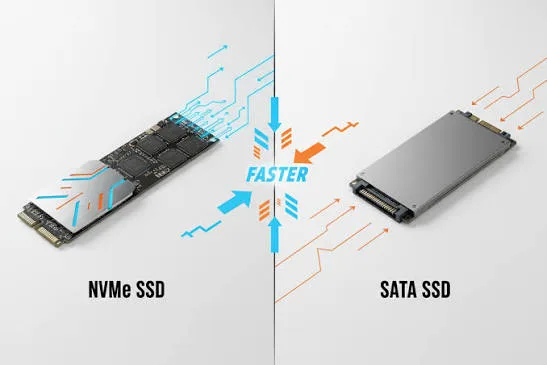
When buying a laptop, many people pay attention to the processor and RAM. However, the type of storage also has a major impact on speed and overall performance. Today, most modern laptops use either a SATA SSD or an NVMe SSD.
Although both are much faster than traditional hard drives, they differ in speed, technology, and price. Understanding these differences will help you choose the right laptop for your needs.
What Is an SSD?
A Solid State Drive (SSD) stores your operating system, applications, and personal files. Unlike traditional hard drives, SSDs have no moving parts, making them faster, quieter, and more reliable.
As a result, laptops with SSD storage start up quickly, open applications faster, and provide a smoother user experience.
What Is a SATA SSD?
A SATA SSD uses the same SATA interface originally designed for hard drives. It offers a significant speed improvement over HDDs and remains common in many budget and business laptops.
For most everyday users, a SATA SSD provides excellent performance for web browsing, office work, online classes, and entertainment.
Advantages of SATA SSD
- Much faster than HDDs
- Affordable pricing
- Reliable performance
- Low power consumption
- Compatible with many laptops
What Is an NVMe SSD?
An NVMe SSD uses the PCI Express (PCIe) interface instead of SATA. This newer technology allows much higher data transfer speeds and lower latency.
Consequently, laptops with NVMe SSDs boot faster, copy large files more quickly, and handle demanding workloads with greater efficiency.
Advantages of NVMe SSD
- Extremely fast performance
- Quick boot times
- Faster application loading
- Excellent for video editing and gaming
- Designed for modern laptops
NVMe SSD vs SATA SSD Comparison
| Feature | SATA SSD | NVMe SSD |
|---|---|---|
| Speed | Fast | Much Faster |
| Boot Time | Quick | Very Quick |
| Application Loading | Good | Excellent |
| Price | Lower | Higher |
| Best For | Everyday users | Power users and professionals |
Will You Notice the Difference?
For basic activities such as browsing the internet, watching videos, and using Microsoft Office, both storage types perform well.
However, professionals who edit videos, transfer large files, run virtual machines, or play modern games will usually notice the higher speed of an NVMe SSD.
Which SSD Is Better for Students?
Students can comfortably use either SATA SSD or NVMe SSD laptops. Even an affordable SATA SSD provides a major improvement over an older hard drive.
Nevertheless, if your budget allows, choosing an NVMe SSD offers better long-term value and faster overall performance.
Can You Upgrade Later?
Many laptops allow storage upgrades, but upgrade options vary by model. Before purchasing, check whether the laptop supports additional SSD slots or storage replacement.
It is also important to confirm whether the laptop accepts SATA drives, NVMe drives, or both.
Recommended Storage Capacity
| User Type | Recommended SSD |
|---|---|
| Students | 256GB SSD |
| Office Workers | 256GB or 512GB SSD |
| Business Owners | 512GB SSD |
| Content Creators | 1TB NVMe SSD |
| Gamers | 1TB NVMe SSD |
Things to Check Before Buying
- Confirm whether the laptop uses SATA or NVMe storage.
- Choose enough storage for your files.
- Check if storage upgrades are possible.
- Compare storage alongside RAM and processor performance.
- Buy from a trusted laptop seller.
Useful Official Resources
You can learn more about SSD technologies from trusted manufacturers such as Samsung SSD, Crucial, and Western Digital.
Final Verdict
Both SATA SSDs and NVMe SSDs deliver excellent performance compared to traditional hard drives. For most users, a SATA SSD provides enough speed for everyday tasks at a lower price.
However, if you want the fastest possible laptop for gaming, content creation, or professional work, investing in an NVMe SSD is the better choice. It offers higher performance today and better value for the future.