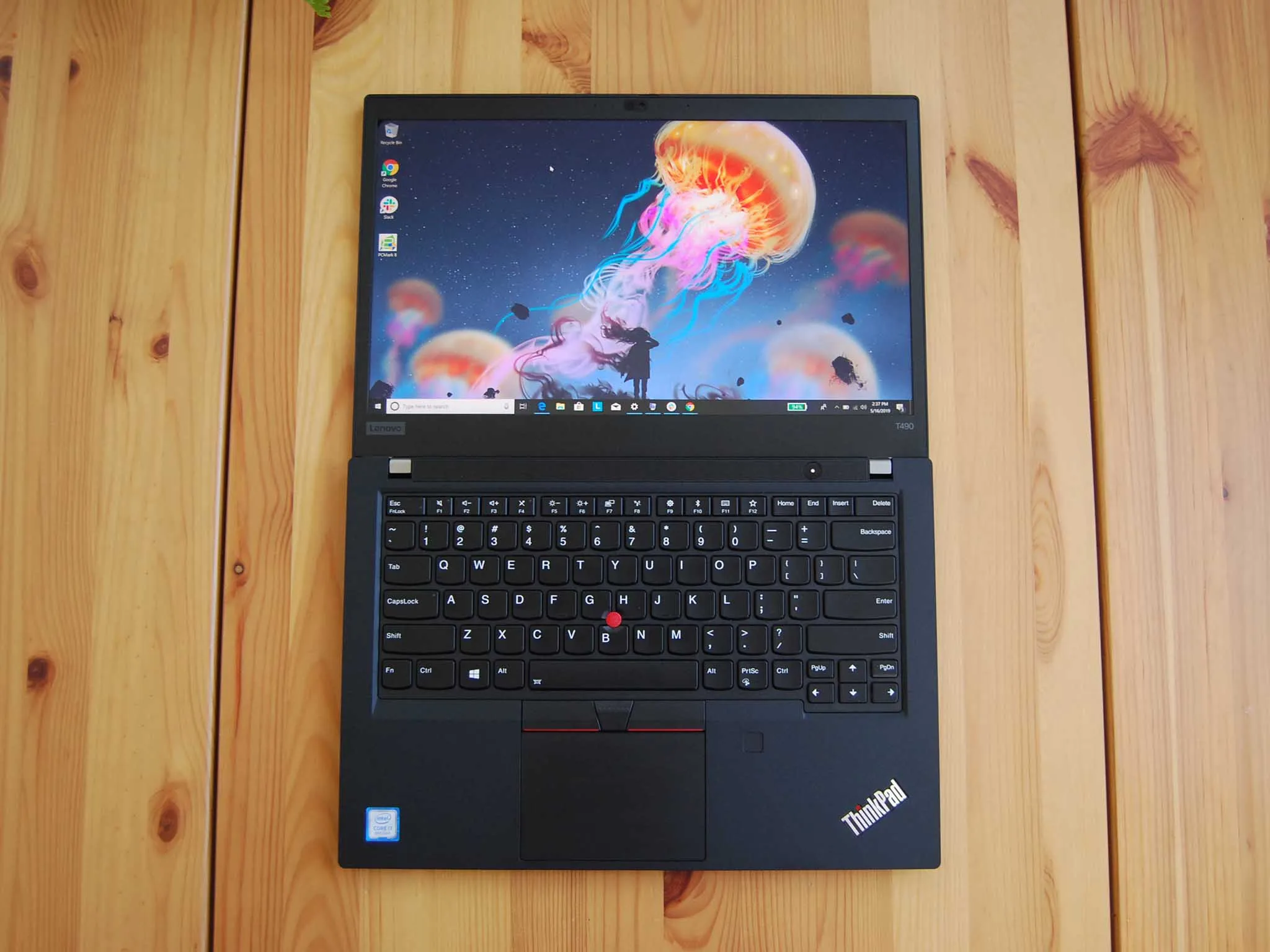
The Lenovo ThinkPad T490 is one of the most versatile business laptops in the ThinkPad lineup. For software developers, what matters most are performance, keyboard comfort, battery life, build quality, and reliability — and the T490 delivers in each of these areas.
In this review, we’ll look at how well the T490 handles common developer workflows, including coding, virtualization, container work, and multitasking.

Overview: What the ThinkPad T490 Is
The ThinkPad T490 is a 14-inch business laptop designed for professionals who need strong performance in a portable package. It sits between the compact X series and the larger P series in Lenovo’s lineup, striking a balance between mobility and power.
Developers often choose it for its:
-
Excellent keyboard
-
Solid performance
-
Long battery life
-
Durable build
Build Quality and Portability
Right out of the box, the ThinkPad T490 feels solid and professional.
What it offers:
-
Robust, matte finish chassis
-
Minimal flex on keyboard deck
-
Lightweight design (about 1.5 kg)
For developers who move between co-working spaces, offices, or classrooms, the portability and durability are major advantages.
Keyboard and Trackpad – Comfortable for Long Coding Sessions
Coders spend hours typing, so keyboard quality matters more than most buyers realize. The T490 provides:
-
Great key travel and feedback
-
Comfortable layout for code and commands
-
Precision TrackPoint and trackpad for accurate navigation
This makes writing code, navigating IDE interfaces, and jumping between lines feel fluid and natural — even during long sessions.
Performance – Everyday Development Workflows
The T490 can be configured with:
-
Intel Core i5 or i7 (8th–10th gen)
-
8GB to 32GB RAM
-
SSD storage (256GB–1TB)
These specs determine how well it performs for development work.
Typical Developer Tasks Handled Well
-
Multiple IDEs (VS Code, IntelliJ, Android Studio)
-
Docker and container workflows
-
Local servers and virtual machines
-
Web development with Chrome + many tabs
-
Git operations, builds, and scripts
With 16GB RAM and SSD storage, the T490 becomes capable of handling heavy multitasking and large codebases without frequent slowdowns.
Battery Life – Work Longer Without Charging
Developers often work in cafes, libraries, or meetings where charging isn’t always convenient.
Real-world battery expectations:
-
Light development + browsing: 6–8 hours
-
Mixed coding + virtual machines: 4–6 hours
-
Heavy multitasking: 3–5 hours
This level of endurance makes the T490 suitable for remote work days or long coding sessions without being tethered to a power outlet.
Display – Clear and Comfortable for Reading Code
The ThinkPad T490 typically has a 14-inch Full HD (1920×1080) IPS display.
Why this matters for developers:
-
Sharp text for reading and writing code
-
Comfortable screen real estate for IDE panels
-
Brightness good enough for indoor work
While not a touchscreen or ultra-high resolution, the display complements day-to-day development work without straining your eyes.
Ports and Connectivity – Developer Friendly
Developers often connect external monitors, USB drives, peripherals, and debug tools. The T490’s port selection includes:
-
USB-C / Thunderbolt 3
-
USB-A ports
-
HDMI
-
Audio jack
-
Ethernet (via adapter in some configs)
This flexibility supports multi-monitor setups, fast data transfer, and wired networking — which many developers prefer for stable builds and remote connections.
Security and Reliability – Business-Grade Features
As a professional laptop, the T490 includes business-oriented security options:
-
Fingerprint reader (on some models)
-
TPM chip for secure key storage
-
Trusted Platform features
These improve data safety — particularly important if you handle sensitive code, infrastructure credentials, or client work.
Pros and Cons for Developers
Pros
-
Excellent keyboard — ideal for typing code
-
Strong performance with SSD and higher RAM
-
Long battery life for remote work
-
Durable design built for frequent use
-
Flexible connectivity for peripherals and monitors
Cons
-
Not designed for heavy 3D graphics or gaming
-
Display lacks touch or high resolution in base models
-
Premium configs can be pricier
Recommended Configurations for Developers
Depending on your workflow:
Basic Developer Setup
-
Intel Core i5
-
8GB RAM
-
256GB SSD
-
Great for web development and scripting
Professional Developer Setup
-
Intel Core i7
-
16GB RAM
-
512GB SSD
-
Ideal for IDEs, Docker, virtual machines
Power User / Multi-VM Setup
-
Intel Core i7
-
32GB RAM
-
1TB SSD
-
For large codebases, heavy containers, and parallel workloads
How It Compares With Alternatives
| Feature | ThinkPad T490 | Typical Budget Laptop |
|---|---|---|
| Keyboard | Excellent | Often average |
| Battery | Strong | Varies |
| Performance | Reliable | Often weaker |
| Ports | Flexible | Often limited |
| Build Quality | Durable | Often average |
For professional tasks and development workflows, the T490 often feels more reliable and productive than many consumer laptops in the same price bracket.
Final Thoughts
The Lenovo ThinkPad T490 is one of the best business laptops with a strong developer-friendly profile. Its combination of performance, battery life, keyboard comfort, and connectivity makes it ideal for:
-
Students learning programming
-
Remote developers
-
Freelancers handling complex workflows
-
Professional software engineers on the go
If you want help finding a tested ThinkPad T490 with verified specs and delivery options in Nigeria, you can explore listings here:
https://psero.com