This guide explains practical ways to improve your laptop’s Wi-Fi signal and achieve more stable internet performance.
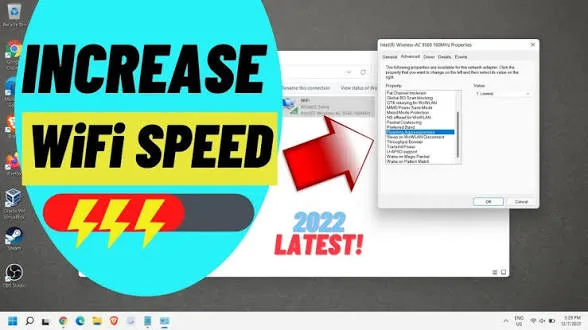
Why Wi-Fi Signals Are Weak in Many Nigerian Locations
Before fixing the problem, it is important to understand the causes.
Common reasons include:
- Distance from the router or hotspot
- Physical obstacles like walls and buildings
- Network congestion from multiple users
- Low-quality network adapters in some laptops
These factors reduce signal strength and stability
Step 1: Reposition Yourself Closer to the Source
The simplest way to improve signal strength is to reduce distance.
Try to:
- Move closer to your router or hotspot device
- Avoid corners or enclosed spaces
- Work in open areas when possible
This can instantly improve connection quality.
Step 2: Reduce Physical Obstructions
Walls, metal objects, and furniture can block Wi-Fi signals.
To improve performance:
- Avoid placing your laptop behind thick walls
- Keep routers elevated and in open positions
- Minimize obstacles between you and the signal source
Clear paths improve signal transmission.
Step 3: Switch Between 2.4GHz and 5GHz Bands
Modern routers and hotspots support different frequency bands.
- 2.4GHz: Longer range but slower speed
- 5GHz: Faster speed but shorter range
Choose the band that works best for your environment.
Step 4: Update Your Laptop’s Network Drivers
Outdated drivers can limit Wi-Fi performance.
To update:
- Open Device Manager
- Select Network Adapters
- Update your Wi-Fi driver
This ensures your laptop works efficiently with modern networks.
Step 5: Limit Background Internet Usage
Sometimes the issue is not the signal but how your laptop uses it.
To improve performance:
- Close unused apps using the internet
- Pause downloads and updates
- Disable unnecessary background processes
This frees up bandwidth for important tasks.
Step 6: Use a Wi-Fi Range Extender or Repeater
If you frequently experience weak signals, consider additional hardware.
A Wi-Fi extender:
- Boosts signal coverage
- Improves connectivity in larger spaces
This is useful for homes and offices.
Step 7: Use a USB Wi-Fi Adapter
Some laptops have weak built-in network cards.
A USB Wi-Fi adapter can:
- Provide stronger signal reception
- Improve connection stability
This is a cost-effective upgrade.
How Nigerian Conditions Affect Wi-Fi Performance
Local conditions can impact signal strength.
For example:
- Network congestion in urban areas
- Interference from nearby devices
- Power fluctuations affecting routers
Understanding these factors helps you adapt your setup.
Best Laptop Features for Strong Wi-Fi Connectivity
Some laptops perform better than others when it comes to connectivity.
Look for:
- Modern Wi-Fi standards (Wi-Fi 5 or Wi-Fi 6)
- Reliable network adapters
- Stable system performance
Business-grade laptops usually offer better connectivity.
Recommended Laptops for Better Network Performance
These laptops are known for stable connectivity:
Final Thoughts
Weak Wi-Fi signals are a common challenge, but they are not impossible to fix.
By adjusting your environment, updating your system, and using the right tools, you can significantly improve your internet experience.
A stable connection is essential for productivity, especially in today’s digital world.
Need a Laptop That Performs Well Anywhere?
Explore trusted options here:
Pay on delivery available in Lagos
Call or WhatsApp: 08032592918