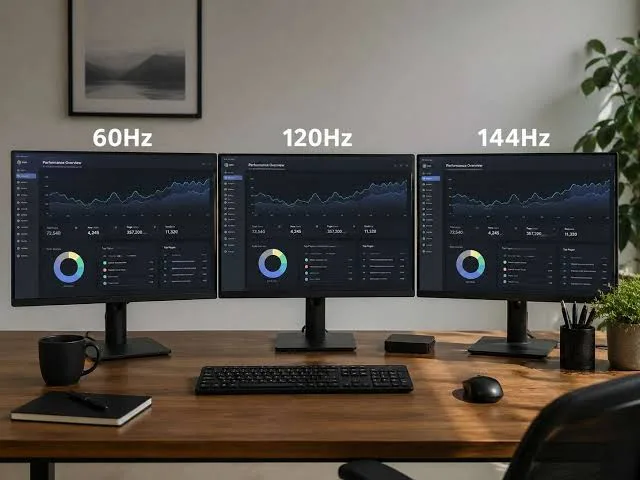
When buying a laptop, you may notice specifications such as 60Hz, 90Hz, 120Hz, or even higher refresh rates. However, many buyers focus so much on the processor and RAM that they overlook what the refresh rate actually means.
Your laptop’s refresh rate affects how smoothly movement appears on the screen. The right choice depends on whether you mainly study, work, watch videos, play games, or perform creative tasks.
What Does Refresh Rate Mean?
Refresh rate refers to how many times the display updates its image every second. It is measured in hertz, abbreviated as Hz.
A 60Hz display refreshes 60 times per second, while a 120Hz display can refresh 120 times per second.
Is 60Hz Still Good in 2026?
Yes. A 60Hz screen remains suitable for many everyday laptop tasks.
- Microsoft Office
- Web browsing
- Online classes
- Research
- Accounting
- General business work
If these activities make up most of your laptop use, you do not necessarily need a high-refresh-rate display.
What Does 120Hz Feel Like?
A 120Hz display can make scrolling, animations, and supported games appear smoother. The difference can be particularly noticeable when you move windows quickly or scroll through long webpages.
However, a higher refresh rate does not automatically make the entire laptop faster. Your processor, graphics hardware, RAM, and software still determine overall performance.
60Hz vs 90Hz vs 120Hz
| Refresh Rate | Best For |
|---|---|
| 60Hz | Students, office work, browsing and everyday tasks |
| 90Hz | Users who want smoother scrolling without going very high |
| 120Hz | Gaming, smooth navigation and multimedia |
| 144Hz+ | Gaming and other applications where high refresh rates matter |
Does Refresh Rate Affect Gaming?
Yes, particularly when the laptop’s graphics hardware can produce enough frames per second to take advantage of the display.
A gaming laptop with a powerful GPU can benefit more from a 120Hz or higher panel than a basic laptop designed for office work.
Does a Higher Refresh Rate Use More Battery?
It can. A display running at a higher refresh rate may consume more power than the same panel operating at a lower rate.
Battery impact varies by laptop, display technology, brightness, software, and other hardware. Some laptops allow you to lower the refresh rate when you want to extend battery life.
What Refresh Rate Should Nigerian Students Buy?
Students who mainly use Microsoft Word, research websites, online learning platforms, spreadsheets, and presentations can comfortably choose a 60Hz laptop.
If your budget allows and you value smoother scrolling, a higher refresh rate can be a useful extra feature. Nevertheless, it should not come at the expense of essential specifications such as adequate RAM and SSD storage.
What About Business Users?
Business users generally do not need to prioritise refresh rate. A reliable laptop with a good keyboard, comfortable display, sufficient RAM, and an SSD may provide greater value.
What About Gamers?
Gamers should pay closer attention to refresh rate. A high-refresh-rate display can provide smoother motion when the laptop’s hardware can produce sufficient frame rates.
However, you should compare the GPU and CPU alongside the display. A 144Hz screen paired with weak graphics hardware may not provide the gaming experience you expect.
Other Display Specifications Matter Too
Refresh rate is only one part of display quality. Before buying a laptop, also consider:
- Screen resolution
- Panel type
- Brightness
- Colour accuracy
- Screen size
- Viewing angles
- Matte or glossy finish
Should You Pay More for 120Hz?
It depends on your priorities. If you mainly perform basic tasks, spending significantly more just to obtain a higher refresh rate may not be worthwhile.
On the other hand, gamers and users who strongly prefer smoother motion may find the upgrade useful.
Related PSERO Guides
- 13-inch vs 14-inch vs 15.6-inch Laptops
- How to Connect Your Laptop to a TV or External Monitor
- How to Choose the Right Laptop for Your Budget
- What Laptop Specifications Matter Most?
- Gaming Laptop vs Regular Laptop
Shop Laptops at PSERO
Useful Official Resources
For more information about laptop display technologies, check the specifications provided by manufacturers such as HP, Dell, Lenovo, and ASUS.
Final Verdict
A 60Hz display remains perfectly capable for everyday laptop use in 2026. Higher refresh rates such as 90Hz and 120Hz can provide smoother movement, but they are not essential for everyone.
Choose your refresh rate according to how you use your laptop. For most students and professionals, other specifications may deserve priority. Gamers and users who value smooth motion, however, can benefit from a higher-refresh-rate display.