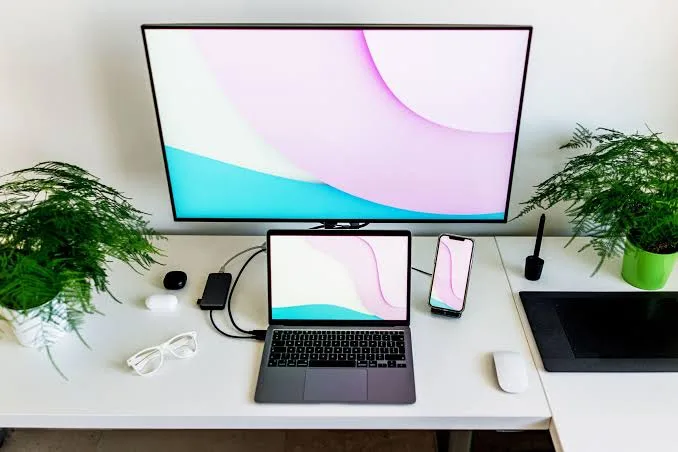
Many people have an old laptop sitting unused at home while their main computer needs more screen space. Instead of buying another monitor immediately, you may be wondering whether that spare laptop can become a second screen.
The answer depends on the laptop, the software and the connection method. Although a laptop’s HDMI port usually cannot simply receive video from another computer, there are other ways to use a laptop as an additional display.

Can You Use a Laptop as a Monitor?
Yes, but not usually by connecting an HDMI cable between two laptops.
Most laptop HDMI ports are designed to send video out to another display. They are not designed to receive video from another computer.
Consequently, connecting the HDMI output of one laptop directly to the HDMI port of another laptop normally will not turn the second laptop into a monitor.
Why Doesn’t HDMI Between Two Laptops Usually Work?
HDMI connections have a source and a display destination. A typical laptop HDMI port functions as the source.
A normal monitor or television has an HDMI input that receives the signal. Most laptops do not have an HDMI input, which is why the simple cable connection does not work as expected.
Method 1: Use Windows Wireless Display
Compatible Windows laptops can sometimes be used as wireless displays through Windows’ built-in wireless projection features.
The exact options available depend on the Windows version, wireless hardware and configuration of the computers involved.
When supported, this can allow your main computer to project or extend its display to another compatible laptop without running a physical video cable between them.
How to Check Wireless Display Support
On the laptop you want to use as the second screen, check Windows settings for wireless display or projection features.
If the required feature is available, configure the laptop to allow projection. Then use the projection options on the main computer to search for the available wireless display.
Because wireless display relies on network and hardware compatibility, the experience can vary between systems.
Method 2: Use Third-Party Display Software
Some applications can turn a laptop, tablet or other computer into an additional display over a network connection.
These solutions can be useful when Windows’ built-in features are unavailable. However, software compatibility, latency, image quality and security should be considered before choosing one.
Method 3: Use a Capture Device
A video capture device can receive HDMI output from one computer and make the video available to another computer through USB.
However, this method is different from having a native monitor input. The captured image is generally viewed through software, so there can be additional latency.
For ordinary monitoring or demonstrations, this may be acceptable. For fast-paced gaming, it may not provide the experience you expect.
Can You Use an Old Laptop as a Second Screen?
Yes, an older laptop can potentially be useful as a secondary display if its hardware and software support the chosen method.
In fact, this can be a practical way to give an unused laptop a second life instead of immediately replacing it.
Why Use a Laptop as a Second Screen?
Additional screen space can make multitasking easier.
- Keep email open on one screen
- Research information on another screen
- Monitor messages while working
- Keep a reference document visible
- Watch a tutorial while following along
- Monitor business dashboards
Is a Laptop Second Screen as Good as a Monitor?
Not necessarily.
A dedicated monitor is designed specifically to receive video signals and may provide better image quality, responsiveness and reliability for a permanent workstation.
Nevertheless, using a spare laptop can be an inexpensive temporary solution when you already own the hardware.
What About Gaming?
Using another laptop as a second display for gaming can introduce latency, particularly when the image is transmitted wirelessly or through capture software.
For competitive gaming, a dedicated monitor connected directly to the gaming computer is generally the better choice.
What About Office Work?
For documents, email, research and spreadsheets, a secondary laptop display can be useful if the connection is responsive enough.
Since these activities do not normally require extremely low latency, a wireless or software-based solution may be perfectly adequate.
Can You Extend the Desktop Instead of Duplicating It?
Yes, when the chosen display method supports extended desktop functionality.
Extending the desktop gives you separate workspace rather than showing exactly the same image on both computers.
For example, you could keep your browser on the main screen while moving a spreadsheet or messaging application to the second display.
Things That Can Affect Performance
- Wi-Fi speed and stability
- Computer processing power
- Graphics hardware
- Display resolution
- Network congestion
- Wireless interference
- Third-party software
A strong and stable connection can make wireless display solutions feel much more responsive.
Can You Use a USB Cable?
A normal USB cable does not automatically turn a laptop into a monitor. The computers need compatible software or hardware that supports the required display functionality.
Therefore, do not purchase a random USB-to-USB cable expecting it to create a second display.
What If the Laptop Has HDMI?
Having an HDMI port does not necessarily mean the laptop can receive video.
Check whether the port is labelled or documented as an HDMI input. On most conventional laptops, the HDMI connection is an output.
What Should You Do If You Need a Reliable Second Screen?
If you need a permanent two-screen workstation, purchasing a dedicated monitor may be the simpler solution.
A monitor eliminates many of the compatibility issues associated with wireless display software and laptop-to-laptop connections.
Using a UK Used Laptop as a Secondary Display
A UK used laptop can still be useful as a secondary display if it supports a compatible software or wireless solution.
Before buying an older laptop specifically for this purpose, check its Wi-Fi capability, Windows compatibility, display resolution and overall condition.
Power Considerations in Nigeria
Using two computers means you may be powering two devices rather than one. If you are using an old laptop as a secondary display, remember that it still consumes electricity.
During frequent power interruptions, this additional load matters when calculating the capacity required from an inverter, UPS or other backup power system.
Related PSERO Guides
- How to Use a Laptop With Two Monitors
- How to Connect a Laptop to a TV
- How to Use a Laptop Docking Station
- How to Use a Laptop With a Projector
- How to Check Laptop Ports Before Buying
Shop Laptops at PSERO
Useful Official Resources
For Windows projection and wireless display guidance, visit Microsoft Support. You can also check the exact display and connectivity specifications of laptops from HP, Dell and Lenovo.
Final Verdict
You can sometimes use a laptop as a second screen, but an HDMI cable between two ordinary laptops is usually not enough. Wireless projection, compatible display software or a capture device can provide alternative solutions.
If you already have an unused laptop, experimenting with a compatible wireless or software-based method can be worthwhile. However, for a reliable permanent workstation, a dedicated external monitor is usually the cleaner and more dependable option.