That is where the built-in microphone becomes important. Students use it for online classes, freelancers depend on it for meetings, and remote workers may spend several hours each week speaking through their laptop.
Unfortunately, microphone quality is rarely given the same attention as the processor, RAM or SSD.
The good news is that you can understand and test laptop microphones without being an audio engineer.
Where Is the Microphone on a Laptop?
Most laptops have one or more tiny microphone openings somewhere around the display or keyboard area.
On many modern laptops, the microphones are positioned near the webcam. Some models use multiple microphones instead of a single microphone.
The exact location varies by manufacturer and model.
That placement matters because the microphones need to capture your voice while reducing unwanted sounds from the keyboard, cooling system and surrounding environment.
What Is a Microphone Array?
A microphone array uses multiple microphones rather than relying on one microphone alone.
Software can compare the signals captured by those microphones and use them to improve voice pickup or reduce certain types of background noise.
This approach is common on laptops designed for video conferencing and remote work.
Having multiple microphones does not automatically guarantee excellent sound, though. The microphone hardware, placement, software processing and surrounding environment all matter.
Why Do Some Laptops Sound Better on Video Calls?
Several factors influence microphone quality.
- Microphone hardware
- Number of microphones
- Microphone placement
- Noise-reduction processing
- Driver and operating-system settings
- Distance between your mouth and the laptop
- Room acoustics
A laptop with basic microphones can still sound acceptable in a quiet room. Move the same machine into a noisy environment, however, and its limitations may become much more obvious.
What Is Noise Cancellation?
Noise cancellation in laptop microphones generally refers to processing designed to reduce unwanted background sounds while preserving speech.
Depending on the laptop, this may involve the microphone hardware, audio drivers or software-based processing.
Some systems can reduce keyboard noise, fan noise and other continuous background sounds. Results vary considerably between implementations.
That is why you should test the microphone instead of choosing a laptop simply because its specifications mention “AI noise cancellation” or a similar feature.

AI Noise Reduction: Is It Really Useful?
Modern laptops increasingly use software-based processing to improve voice communication.
These systems can attempt to distinguish human speech from background sounds. In the right situation, the improvement can be noticeable.
However, aggressive noise processing can sometimes affect the natural character of a person’s voice.
For ordinary meetings and classes, the most important question is simple: can the other person hear you clearly?
How to Test a Laptop Microphone Before Buying
Do not assume the microphone works just because Windows detects it.
Testing the actual recording is much more useful.
Quick microphone test
- Open Windows sound settings.
- Select the laptop’s built-in microphone.
- Check that the input level responds when you speak.
- Record a short voice clip.
- Play the recording through headphones.
- Listen for distortion, buzzing or very low volume.
- Test again while sitting at a normal working distance.
For a used laptop, this test can reveal problems that specifications will never show.
It is also worth testing the microphone inside an actual communication application because different software can apply its own audio processing.
What Does a Bad Laptop Microphone Sound Like?
Several symptoms can indicate a microphone problem.
- Your voice sounds extremely quiet.
- The recording contains constant buzzing.
- Your voice sounds distorted.
- There are frequent interruptions.
- Background noise overwhelms your voice.
- The microphone works intermittently.
- Other people cannot hear you clearly during calls.
Keep in mind that poor sound does not always mean the microphone is defective. Windows input settings or the conferencing application may be responsible.
Why Is My Laptop Microphone So Quiet?
Low microphone volume can have several causes.
First, check the input volume in Windows. Some applications also have separate microphone controls.
Next, make sure the correct microphone is selected. A laptop may have an internal microphone, a headset microphone and other available input devices.
Driver problems can also affect microphone performance.
If the microphone remains extremely quiet across multiple applications after the settings are checked, hardware may need further investigation.
Why Does My Microphone Pick Up the Laptop Fan?
Cooling fans generate continuous background noise, and some microphones are more effective than others at reducing it.
Microphone placement also matters. A microphone located close to a noisy ventilation area may capture more fan sound.
Software noise reduction can help, but it should not be expected to eliminate every sound.
If you regularly work in a noisy environment, a headset with a dedicated microphone may provide a more consistent result than relying on the built-in microphone.
Built-In Microphone vs External Microphone
| Feature | Built-in microphone | External microphone |
|---|---|---|
| Convenience | Excellent | Requires an additional device |
| Portability | Excellent | Varies |
| Typical voice quality | Good to basic | Can be much better |
| Background noise control | Depends on laptop | Depends on microphone |
| Best for | Classes, meetings and casual calls | Recording, podcasting and professional communication |
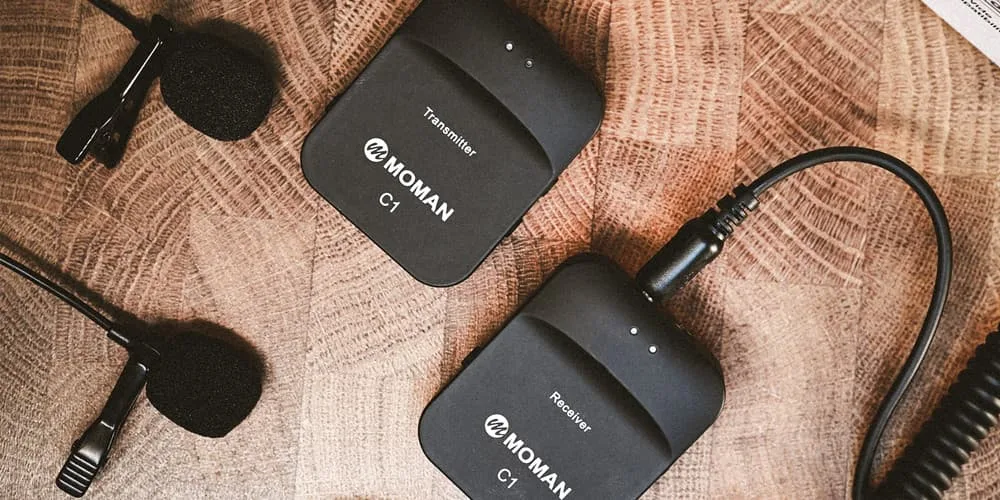
For ordinary meetings, a good built-in microphone may be enough. Content creators and people recording professional audio should consider dedicated equipment.
Can Headphones Improve Your Microphone Quality?
Yes, particularly when the headphones include a reasonably good microphone.
A headset can also reduce the amount of speaker audio that gets picked up by the microphone.
For online meetings, this can make conversations easier to understand because your microphone does not have to deal with the laptop’s speakers playing the other person.
Why Does the Microphone Work in Zoom but Not in Chrome?
Different applications can have different microphone permissions.
Windows also has privacy controls that determine whether applications can access the microphone.
When a microphone works in one application but not another, check the application’s selected input device and microphone permissions before assuming the hardware has failed.
Microsoft provides Windows support resources covering sound and device troubleshooting:
Microphone Testing for Used Laptops in Nigeria
Microphone testing is especially useful when buying a used business laptop.
Many buyers concentrate on the screen, keyboard, SSD and battery while forgetting that the webcam and microphone are also part of the communication system.
Take a short recording before completing the purchase. Speak normally rather than shouting directly into the microphone.
Listen with headphones if possible. That makes low-level buzzing and distortion easier to notice.
For a complete used-laptop inspection, combine the microphone test with the other checks in our UK-used laptop buying checklist.
Microphones for Students
Students attending online classes need clear communication more than studio-quality recording.
A decent built-in microphone can be enough for lectures, group discussions and ordinary video calls.
However, students studying music, broadcasting, journalism or content production may benefit from a dedicated microphone.
Online learning also places importance on the entire communication package. Our laptop guide for online classes in Lagos covers other features that matter for remote learning.
Microphones for Freelancers and Remote Workers
Freelancers often communicate with clients through video calls, voice calls and online collaboration platforms.
Clear speech can make a basic laptop feel much more professional during meetings.
For people working from home, microphone performance becomes even more important when the environment contains traffic, generators, fans, conversations or other background sounds.
Our business and freelancing laptop guide can also help when comparing laptops for professional work.
Can a Faulty Microphone Be Repaired?
Sometimes.
Depending on the laptop design, the microphone may be integrated into a webcam module, display assembly or another internal component.
A technician needs to identify the exact cause before deciding whether repair or replacement makes sense.
Software problems should be ruled out first. Reinstalling drivers or correcting microphone permissions can sometimes restore a perfectly healthy microphone.
What Should You Look for When Buying a Laptop?
Do not focus only on phrases such as “dual microphone” or “AI audio.”
Instead, consider how you actually communicate.
- Check whether the laptop has multiple microphones.
- Look for microphone noise-reduction features.
- Test the microphone yourself where possible.
- Check Windows microphone permissions.
- Listen for buzzing or distortion.
- Test the microphone from a normal sitting position.
- Consider headset support if you work in noisy environments.
For people learning technology skills, the laptop’s microphone is only one part of the overall experience. Our guide to laptops for learning tech skills in Nigeria covers other practical features.
Bottom Line
A laptop microphone does not need to produce studio-quality audio to be useful.
For online classes, meetings and remote work, clear speech and reliable performance are what matter most.
Multiple microphones and software noise reduction can improve the experience, but specifications alone cannot tell you how good a laptop will sound.
When buying a used laptop, record your voice before paying. Check the microphone, listen for distortion and test it with the applications you expect to use.
A few minutes of testing can prevent weeks of frustrating calls where everyone keeps asking, “Can you hear me?”