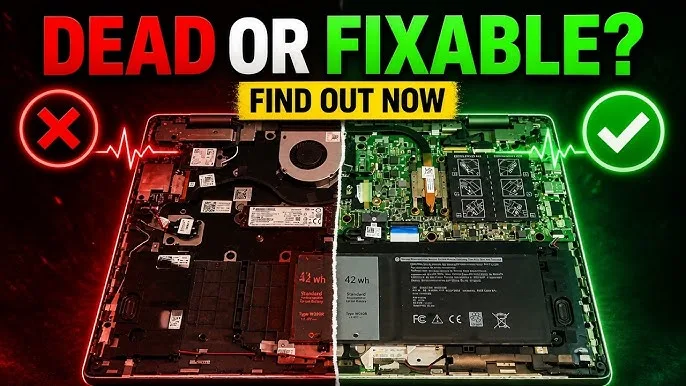
The motherboard is the most important component inside your laptop. It acts as the central hub that connects the processor, RAM, storage drive, battery, keyboard, screen, and every other major part. If the motherboard develops a serious fault, your laptop may become unstable, refuse to power on, or stop working completely.
Unfortunately, motherboard issues are becoming increasingly common among laptop users in Nigeria. Constant power fluctuations, poor-quality chargers, excessive heat, dust accumulation, and aging hardware all contribute to motherboard failure.
The good news is that motherboard problems rarely happen overnight. In most cases, your laptop will show warning signs before complete failure occurs. If you identify these symptoms early, you may be able to save your files, prevent further damage, and avoid expensive repairs.
This detailed guide explains the most common signs of motherboard failure, what causes them, and what Nigerian laptop users should do before the situation becomes worse.
What Is a Laptop Motherboard?
A motherboard is the primary circuit board inside a laptop. It allows all components to communicate with one another.
Without a functioning motherboard:
- The processor cannot operate.
- The RAM cannot communicate with the system.
- The storage drive becomes inaccessible.
- The screen cannot display information.
- The battery and charger cannot properly power the laptop.
Simply put, if the motherboard fails completely, the entire laptop becomes unusable.
Why Motherboards Fail in Nigeria
Several environmental and electrical factors make motherboard damage more common in Nigeria than in many other countries.
1. Voltage Fluctuations
Frequent changes in electricity supply can stress motherboard components over time. Sudden power surges often damage charging circuits and power management chips.
2. Excessive Heat
Nigeria’s climate can expose laptops to prolonged high temperatures. Combined with blocked cooling vents, this increases the risk of motherboard damage.
3. Dust Accumulation
Dust from Harmattan seasons can clog cooling systems and trap heat inside the laptop.
4. Liquid Damage
Spilled drinks are a major cause of motherboard failure because moisture can short-circuit electronic components.
5. Poor Quality Chargers
Counterfeit chargers often deliver unstable voltage, which can damage sensitive motherboard circuits.
Warning Sign 1: Laptop Randomly Shuts Down
One of the earliest indicators of motherboard trouble is unexpected shutdowns.
Your laptop may:
- Turn off suddenly while working.
- Restart without warning.
- Shut down even when the battery is charged.
Although overheating can cause similar behavior, repeated random shutdowns often point to motherboard instability.
Warning Sign 2: Laptop Refuses to Power On
A failing motherboard may struggle to start the system.
You might notice:
- Power button lights up briefly.
- Fans spin momentarily and stop.
- No display appears.
- The laptop remains completely dead.
While batteries and chargers can also cause startup issues, motherboard damage becomes a strong possibility when all power sources are functioning correctly.
Warning Sign 3: Frequent Blue Screen Errors
Windows Blue Screen of Death (BSOD) errors can occur for many reasons. However, when they become frequent and unpredictable, motherboard issues should be investigated.
In some situations, faulty motherboard connections cause system instability and unexpected crashes.
Warning Sign #4: USB Ports Stop Working
Motherboards control communication between connected devices and the operating system.
If multiple USB ports suddenly stop functioning, it could indicate motherboard-related problems.
Watch for:
- Flash drives not detected.
- Mouse and keyboard disconnecting.
- External drives failing to connect.
Warning Sign 5: Charging Problems
The charging system is closely connected to the motherboard.
A failing motherboard may cause:
- Intermittent charging.
- Battery not charging fully.
- Charging only at specific cable angles.
- Charging port becoming unusually hot.
Many Nigerian users mistake these symptoms for battery issues when the motherboard is actually responsible.
Warning Sign 6: Display Problems
Motherboard faults can affect video output.
Common symptoms include:
- Blank screen.
- Flickering display.
- Distorted graphics.
- Random screen artifacts.
Although screen cables and display panels can cause similar problems, motherboard damage should not be ruled out.
Warning Sign 7: Overheating Despite Cleaning
If you have already cleaned the laptop and improved airflow, but overheating continues, the motherboard may be affected.
Damaged power circuits can generate abnormal heat levels that ordinary cleaning cannot fix.
For related maintenance tips, read:
- How to Fix Laptop Overheating Without a Technician
- How to Add an SSD to Your Old Laptop
- How to Upgrade Your Laptop RAM
Warning Sign 8: No Sound or Network Connectivity
The motherboard controls various onboard components such as:
- Wi-Fi adapters
- Bluetooth modules
- Audio chips
- Ethernet controllers
If several of these stop functioning simultaneously, motherboard failure becomes more likely.
Warning Sign #9: Burning Smell or Visible Damage
A burning smell is a serious warning sign.
You should immediately:
- Power off the laptop.
- Disconnect the charger.
- Remove the battery if possible.
- Stop using the device.
Continuing to use a laptop with electrical damage can worsen the problem and increase repair costs.
What to Do Before the Motherboard Dies Completely
1. Back Up Your Files Immediately
The moment you suspect motherboard failure, prioritize your data.
Back up important files to:
- External hard drives
- USB drives
- Cloud storage services
2. Stop Using Unreliable Chargers
Replace counterfeit or damaged chargers with genuine alternatives.
3. Use a Surge Protector
A quality surge protector can help reduce damage caused by unstable electricity.
4. Clean the Laptop
Removing dust improves cooling and may prevent further damage.
5. Seek Diagnosis Early
Minor motherboard faults are often cheaper to repair than complete board failures.
Can a Laptop Motherboard Be Repaired?
Yes, many motherboard problems can be repaired.
Common repairable faults include:
- Charging circuit damage
- Power IC failure
- Loose solder connections
- Damaged capacitors
However, severe liquid damage or extensive electrical burns may require motherboard replacement.
How Much Does Motherboard Repair Cost in Nigeria?
Repair costs vary significantly depending on laptop model and damage severity.
- Minor repairs: ₦15,000 – ₦40,000
- Moderate repairs: ₦40,000 – ₦80,000
- Major repairs or replacement: ₦80,000 – ₦250,000+
Business laptops such as HP EliteBooks, Dell Latitudes, and Lenovo ThinkPads may have more expensive motherboard components.
How to Prevent Motherboard Failure
Prevention is always cheaper than repair.
- Use original chargers.
- Keep vents clean.
- Use a surge protector.
- Avoid exposing the laptop to excessive heat.
- Keep liquids away from the device.
- Perform regular maintenance.
- Replace failing batteries promptly.
Final Thoughts
Motherboard failure is one of the most serious laptop problems a Nigerian user can face. Nevertheless, the warning signs often appear long before complete failure occurs.
By recognizing symptoms such as random shutdowns, charging issues, USB failures, display problems, and unusual overheating, you can take action before permanent damage happens.
Most importantly, back up your files immediately when motherboard problems are suspected. Protecting your data should always be your first priority. With proper maintenance, quality power protection, and timely repairs, you can significantly extend the life of your laptop and avoid costly replacements.